
Key Takeaways
AI in DevOps means using AI to replace the manual parts of server work - diagnostics, command generation, file operations, and routine maintenance - while engineers review and approve every action. It is not about replacing DevOps engineers. Teams that move from manual terminal workflows to AI-assisted operations report roughly 80-85% time savings on routine server tasks, and the production-safe model in 2026 is approval-gated assistance, not autonomous agents: the AI generates the commands, a human approves them before anything runs.
- AI Terminal with approval gates - describe the problem in English, review the generated commands, click to run
- Centralized server access - one dashboard, no scattered IPs or SSH keys
- Real-time monitoring - CPU, memory, disk visible at a glance, no SSH-and-htop ritual
- Local-first security - credentials never leave your machine, no cloud sync
- Measurable time savings - routine daily server operations drop from 75-135 minutes to 14-19 minutes
- Lower bus factor - non-DevOps developers can debug, deploy, and resolve incidents with approval-gated AI guidance
| Tool | Category | Approval Gate |
|---|---|---|
| CtrlOps | AI server management workspace | ✓ Approve-before-execute |
| Warp | AI terminal | ✗ Auto-run by default |
| GitHub Copilot | Code assistant | n/a - no server access |
| Datadog / New Relic | AI monitoring | n/a - observability only |
| GitLab Duo / AWS DevOps Guru | Platform-specific AI | Platform-dependent |
Prefer to watch instead? Here is how AI replaces the manual server work while you keep control - in under 4 minutes:
The Shift From Manual Server Work to AI-Assisted DevOps
If you are still managing servers the way you did three years ago, SSH-ing in, running commands from memory, switching between five tools just to check if something is working, you are not alone. However, you are also not operating the way your team needs you to.
The gap between what infrastructure demands and what manual workflows can deliver has grown too wide. 90% of tech professionals now use AI as part of their work, according to Google's 2025 DORA report. However, in DevOps, most teams still handle server operations the old way: terminal windows, guesswork, and hoping the one person who knows the commands is online.
This is not about AI replacing DevOps engineers. It is about AI replacing the manual parts - the repetitive commands, the diagnostic guesswork, and the context-switching between tools - so that engineers can focus on architecture and strategy instead of firefighting.
Why Manual Server Management Is Breaking Modern DevOps Workflows
Three things have changed that make manual server management unsustainable:
Infrastructure has multiplied. A startup that ran one server in 2022 now manages production, staging, databases, caching, and background workers each on separate machines, often across multiple cloud providers.
Teams have not scaled proportionally. Most SMBs cannot justify a full-time DevOps hire. 33% of organizations cite skills shortage as their top challenge, according to Puppet's 2021 State of DevOps Report, via Octopus. The work grows, but the people do not.
The cognitive load is crushing. Remembering IPs, SSH keys, command flags, config file paths, and which tool does what is not expertise;
It is memorization that could be handled better by a system - the kind of overhead that quietly eats a full day of every engineer's week.
Manual workflows worked when you had three servers and one person managing them. They break when you have twelve servers across three cloud providers, and a team that needs self-serve access.
Bottom line: Manual server workflows scale linearly. AI-assisted workflows scale exponentially. The moment your fleet grows past five servers - or your team grows past two engineers - manual stops being a workflow and becomes a daily tax on focus.
The Rise of AI in DevOps and Automation
The shift is not hypothetical. 86% of tech professionals say using AI in core development tasks increases productivity (DORA 2025), and 68% of developers save at least 10 hours a week with AI tools (Atlassian 2025 Developer Experience Report).
However, here is the nuance most articles miss: 61% of professionals have never used agentic AI workflows at all, and more autonomous agent modes sit at only around 25% adoption (DORA 2025). The adoption is real, but it is cautious. Teams want AI assistance, not full autonomy.
This is the key insight driving the current wave of AI in DevOps: tools that help you work faster with your approval, not tools that run commands on your servers without asking. The future is not autonomous infrastructure. It is an augmented infrastructure where intelligent automation handles the tedious parts, and humans make the decisions.
Reality check: Auto-executing AI on a production server is one wrong command away from an incident. Every reputable AI DevOps tool in 2026 ships with an approval gate - and most engineers refuse to use the ones that don't. If a tool runs commands without asking, it's a demo, not a production system. We compared seven tools on exactly this in AI-Powered SSH Terminals: How They Work and Why They Matter.
That is what the rest of this article covers: what AI-driven DevOps actually looks like in practice, how it replaces manual work, and what measurable improvements teams are seeing.
Why DevOps Teams Are Moving to AI in 2026?
The move to AI in DevOps is not driven by hype. It is driven by pain. The math is simple: the work keeps growing, the people don't, and something has to give.
The Cost of Manual Server Management (Time, Errors, Context Switching)
Manual server management has three hidden costs that compound over time:
Time. A typical DevOps engineer spends 1-3 hours daily on repetitive tasks: checking server health, deploying updates, reviewing logs, and restarting services. That is 5-15 hours per week on work that adds no strategic value. 50% of developers lose 10+ hours a week to inefficiencies like tracking down information (Atlassian 2025 Developer Experience Report).
Errors. Manual commands are fragile. A wrong flag, a mistyped path, or running a command on the wrong server, the consequences range from minor inconvenience to production outage. 44% of organizations experience 1-5 application failures per month (JFrog 2025, via Appfire).
Context switching. Switching between the terminal, the SFTP client, the monitoring dashboard, and ChatGPT is not just annoying; it kills focus. Each context switch takes 5-10 minutes of recovery time. Over a day, that adds up to hours of lost productivity.
How AI Is Changing the DevOps Workflow?
AI does not replace the workflow. It changes the interface.
Instead of:
- Memorizing commands → you describe what you need in plain English
- Switching between tools → one interface handles access, files, monitoring, and debugging
- Running commands unthinkingly → AI generates them, you approve before execution
- Guessing at root causes → AI analyzes server state and suggests diagnostics
The workflow stays the same (connect, diagnose, fix, verify), but each step takes less time and carries less risk.
What "AI-Driven DevOps" Really Means in 2026?
Let us clear up the confusion. "AI-driven DevOps" does not mean:
❌ AI runs your infrastructure autonomously
❌ AI replaces DevOps engineers
❌ You stop understanding what happens on your servers
It means:
✅ AI generates commands you review and approve
✅ AI diagnoses issues faster than manual troubleshooting
✅ AI handles routine tasks so engineers focus on strategic work
✅ AI provides context-aware suggestions based on actual server state
The DORA 2025 report found that more autonomous AI features, like agent modes, have slower adoption at around 25% - and 30% of professionals report little or no trust in AI-generated code. This tells us something important: teams want AI assistance with human supervision, not AI running on autopilot.
The right model for DevOps is not autonomous AI. It is human-in-the-loop AI, where the system does the heavy lifting and the human makes the call.
For more context on how automation is reshaping DevOps workflows, see our guide on the best DevOps automation tools for small teams.
AI DevOps Tools That Are Shaping 2026
The AI DevOps tool landscape is still maturing, but the categories are becoming clear. Here is where things stand.
Top AI DevOps Tools Overview (CtrlOps First, Followed by Other Tools)
CtrlOps - AI-assisted server management workspace
CtrlOps combines a centralized server dashboard, a visual file manager, real-time monitoring, and an AI terminal that generates commands with your approval. It is built for SMBs and teams that do not have a dedicated DevOps person but need to manage multiple servers efficiently. Local-first security model means credentials never leave your machine. Pricing: $7/month/user for unlimited servers, after a 1 month free trial with no credit card required.
| Feature | CtrlOps |
|---|---|
| AI Terminal | ✅ With human approval gates |
| File Manager GUI | ✅ Full visual browser |
| Infrastructure Monitoring | ✅ Built-in real-time dashboard |
| One-Click Deploy | ✅ Node.js, React, Next.js |
| Local-First Security | ✅ No cloud sync |
| Multi-Server Directory | ✅ Named servers, one-click connect |
Warp - AI-powered terminal
Warp is a modern Rust-based terminal with AI command generation - we've tested it hands-on in our best SSH client for Mac comparison. Strong for developers who live in a terminal, but it is not a server management tool - no file manager, no monitoring dashboard, no multi-server directory - and it auto-runs by default, which is faster but riskier for production environments.
GitHub Copilot - Code and configuration assistance
Copilot excels at generating code, but it does not connect to your servers or understand your infrastructure state. Useful for writing scripts, not for managing live environments.
Datadog / New Relic - AI-powered monitoring
These platforms offer intelligent anomaly detection and alerting. Powerful for observability, but they do not provide server access, file management, or command execution. They tell you something is wrong; they do not help you fix it directly.
GitLab Duo / AWS DevOps Guru - Platform-specific AI
Tied to specific ecosystems. Useful if you are all-in on one platform, less helpful for multi-cloud teams managing servers across providers.
Where AI Terminal Assistants Fit In Modern Workflows?
AI terminal assistants solve a specific problem: the gap between "I know what is wrong" and "I know the exact commands to fix it."
Traditional workflow:
- Notice a problem
- Google the error message
- Find a Stack Overflow answer from 2021
- Adapt the command for your environment
- Hope it works
- If it does not, repeat
AI terminal workflow:
- Describe the problem: "Why is my API returning 502 errors?"
- The assistant generates diagnostic commands based on your server's actual state
- You review and approve
- Commands execute
- The assistant summarizes the results in plain language
The difference is not just speed in context. A generic AI chatbot does not know your server's CPU load, disk usage, or running processes. An AI terminal assistant connected to your server does. Where that assistant actually runs matters too - we compared three AI terminal approaches for server management (in-session suggestions, an agent on the server, and desktop-first with approval gates).
How AI Server Management Tools Reduce Operational Toil?
Operational toil is the work that has to get done but does not move the business forward. AI reduces it in three ways:
Automated diagnostics. Instead of running top, df -h, free -m, and journalctl manually, the assistant runs the right combination based on the symptom you describe.
Guided remediation. The system suggests fixes with explanations, so even engineers unfamiliar with a specific issue can resolve it confidently.
Proactive monitoring. Real-time dashboards with smart alerts catch problems before they become incidents.
For a deeper comparison of available solutions, check our guide on DevOps management tools.
We Replaced Manual Server Work with AI: Here is What Actually Changed
This section is not theoretical. It is based on what actually happens when teams move from manual terminal workflows to AI-assisted operations using CtrlOps.
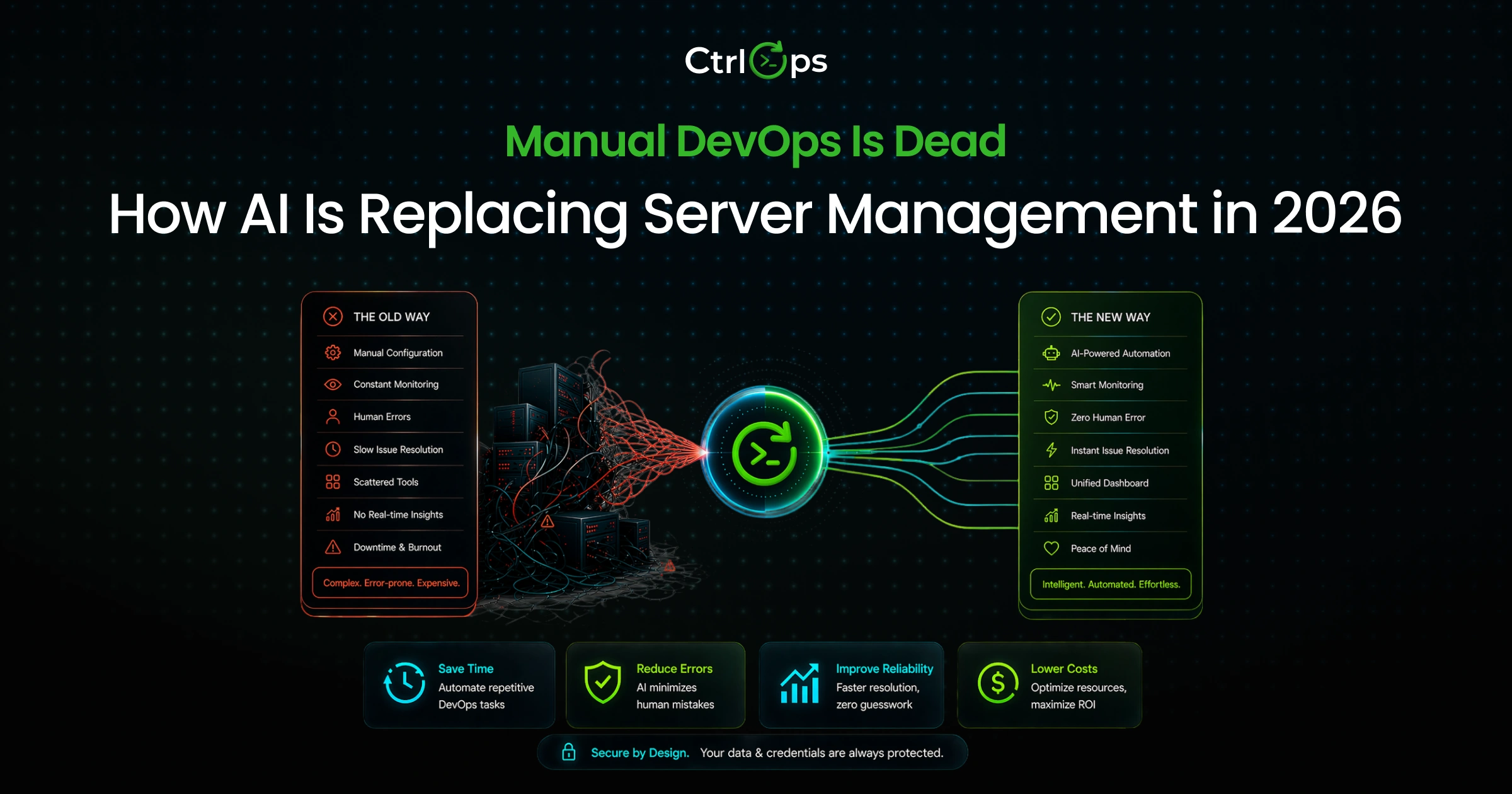
Before vs After: Life Without CtrlOps
What Server Operations Looked Like Before AI
The morning routine:
- Open terminal, SSH into production server (IP from spreadsheet)
- Run htop to check CPU, free -h for memory, and df -h for disk
- Run pm2 status to check if the app is running
- Open a browser tab with the Grafana dashboard
- Open ChatGPT in another tab for debugging help
- Check Slack for any reported issues
The deployment ritual:
- SSH into the server
- cd /var/www/myapp
- git pull origin main
- npm install --production
- pm2 restart myapp
- pm2 logs myapp --lines 50 (verify it started)
- Check Nginx: sudo nginx -t && sudo systemctl reload nginx
- Cross fingers
The incident response:
- Get a Slack alert at 11 PM
- SSH into the server
- Run various diagnostic commands
- Google error messages
- Try fixes one by one
- Hope you did not make it worse
- Resolution time: 30-90 minutes
What Server Operations Look Like with CtrlOps (AI + UI + Centralization)?
The morning routine:
- Open CtrlOps
- See all servers with health status at a glance
- Click server → Infra Details shows CPU, memory, disk in real-time
- Done in 30 seconds
The deployment:
- Open CtrlOps, click server
- Click "Add Application" → paste GitHub URL, select framework
- Add environment variables, domain, and toggle SSL
- Click Create
- Done in 5 minutes
The incident response:
- Open CtrlOps, connect to the server
- Type in AI Terminal: "Why is my API returning 502 errors?"
- The assistant runs diagnostics, returns: "Nginx cannot reach Node.js app. App crashed due to memory limits. Memory at 94%."
- Review suggested fix commands, click "Run."
- Resolution time: 5-10 minutes
Time Saved with AI in DevOps
Typical Daily Tasks Before AI (Manual Steps, Time Consumption)
| Task | Manual Steps | Time |
|---|---|---|
| Check server health (3 servers) | SSH into each, run 3-4 commands per server | 15-20 min |
| Deploy update | SSH, pull, install, restart, verify logs | 15-30 min |
| Debug error | Search logs, Google error, try fixes | 30-60 min |
| Update the config file | SSH, navigate, vim, save, reload service | 10-15 min |
| Transfer the file to the server | Open SFTP, connect, navigate, upload | 5-10 min |
| Daily total | 75-135 min |
Tasks After AI (Automation, Suggestions, Faster Execution)
| Task | AI-Assisted Steps | Time |
|---|---|---|
| Check server health | Open the dashboard, view all servers | 1 min |
| Deploy update | Guided wizard → click Create | 5 min |
| Debug error | Describe the problem to the assistant, review & approve the fix | 5-10 min |
| Update the config file | File Manager → click, edit, save | 2 min |
| Transfer file to the server | File Manager → upload | 1 min |
| Daily total | 14-19 min |
That is roughly 80-85% time savings on routine server operations. Over a month, that is 20-40 hours given back to the team.
Mistakes Reduced Thanks to AI Controls
Common Manual Errors in Server Management (Wrong Commands, Misconfigurations)
- Running commands on the wrong server (terminal windows look identical)
- Typos in commands (rm -rf in the wrong directory)
- Forgetting steps in the deployment sequence (install before restart)
- Editing config files with syntax errors
- Leaving stale SSH keys on servers after team members leave
These are not rare incidents. They happen because humans are asked to do repetitive, precise work under pressure, often at odd hours. The stale-key problem in particular has a dedicated fix - the 14 SSH key management best practices cover revocation and auditing end to end.
How CtrlOps Prevents Accidental Execution with Approval-Based Commands?
CtrlOps takes a different approach from AI tools that auto-execute:
Every AI-generated command needs your approval. You review it before it runs.
This is the "approve-before-execute" model, and it matters for three reasons:
- You stay in control. No AI runs commands on your production server without your explicit say-so.
- You learn as you go. Seeing the generated commands teaches you what each one does, building knowledge instead of creating dependency.
- You catch mistakes before they happen. If the assistant suggests something unexpected, you can modify or reject it.
The market is clearly saying: help me, but do not run things without asking. CtrlOps was built around that principle.
Real Use Cases of AI in Server Management
Use Case 1 - AI Terminal Assistant for Faster Debugging and Diagnostics
Scenario: API server starts returning 502 errors at 2 AM.
Without AI: The engineer wakes up, SSHs in, runs 5-10 diagnostic commands over 30 minutes, and eventually finds the issue.
With CtrlOps AI: Engineer types "Why is my API returning 502 errors?" The assistant runs diagnostics, identifies the root cause (disk full, service crashed, memory limit), and suggests a fix. Engineer approves. Resolved in 5 minutes.
Use Case 2 - Centralized Multi-Server Monitoring and Alerts
Scenario: Managing 8 servers across 2 cloud providers.
Without AI: Check each server individually via SSH or separate monitoring tabs. Problems are discovered reactively after users complain.
With CtrlOps, a single dashboard shows all 8 servers with real-time metrics. Unusual patterns surface immediately. You spot the disk filling up before it hits 100%.
Use Case 3 - UI-Based File Management Without CLI Dependency
Scenario: A frontend developer needs to update an Nginx config file.
Without AI: Must know SSH, terminal navigation, and Vim. Likely needs help from a DevOps person. Takes 15 minutes if they know what they are doing, much longer if they do not.
With CtrlOps: Open File Manager, navigate visually to /etc/nginx/, click the config file, edit in UI, save. Takes 2 minutes. No terminal knowledge needed.
Advantages of AI in DevOps for Modern Teams
The advantages of AI in DevOps go beyond "saving time." They reshape how teams operate, who can participate, and how reliably infrastructure runs.
Centralization of Server Access and Operations
When server access, monitoring, file management, and troubleshooting live in one place, everything changes:
- No more scattered credentials. SSH keys, server IPs, and connection details live in one encrypted, local store, not in spreadsheets, Slack messages, or sticky notes.
- No more "which tool do I use for this?" One application handles everything from connecting to deploying to debugging.
- No more information silos. Everyone on the team sees the same server status, the same metrics, the same access points.
Teams with easy access to self-serve information are 4.9x more effective (Atlassian 2025, via Appfire). Centralization makes that possible.
Security-First Design with User-Approved Commands
AI in DevOps raises a legitimate concern: what if the AI runs something destructive?
The answer is approval-based execution. Every AI-generated command in CtrlOps goes through a human review gate. You see the exact command, understand what it does, and choose whether to run it.
This matters because 57% of professionals say AI introduces new security risks, but 63% also believe it helps write more secure code (Black Duck Global State of DevSecOps 2025). The tension is real: the technology can help, but only when it is designed with safety boundaries.
CtrlOps addresses this with:
- Approve-before-execute: No command runs without your click
- Local-only storage: Credentials never leave your machine
- No cloud sync: No third-party servers ever see your SSH keys
- AES-256 encryption: All stored data is encrypted at rest
Bottom line: If your AI DevOps tool syncs SSH keys to the cloud, your security perimeter just grew to include a third party's infrastructure. Local-first credential storage isn't a feature - it's a baseline requirement for any team with SOC2, HIPAA, or client-contract obligations.
Faster Incident Response with Real-Time Insights
73% of teams take several hours to resolve production issues (Logz.io DevOps Pulse 2023). The bottleneck is not fixing the problem, but finding it.
AI accelerates incident response by:
- Connecting symptoms to causes faster than manual log diving
- Providing context-aware suggestions based on actual server state
- Summarizing diagnostic output in plain language instead of raw terminal output
The result: incidents that took 30-90 minutes now take 5-10 minutes.
Reduced Dependency on Pure Terminal Expertise
46% of organizations still use manual security processes, and 49% say these processes severely slow development (Black Duck Global State of DevSecOps 2025). The same applies to server operations.
When only one person on the team knows the right commands, two things happen:
- That person becomes a bottleneck
- Everyone else is afraid to touch the servers
AI-assisted tools break this dependency. A frontend developer can debug a production issue. A startup founder can deploy their app. A junior engineer can resolve an incident at 2 AM. Not because they have memorized Linux commands, but because the assistant generates the right commands and they approve them.
Improved Productivity Across DevOps Teams
The productivity gains are measurable:
| Metric | Before AI | With AI Assistance |
|---|---|---|
| Daily server ops time | 75-135 min | 14-19 min |
| Deployment time | 15-30 min | 5 min |
| Incident resolution | 30-90 min | 5-10 min |
| Onboarding new dev | 2-3 hours | 30 min |
| Wrong-server incidents | 2-3 per year | 0 |
For DevOps teams specifically, the time savings come from eliminating the diagnostic and command-memorization overhead that dominates manual workflows.
How CtrlOps Fits Into the AI in DevOps Ecosystem?
CtrlOps is not trying to be everything for everyone. It solves a specific problem: helping teams without dedicated DevOps expertise manage servers efficiently using AI assistance.
CtrlOps as an AI-Powered DevOps Workspace
Think of CtrlOps as three things combined:
- A server directory - for all your servers, named and organized, with one click to connect
- An operations workspace - file management, monitoring, and deployment in one UI
- An AI assistant - terminal commands generated from natural language, with your approval
No other tool combines all three with a local-first security model.
What AI in DevOps Looks Like With CtrlOps
This is not a feature list. It is what actually happens when you open the app and use it.
AI Terminal with Approve-Before-Execute
The AI Terminal is built around one principle: the AI generates, you decide.
Here is the exact flow:
- You type a request in plain English: "Why is my API returning 502 errors?"
- The AI reads your server's live state - running processes, memory load, active services - via the live SSH session
- It generates the appropriate diagnostic or fix commands, grounded in your actual server context, not a generic answer
- Commands appear with a Run button. Nothing executes until you click it.
- Output returns. The AI summarizes it in plain language.
- Full command history stays in the panel with execution time and status.
This is what using generative AI in DevOps looks like in practice - not a chatbot you describe your server to, but an assistant that already knows your server state and generates commands specific to it.
Quick action suggestions built in:
- "Why is my server slow?"
- "Check memory and CPU"
- "Show recent error logs"
- "List running services"
- "Check disk space"
- "Restart crashed service"
Bring your own AI: Connect OpenAI, Google Gemini, Anthropic Claude, or any OpenAI-compatible provider. Your keys, your costs, your data - stored locally, never sent to CtrlOps servers.
Auto-Run exists, but think before enabling it in production. CtrlOps includes an Auto-Run toggle for power users who want to skip the approval gate for routine diagnostic sequences. For production servers, keep it off. The approve-before-execute model is what makes AI safe in live environments - and it is why agent modes sit at only ~25% adoption while 30% of professionals report little or no trust in AI-generated code (DORA 2025).
Web Search: Commands Based on Today's Docs, Not Last Year's Training Data
Every AI model has a training cutoff. Ask it to install a recently released tool, and it may generate commands based on outdated documentation - wrong flags, deprecated methods, failed installs.
CtrlOps solves this with built-in web search inside the AI Terminal.
How it works:
- Enable the Web toggle in the AI Assistant panel
- Choose a search provider: Tavily (recommended), Brave, or DuckDuckGo (no API key required)
- Ask your question as normal
The AI searches the web in real time, reads the relevant documentation, shows you the sources it used, and then generates the command - still with the human approval gate in place. Web search does not bypass safety; it improves accuracy.
What this changes in practice:
| Without Web Search | With Web Search |
|---|---|
| Commands based on model's last training date | Commands based on live, current documentation |
| May suggest deprecated flags or install methods | Reads the official source before generating |
| Requires you to Google separately and cross-check | Sources shown inline - click through to verify |
| Breaks on recently released packages or CVEs | Handles new tools, breaking changes, fresh CVEs |
This is the layer that makes the AI Terminal genuinely reliable for production work, not just a fast shortcut.
Real-Time Infrastructure Monitoring Dashboard
No more running htop, free -h, and df -h in separate terminal windows.
The Infra Details tab shows:
| Metric | What You See |
|---|---|
| CPU | Live load %, uptime, core count |
| Memory | Used/total GB, available, swap |
| Disk | Used/total space, available % |
| Processes | PID, name, CPU%, Memory% |
One-click actions: refresh metrics, clean cache, clear old buffers.
This makes server health monitoring accessible to everyone on the team, not just the person who knows what free -h output means.
UI-Based File Management vs Manual SSH + CLI
File operations are the most common server tasks that should not require terminal expertise.
Manual SSH + CLI approach:
- Navigate directories with
cd - List files with
ls -la - Edit with Vim or nano
- Transfer with
scpor a separate SFTP tool
CtrlOps File Manager:
- Browse the directory tree visually
- Click to edit files
- Drag to upload/download
- Search by filename
The terminal is always available for complex operations. For the 80% of routine file tasks, the UI is faster and less error-prone.
Centralized Server Management from One Dashboard
The foundation: a server directory where every server has a name, status, and one-click access.
This eliminates three chronic problems:
- "What is the IP again?" - Servers are named, not numbered
- "Which server am I on?" - Status and name visible at all times
- "How do I connect?" - One click, no credential hunting
Import/export server lists for team sharing. SSH Setup Wizard for guided onboarding. Works with any SSH-accessible server across any cloud provider.
For Non-DevOps Developers: The CtrlOps Difference
Every AI DevOps tool on the market is built assuming the user knows Linux. CtrlOps is the one tool built for the developer who does not want to become a Linux expert just to manage a production server.
This is the gap no competitor owns and where CtrlOps delivers the most distinct value.
What changes for a non-DevOps developer:
Debugging a production error at 2 AM Without CtrlOps: SSH in, run five commands from memory, Google the output, guess at the fix. With CtrlOps: Type "Why is my server returning 500 errors?" The AI reads the live server state, runs diagnostics, and returns a plain-language summary. You review the fix command and click Run. Done in 5 minutes.
Deploying an update
Without CtrlOps: Remember the right directory, git pull, npm install, pm2 restart, verify logs, check Nginx. One wrong command breaks production.
With CtrlOps: Click Add Application → paste GitHub URL → select framework → add .env → toggle SSL → click Create. No sequence to memorize. No commands to type.
Installing a tool you have never used Without CtrlOps: Google the tool, read the docs, find the install command, SSH in, paste it, hope the version matches. With CtrlOps: Enable Web Search in the AI Terminal. Type the request. The AI reads the current official documentation and generates the exact correct install command. You approve. It runs.
Updating a config file Without CtrlOps: SSH in, navigate to the right directory, open Vim, edit, save (if you remember the Vim commands), reload the service. With CtrlOps: Open File Manager → navigate visually → click the file → edit in UI → save. Two minutes. No Vim required.
The approval gate is the safety net for non-DevOps users. When you are not certain what a command does, seeing it written out before it executes is what builds confidence and competence. Teams using CtrlOps consistently report that junior developers and non-DevOps team members become genuinely self-sufficient within a few weeks, not because the AI does everything for them, but because reviewing approved commands teaches them what each one does.
The result: a frontend developer can resolve a production incident. A startup founder can deploy a hotfix. A junior engineer can debug at 2 AM - without paging the senior DevOps person. The "bus factor" problem disappears.
AI in DevOps vs AI-Powered Server Management: What's the Difference?
When teams start using AI in DevOps, they quickly run into a terminology problem. "AI in DevOps" and "AI-powered server management" are often used interchangeably, but they describe very different things, targeting very different teams.
The distinction matters because it determines which tool actually fits your workflow.
AI in DevOps: The Enterprise Definition
In enterprise engineering, AI in DevOps refers to AI embedded across the entire software delivery lifecycle:
- AI-assisted code review integrated into CI/CD pipelines
- Predictive anomaly detection across distributed Kubernetes clusters
- Automated incident correlation across hundreds of microservices
- AI-generated runbooks from observability data at scale
Tools like Datadog, GitLab Duo, and AWS DevOps Guru operate in this space. They are built for teams with dedicated platform engineers, SRE functions, and infrastructure running across multiple regions.
These tools solve real problems but they are designed for organizations with a DevOps team already in place.
AI-Powered Server Management: The SMB Reality
AI-powered server management targets a different problem entirely: what happens when a small team needs to manage production servers without a dedicated DevOps engineer?
The challenges here are not about Kubernetes orchestration or distributed tracing. They are about:
- Remembering the right SSH command at 2 AM
- Deploying an update without breaking production
- Knowing whether a server is healthy without running four manual commands
- Giving a junior developer enough context to resolve an incident independently
This is where generative AI in DevOps delivers immediate, measurable value not by replacing a DevOps platform, but by replacing the manual parts of server work that consume hours every week.
How CtrlOps Fits: The Line Between Both Worlds
| Enterprise AI in DevOps | AI-Powered Server Management (CtrlOps) | |
|---|---|---|
| Target user | Dedicated DevOps/SRE teams | Developers, founders, small teams |
| Infrastructure scale | 100s of services, Kubernetes, multi-region | 1 - 50 SSH-accessible servers |
| AI role | Autonomous anomaly detection, runbook generation | Command generation with human approval |
| Deployment model | SaaS, cloud-native | Local-first desktop app |
| Credential storage | Cloud | Local only, AES-256 encrypted |
| Learning curve | Weeks to onboard | Under 5 minutes to first connection |
| Replaces | Manual observability, ticket routing | Manual terminal work, SFTP clients, SSH credential management |
| Pricing | $20 - $50+ per seat/month | $7/month, unlimited servers (1 month free) |
Neither category is wrong. They solve different problems for different teams.
If you are running a distributed system with a platform engineering team, you need enterprise DevOps tooling. If you are a developer or small team managing VPS servers and spending hours a week on manual terminal work, AI-powered server management is what actually moves the needle.
If you want to understand how to use AI in DevOps for your day-to-day server operations rather than enterprise infrastructure management, the Practical Next Steps section below covers exactly that.
Practical Next Steps for Your Team
Knowing AI in DevOps works is different from making it work for your team. Here is how to start.
How to Start Replacing Manual Server Work with AI?
Start small. Do not try to AI-ify your entire DevOps workflow at once. Pick one high-friction area:
- Debugging and diagnostics: This is where AI delivers the most immediate value. Instead of running 10 commands manually, describe the problem and let the assistant generate the diagnostic sequence.
- File operations: If your team currently uses a separate SFTP tool or manual scp commands, moving to a visual file manager is a quick win.
- Monitoring: Replacing manual htop checks with a real-time dashboard saves time every day.
Measure before and after. Track how long common tasks take now, then compare after adopting AI-assisted tools. The numbers tell the story.
What to Look for in an AI DevOps & Server Management Tool?
Not all AI DevOps tools are built the same. Here is what matters:
| Criteria | What to Check | Why It Matters |
|---|---|---|
| Approval gates | Does the assistant ask before executing? | Production safety |
| Local-first security | Are credentials stored locally only? | Compliance and client contracts |
| Multi-server support | Can you manage all servers from one view? | Eliminates context switching |
| File management | Is there a GUI, or only SFTP? | Non-DevOps team members |
| Monitoring | Built-in, or separate tool? | Consolidation vs fragmentation |
| AI provider choice | Locked to one provider, or bring your own? | Cost and data control |
| No server agents | Does it require installing software on servers? | Deployment friction |
| Pricing | Per-user or flat rate? | Team scaling costs |
How to Implement AI Safely in Existing DevOps Workflows
Rule 1: Never auto-execute in production. AI should suggest, humans should approve. This is non-negotiable for production environments.
Rule 2: Start with non-destructive operations. Use AI for diagnostics and monitoring first. Move to remediation commands only after your team trusts the tool.
Rule 3: Keep credentials local. If a tool syncs your SSH keys to the cloud, it creates a security surface you do not control. Local-first is not just a feature; it is a compliance requirement for many teams.
Rule 4: Train your team. AI-assisted tools only work if people use them. Spend 30 minutes walking the team through the AI terminal, file manager, and monitoring dashboard. The ROI comes from adoption, not just installation.
Rule 5: Keep the terminal available. Intelligent assistance is for the routine. The terminal is for the complex. Your tool should offer both.
Getting Started with CtrlOps in Your DevOps Stack
Prefer to watch the walkthrough? Here is the full setup - download, activation, adding your first server, and running your first AI-assisted command - in under three minutes:
Or follow the written steps below:
Download CtrlOps
Download from ctrlops.io, available for Mac, Windows, and Linux.
Activate Account
Activate with your license key (1 month free trial, no credit card required).
Add Your Server
Add your server name, enter the IP, and choose your SSH key or upload a .pem file.
Connect AI Provider
Connect your AI provider and add your OpenAI, Gemini, or Claude API key for context-aware assistance.
Start Troubleshooting
Try the AI Terminal with a simple question: "Check my server health."
From download to first AI-assisted operation: under 5 minutes. For a broader context on industry trends driving this shift, see our collection of DevOps statistics and trends.
Future of AI in DevOps
AI in DevOps is still in its early chapters. Here is where it is heading and what your team should prepare for.
From Assistance to Autonomous DevOps Systems
Today's AI in DevOps is firmly in the "assistance" phase: the system generates commands, humans approve. This model works because it balances speed with safety.
The next phase is supervised autonomy: AI handles routine operations (restarts, scaling, log cleanup) within pre-defined boundaries, escalating only when it encounters something unexpected.
Full autonomy AI managing infrastructure without human involvement is not coming soon, and for good reason. Infrastructure decisions carry business risk. The DORA 2025 data confirms this: only about a quarter of professionals use AI agent modes, and 61% have never interacted with agentic workflows at all. The industry wants help, not replacement.
Rise of AI-Native Infrastructure Management Platforms
The current generation of DevOps tools added AI as a feature. The next generation will be built AI-first.
What this means:
- Natural language is the primary interface. Instead of learning a tool's UI, you describe what you need.
- Context-aware operations. AI that understands your entire infrastructure, not just one server at a time.
- Predictive rather than reactive. "Your API cluster will need scaling in 3 days based on traffic patterns" instead of "CPU at 95%."
- Integrated workflows. Monitoring, diagnostics, and remediation in one smooth flow, not three separate tools.
45% of organizations are already investing in new DevOps tools (JFrog 2025, via Appfire). The demand for better tooling is there. The AI-native platforms that combine safety with intelligence will win.
What Teams Should Prepare for Next?
Three things to start thinking about now:
- Skill evolution, not skill replacement. AI will not replace DevOps engineers. They will evolve from command executors to infrastructure strategists. The value shifts from "knowing the commands" to "knowing what needs to happen and verifying the system does it right."
- Security standards for AI in production. As AI takes on more operational responsibility, security reviews need to include AI tool evaluation. Does it auto-execute? Where are credentials stored? What audit trail exists?
- Data governance. When you connect an AI to your servers, what data does it see? Where does it go? Local-first tools that keep data processing on your machine (or through your own API keys) minimize exposure.
The teams that adopt AI-assisted DevOps now, while keeping humans in the loop, will be best positioned for whatever comes next. They will have the workflows, the trust, and the experience to take advantage of each new capability as it emerges.
Conclusion
The shift from manual server management to AI-assisted DevOps is not a trend you can afford to watch from the sidelines. The data is clear: adoption is near-universal across tech, productivity gains are measurable, and weekly time savings stack up fast for teams using AI tools.
However, the real story is not in the statistics. It is in the daily experience of teams that stopped running htop in five terminal windows and started asking an AI assistant, "What is wrong with my server?" It is the frontend developer who resolved a production incident at 2 AM without calling the DevOps lead. It is the startup founder who deployed their app in 5 minutes instead of 45.
The teams thriving in 2026 are not the ones with the most DevOps engineers. They are the ones with the best tools that centralize access, provide AI assistance with human oversight, and make server operations visible and manageable for everyone on the team.
AI has already changed DevOps. The real question is whether your team adopts it now or waits for a 3 AM incident to force the shift.
Frequently Asked Questions (FAQs)
AI in DevOps means using artificial intelligence to assist with server management tasks, diagnostics, deployment, monitoring, and troubleshooting, while keeping humans in the decision loop. It matters in 2026 because infrastructure complexity has outpaced team capacity. Adoption is now the norm across the tech industry, and teams that do not build AI-assisted workflows fall behind in speed and reliability.
The five key advantages:
- Faster incident resolution (from hours to minutes)
- Reduced manual errors through approval-based command execution
- Centralized visibility across all servers
- Lower dependency on terminal expertise
- Significant time savings (roughly 10+ hours back per developer each week)
An AI terminal assistant lets you describe server problems or tasks in plain English and generates the appropriate shell commands. Unlike auto-running AI agents, it shows you what it will execute before it runs. This helps DevOps engineers diagnose issues faster, run complex command sequences without memorizing flags, and enables non-expert team members to troubleshoot independently.
AI reduces errors in three ways. First, it eliminates typos by generating correct commands automatically. Second, approval gates let you review commands before execution, catching mistakes before they happen. Third, centralized dashboards prevent wrong-server incidents because servers are clearly named and identified.
No. AI in DevOps replaces manual tasks, not people. It handles repetitive operations, diagnostics, routine commands, and monitoring, so engineers focus on strategic decisions. Industry data consistently shows professionals want AI assistance with human judgment, not autonomous execution.
CtrlOps uses an approve-before-execute model: AI generates commands, but nothing runs without your click. All credentials are stored locally with AES-256 encryption, no cloud sync, no third-party access. Because nothing is stored with a vendor, there is no third-party copy of your credentials.
Based on typical workflows, teams save 80-85% on daily server operations. Checking health drops from 15-20 minutes to 1 minute. Deployments drop from 15-30 minutes to 5 minutes. Incident resolution drops from 30-90 minutes to 5-10 minutes. Across a month, this translates to 20-40 hours saved per team member.
Yes, when implemented correctly. The critical safety measure is the approval gates. AI should suggest commands, not auto-execute them. Local-first credential storage prevents third-party breaches. Encrypted data at rest (AES-256) protects against local compromise.
A small but growing group. The bring-your-own-key model means you pay your AI provider directly (OpenAI, Anthropic, Google Gemini, or any OpenAI-compatible endpoint), the tool routes through your account, and your prompts and server context never train someone else's model.
CtrlOps is one of the few AI DevOps tools built this way - connect any OpenAI-compatible provider and you control the model, the cost, and the data residency. Warp also supports BYO key on its paid tiers. GitHub Copilot and most enterprise SaaS platforms (Datadog, GitLab Duo) do not offer BYO - you use their backend and pay per seat.
Why this matters for production teams: BYO keys let you stay inside an existing SOC2 / HIPAA / DPA boundary instead of adding a new vendor relationship for every AI feature you adopt.
GitHub Copilot and ChatGPT are code assistants. They generate code in your editor, answer questions in a browser tab, and never connect to your servers. They don't know your CPU load, disk usage, or running processes - which means every suggestion is generic.
CtrlOps is a server operations assistant. The AI Terminal connects to a live SSH session, reads the actual server state, and generates commands grounded in that context. You still review and approve before anything runs, but the suggestions are specific to your server, not the average internet server.
Use Copilot or ChatGPT to write a deployment script. Use CtrlOps to run it, monitor it, and debug it when it fails at 2 AM.
That's actually the strongest use case. Small teams without a dedicated DevOps engineer are exactly who get hit hardest by manual server work - and who benefit most when AI handles the diagnostic and command-generation overhead.
What changes for a small team:
- Frontend developers can debug a production 502 without paging anyone
- Founders can deploy a hotfix in 5 minutes without remembering Linux flags
- Junior engineers can resolve incidents at 2 AM with approval-gated guidance
The approval gate is the safety net: the AI generates the commands, the human approves them, and learning happens on every run. Over a few weeks, the team builds genuine server fluency instead of staying dependent on one senior engineer.