
Key Takeaways
The best DevOps automation tools for small teams in 2026 are GitHub Actions (CI/CD), Docker (containers), Terraform or Ansible (infrastructure as code), Prometheus + Grafana (monitoring), and CtrlOps (server operations). A team managing 1 - 25 servers can cover roughly 80% of its automation needs for about $7/month per user - and CtrlOps starts with a 1 month free trial - with CtrlOps + GitHub Actions + Docker - and should skip Kubernetes, Chef, and enterprise monitoring until it genuinely outgrows what's simpler.
Automation isn't just faster: automated pipelines run a 5 - 15% change failure rate versus 30 - 46% for heavily manual processes (DORA research).
| Category | Top Pick | Runner-Up | Free Tier? | Best For |
|---|---|---|---|---|
| CI/CD | GitHub Actions | GitLab CI/CD | ✅ Both | Push-to-deploy pipelines |
| IaC | Terraform | Ansible | ✅ Both | Provisioning & config management |
| Containers | Docker | Docker Compose | ✅ Both | Consistent app environments |
| Orchestration | Kubernetes | ArgoCD | ✅ Both | 50+ containers (skip if under 50) |
| Monitoring | Prometheus + Grafana | Datadog | ✅ / ❌ | Metrics, alerting, observability |
| Server Ops | CtrlOps ($7/mo, 1 mo free) | Portainer | ✅ Both | Best AI DevOps tool for small teams & freelancers |
The four layers every team needs to automate - in this order:
- Server access - Replace IP spreadsheets and scattered SSH keys with a named directory (Day 1)
- Deployments - One-click or push-triggered, verified, and done in under 5 minutes (Week 1)
- Monitoring and backups - Automated health checks, alerts, and database backups (Week 2 - 4)
- AI-assisted debugging - Natural language commands with live server context, not generic ChatGPT advice (Month 2+)
The uncomfortable truth: Every DevOps guide covers layers 1 - 3. None of them covers layer 4 - the server operations layer, where you spend 60%+ of your actual time. CI/CD deploys the code. Server management keeps it running. This guide covers both.
Why Small Teams Need a Different DevOps Automation Stack
You're four tools deep into a deployment at 11 PM.
Terminal open. File manager in another window. Monitoring dashboard on a third screen. Notes app with the server IPs that might or might not be current. And a ChatGPT tab where you're pasting error logs, hoping for a clue - from an AI that has never seen your actual server.
Every solo DevOps freelancer and startup CTO I talk to describes the same chaos. Managing 12 client servers with nothing but SSH and a spreadsheet. Wasting 30 minutes on deployments that should take 5. Living with the constant fear of running a command on the wrong production server at midnight.
According to The Business Research Company, the global DevOps automation tools market is growing from $14.95 billion in 2025 to $18.77 billion in 2026 - a 25.6% CAGR - but most of that money flows to enterprise teams with dedicated DevOps departments. What about you? The freelancer. The startup CTO. The small teams. The developer who builds software but never wanted to become a Linux expert just to keep it running.
This guide is for you.
You'll get a practical breakdown of 15 DevOps automation tools with real workflow comparisons, actual time numbers, a phased roadmap telling you what to automate on Day 1 versus Month 1, honest assessments of what's overkill for small teams, and - critically - the layer nobody else covers: what actually happens after your deployment pipeline finishes.
What Are DevOps Automation Tools?
The Real Definition (Not the Textbook One)
Textbooks define DevOps automation tools as "software solutions that automate processes between software development and IT operations." That's technically accurate and practically useless.
Here's the real version: DevOps automation tools remove you as the bottleneck between writing code and running it reliably in production.
Without automation, every deployment needs you. Every server configuration needs you. Every 2 AM incident needs you. With automation, those things happen without your hands on a keyboard - or with your hands on a keyboard for 5 minutes instead of 45. For small teams, the right AI DevOps tools don't just speed up processes - they replace the need for a dedicated DevOps hire entirely.
The difference that matters isn't the definition - it's understanding that "automation" in DevOps covers four distinct layers, and most teams only automate two of them.
The 4 Layers of DevOps Automation Every Team Needs
CI/CD Pipeline Automation (Build, Test, Deploy)
The most-discussed layer. When you push code, automated pipelines run tests, build artifacts, and deploy to your servers. If you've ever manually run npm install on a production server, you know exactly why this matters. Tools: Jenkins, GitHub Actions, GitLab CI/CD, CircleCI.
Infrastructure as Code (Provision and Configure)
Describing your servers and cloud resources as code files so they're reproducible and version-controlled. When a server dies, you don't spend a half-day rebuilding it from memory - you run your IaC config and get an identical replacement. Tools: Terraform, Ansible, Pulumi.
Container Orchestration (Run and Scale)
Managing containerized applications across clusters - handling deployment, scaling, networking, and self-healing automatically. Tools: Kubernetes, Docker Swarm, ArgoCD. Small teams that want push-to-deploy without standing up Kubernetes often reach for a self-hosted PaaS instead - see CtrlOps vs Dokploy for how that trade-off looks.
Server Operations and Management (The Layer Everyone Forgets)
This is the 40% of DevOps work that falls between your CI/CD pipeline and your IaC templates. File edits on a running server. Disk space checks at 9 PM Friday. Revoking SSH access after a team member departs. Debugging why a service throws 500s twenty minutes after a perfectly successful automated deploy.
No CI/CD pipeline covers this. No Terraform template handles it. And if you're managing 5 - 25 servers, you're doing most of it manually - right now.
The four-layer reality: Most DevOps guides cover layers 1 - 3 in depth and treat layer 4 as "just use SSH." For teams under 25 people, layer 4 is where the most time gets lost - and where the most outages originate. This guide covers all four.
Why Most Teams Stay Manual (And What It Costs Them)
The DevOps automation market is growing at 25.6% annually, yet most small teams are still doing the majority of their operations work manually. Not because they're careless. Because every piece of automation advice assumes you have a dedicated DevOps team, an existing Kubernetes cluster, and an enterprise budget.
Here's what staying manual actually costs - in time, money, and risk.
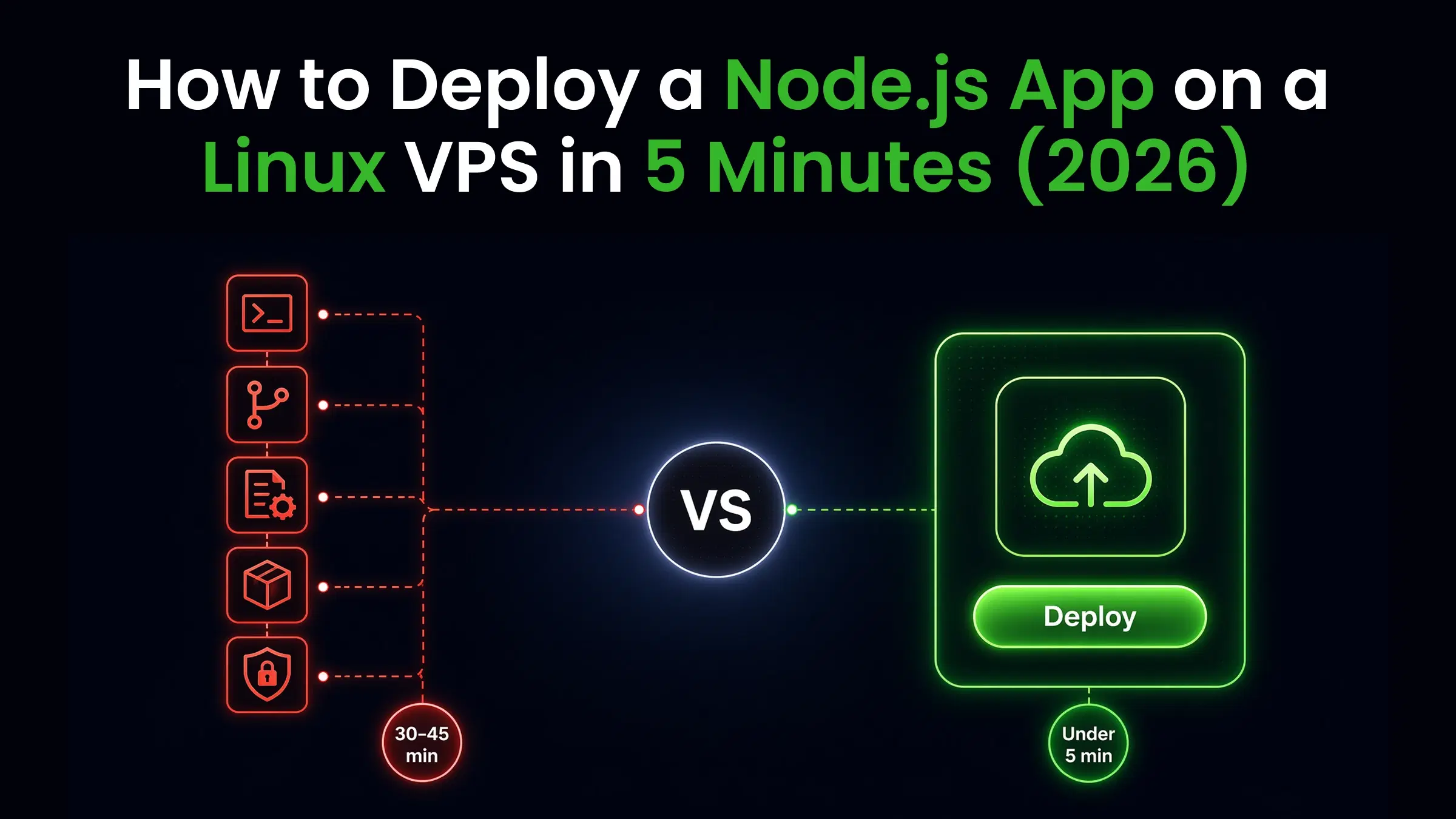
The 30-Minute Deployment That Should Take 5 Minutes
A real manual deployment for a Node.js application on a VPS, step by step:
| Step | What You Do | Time |
|---|---|---|
| 1 | Find server IP in your spreadsheet | 2 min |
| 2 | SSH into the correct server (first try?) | 1 - 2 min |
| 3 | Navigate to the project directory | 1 min |
| 4 | Pull the latest code from Git | 2 - 3 min |
| 5 | Install dependencies | 3 - 5 min |
| 6 | Build the application | 2 - 3 min |
| 7 | Restart services in the right order | 1 - 2 min |
| 8 | Verify the app is actually responding | 5 min |
| 9 | Check logs for errors you might have missed | 5 - 10 min |
| 10 | Fix anything that comes up | 10 - 30 min |
Total: 30 - 45 minutes if nothing breaks. When something does - wrong branch, dependency conflict, failed migration - you're looking at 60+ minutes.
The worst part isn't the time. It's the uncertainty. After step 9, you think the deployment worked. But did you verify all endpoints? Did the migration run? Did the background worker restart? Manual verification means checking a few things and hoping the rest is fine. That "hope" is where production incidents are born.
The Spreadsheet Full of Server IPs That Nobody Updates
Every team that hasn't automated server access management has one. Columns for IP, hostname, SSH user, purpose, and "notes." The notes column has "PRODUCTION - be careful" in red, written 8 months ago.
The problem: it's always wrong. IPs change when servers get reprovisioned. New servers get added by whoever provisioned them. Old servers get decommissioned but stay in the sheet for months. According to StrongDM's DevOps Statistics research, over 50% of organizations struggle with assigning, rotating, and tracking credentials. When your server directory lives in a Google Sheet, you're part of that statistic.
Bus Factor of 1: When Only One Person Can Deploy
In a 6-person startup, Sarah knows how to deploy. Not because she was elected - because she set it up originally and it lives in her head. When Sarah is sick, nothing ships. When Sarah takes a vacation, releases get scheduled around her PTO.
50% of organizations report that access requests take hours, days, or even weeks because deployment knowledge is concentrated in a single person. This isn't a people problem. It's a documentation and automation problem. The fix starts with centralizing how you manage multiple servers - so the knowledge lives in a system, not a person. And it's completely invisible until Sarah announces she's leaving.
The DevOps Tool for Freelancers Problem: 12 Clients, Zero Consistency
Freelancers face a different version of the same chaos. You're not managing one team's servers - you're managing 8 - 12 clients' servers across different stacks, different providers, and different deployment expectations.
Each client has their own SSH credentials, their own deployment process, and their own "notes" document that lives somewhere in your Downloads folder. When something breaks at 9 PM on a Friday, you're not just debugging a server - you're first spending 10 minutes finding which server.
The DevOps tool for freelancers needs to solve organization first, automation second. Because no CI/CD pipeline helps you when you can't remember which IP belongs to which client in under 30 seconds.
What freelancers actually need:
- A named server directory that's always current
- Deployments that work identically across every client environment
- Monitoring that covers all clients from one view - not 12 separate dashboards
- Local credential storage that doesn't put client SSH keys on a third-party cloud
SSH Key Sprawl After Team Members Leave
Most teams have an offboarding checklist for email, GitHub, and Notion. Almost none have one for SSH access. When someone leaves, their email gets disabled the same day - but their SSH key sits in ~/.ssh/authorized_keys on every production server they ever touched, and nobody owns the task of removing it. Without a documented process, that access stays live indefinitely.
The credentials time bomb: Every engineer who leaves without proper offboarding leaves SSH keys sitting on your production servers. According to StrongDM's DevOps Statistics research, 42% of organizations use shared SSH keys and 65% use team or shared logins. When someone leaves, their access doesn't. Those credentials are still on their laptop, in their backup, and potentially in their personal password manager - indefinitely.
For freelancers and agencies managing client infrastructure, this isn't just a security risk. It's a contract liability. Most client agreements include security clauses. If a breach occurs because a stale SSH key was never removed, the exposure is yours.
Real Security Exposure from Stale Credentials on Production Servers
A former team member's compromised laptop gives an attacker direct root access to your production servers. No brute force. No exploit. Just an old key that nobody removed. Gartner estimates the average cost of IT downtime at $5,600 per minute - and ITIC's 2024 Hourly Cost of Downtime Survey corroborates this: 97% of enterprises report a single hour of downtime costs over $100,000. Stale credentials aren't a theoretical risk - they're an open door with a known price tag.
Manual vs Automated DevOps: A Real Workflow Comparison
Manual Deployment Workflow (30 - 45 Minutes Per Deploy)
For freelancers and small teams, the gap between manual and automated isn't just measured in minutes. It's measured in how many clients you can realistically manage, how confidently you can onboard a second team member, and whether you can actually take a weekend off without a deployment hanging over you.
SSH in, Pull Code, Install Deps, Restart Services, Verify Manually, Hope Nothing Broke
| Step | Manual Time | Failure Points |
|---|---|---|
| Find server credentials | 2 - 5 min | Wrong IP, outdated notes |
| SSH into correct server | 1 - 3 min | SSH into staging instead of prod |
| Git pull correct branch | 2 - 4 min | Wrong branch, merge conflicts |
| Install dependencies | 3 - 8 min | Package conflicts, registry timeouts |
| Run migrations | 2 - 5 min | Migration failures that corrupt the DB |
| Restart services | 1 - 2 min | Wrong restart order, missed a service |
| Review logs | 3 - 5 min | Log too long to spot the actual error |
| Functional verification | 2 - 5 min | Checked the wrong environment |
| Total | 16 - 37 min | 7+ failure points every deploy |
Automated Deployment Workflow (Under 5 Minutes)
One-Click or Push-Triggered With Built-In Verification and Automatic Rollback
| Step | Automated Time | Failure Points |
|---|---|---|
| Push to main / click Deploy | 0 min | None |
| Pipeline: test + build | 1 - 2 min | Tests catch code issues before prod |
| Deploy to correct server | 1 min | Pre-configured, can't misroute |
| Run migrations | Automatic | Automatic rollback on failure |
| Health check verification | Automatic | Fails fast with a clear, specific error |
| Notify team via Slack/email | Automatic | Everyone knows status without asking |
| Total | 2 - 5 min | 1 failure point: your code |
The key difference isn't just speed. It's certainty. You go from "I think it worked" to "the pipeline confirmed it worked" in the time it takes to grab coffee.
Time Savings Breakdown Across 10 Deployments Per Week
| Metric | Manual | Automated | Savings |
|---|---|---|---|
| Time per deployment | 30 - 45 min | 3 - 5 min | 25 - 40 min |
| Weekly (10 deploys) | 5 - 7.5 hours | 30 - 50 min | ~4 - 6.5 hours |
| Monthly (40 deploys) | 20 - 30 hours | 2 - 3.5 hours | ~18 - 26 hours |
| Annual (480 deploys) | 240 - 360 hours | 24 - 42 hours | 200 - 320 hours recovered |
200 - 320 hours per year - 5 to 8 full work weeks - from automating deployments alone.
Error Rate Comparison: Manual vs Automated Deployments
According to the DORA State of DevOps Research, elite-performing teams with automated CI/CD pipelines achieve a Change Failure Rate of 5 - 15%, while low-performing teams relying on heavily manual processes report rates above 30 - 46%. Manual deployments fail or cause a notable issue roughly 1 in every 3 - 5 times. Automated pipelines: closer to 1 in every 7 - 20.
Why the gap is bigger than the numbers suggest: Automated failures are caught within minutes by the pipeline. Manual failures often go undetected for hours until a user reports them. The real cost difference isn't just failure frequency - it's detection speed and mean time to recovery.
15 Best DevOps Automation Tools in 2026
This isn't a padded list with one-line tool descriptions. These are the 15 AI DevOps tools that actually matter for small teams in 2026 - with honest notes on when each makes sense and when it's overkill for your headcount. Every tool has been evaluated specifically for teams managing 1 - 25 servers, not enterprise deployments with dedicated SRE teams.
CI/CD Pipeline Automation Tools
1. Jenkins - Self-Hosted CI/CD With 1,800+ Plugins
Open source, self-hosted, and infinitely extensible with over 1,800 plugins. If you can imagine a build or deployment workflow, Jenkins can run it.
Best for: Teams that need maximum pipeline customization and are comfortable managing the Jenkins server itself.
Real talk: Jenkins requires dedicated maintenance. You're managing CI/CD infrastructure on top of your application servers. For teams under 10 people, this overhead frequently outweighs the flexibility. GitHub Actions is faster to start with, no server to maintain.
Pricing: Free (open source). You pay for the server it runs on.
2. GitHub Actions - CI/CD Built Into Your Repository
GitHub Actions workflows live as YAML files in your repo. Triggers are git events (push, PR, release). Free tier covers 2,000 minutes/month for private repos. No separate CI server. No infrastructure to maintain.
Best for: Teams already on GitHub who want working CI/CD without managing additional infrastructure.
Real talk: The YAML syntax is learnable in a day. A working test-build-deploy pipeline is realistic by the end of the week. The marketplace has 15,000+ pre-built actions for almost any integration. And when a pipeline fails on a cryptic indentation error, pasting the file into a YAML validator finds it faster than re-reading it line by line.
Pricing: Free for public repos. 2,000 min/month free for private repos, then ~$0.008/minute.
3. GitLab CI/CD - All-in-One DevOps Platform
GitLab bundles code hosting, CI/CD, container registry, security scanning, and project management in one platform. If you're tired of stitching together GitHub + CircleCI + Artifactory + Jira, GitLab's consolidation is genuinely compelling.
Best for: Teams that want a single platform for the entire software delivery lifecycle with no cross-tool integration headaches.
Pricing: Free tier available. Paid plans from $29/user/month.
4. CircleCI - Managed CI/CD Without Self-Hosting
CircleCI delivers fast, managed CI/CD with Docker support, parallelism, and build caching built in. Integrates with GitHub, GitLab, and Bitbucket without ecosystem lock-in.
Best for: Teams that want hosted CI/CD and flexibility beyond any single platform's native tooling.
Pricing: Free tier (6,000 build minutes/month). Performance plan from $15/month.
Infrastructure as Code Tools
5. Terraform - Multi-Cloud Infrastructure Provisioning
Terraform lets you define your entire infrastructure - servers, databases, networks, DNS, load balancers - in code. Run terraform apply and it provisions everything. Run it again when something changes, and it modifies only what's different. No manual tracking, no configuration drift.
Best for: Teams managing infrastructure across multiple cloud providers (AWS + GCP + Azure).
Real talk: Terraform state management adds real complexity. For a solo freelancer managing 5 DigitalOcean droplets, Terraform may be more overhead than it saves. Use remote state storage from day one, or the .tfstate file becomes a headache of its own.
Pricing: CLI is open source (free). Terraform Cloud: free up to 5 users, then $20/user/month.
6. Ansible - Configuration Management and Deployment
Ansible is agentless - no software to install on target servers. Runs over SSH. Writes automation in YAML playbooks that any engineer can read without certification. Idempotent: run the same playbook 10 times, get the same result.
Best for: Teams managing server configuration without containers, or supplementing Terraform with post-provision setup.
Real talk: Ansible is the most approachable IaC tool for teams coming from manual SSH workflows. Know Linux and YAML? Useful playbooks in a day.
Pricing: Open source (free). Red Hat Ansible Automation Platform: enterprise pricing.
7. Pulumi - IaC Using Python, TypeScript, or Go
Pulumi does what Terraform does but replaces HCL with real programming languages - Python, TypeScript, Go, or C#. Real languages mean loops, conditionals, functions, and your existing package ecosystem - no separate DSL to learn.
Best for: Developer-heavy teams where infrastructure code should feel like application code.
Pricing: Open source (free). Pulumi Cloud: free for individuals; team plans from $50/month.
8. Chef - Policy-Driven Infrastructure Automation
Ruby-based "recipes" and "cookbooks." Mature, enterprise-grade, used at thousands of nodes under strict compliance requirements.
Best for: Large enterprises with complex compliance environments.
Real talk: Chef's learning curve and Ruby dependency are hard to justify for teams under 50 people. Ansible handles 95% of the same use cases with a fraction of the complexity. On this list because it genuinely matters at enterprise scale - not because you should use it.
Container Orchestration Tools
9. Docker - Package and Run Applications Consistently
Docker packages your application and all its runtime dependencies into a container that runs identically everywhere - your laptop, staging, production. Eliminates "works on my machine" definitively.
Best for: Every team deploying applications. Docker is table stakes in 2026, not optional.
Real talk: The learning curve is a weekend. The payoff starts immediately. If you're not containerizing yet, start here - before anything else in this list.
Security caveat: container defaults are permissive, and the settings that matter get set once and never revisited. The Docker security audit checklist publishes the exact thresholds for all 39 of them, starting with the two that hand over the host: daemon and socket exposure and container hardening.
Pricing: Free (Docker Engine). Docker Desktop free for small businesses.
10. Kubernetes - Orchestrate Containers at Scale
Kubernetes manages containerized applications across clusters - auto-scaling, self-healing, rolling updates, service discovery - everything for running containers at genuine scale.
Best for: Teams running 50+ containers across multiple services with traffic variability requiring auto-scaling.
Kubernetes reality check: K8s is genuinely necessary at scale - and genuinely punishing below it. The learning curve is steep. Day-2 operations (monitoring, logging, security, upgrades) require significant expertise. Teams under 10 people with fewer than 20 services almost always find the operational overhead exceeds the benefits. Start with Docker Compose. Migrate when you actually outgrow it - not because a job posting listed K8s as a requirement.
Pricing: Free (open source). Managed K8s (EKS, GKE, AKS) charges for worker node compute.
11. ArgoCD - GitOps for Kubernetes Deployments
Your desired cluster state lives in Git. ArgoCD continuously ensures your running cluster matches it. Configuration drift gets detected and corrected automatically.
Best for: Teams already running Kubernetes who want declarative, Git-driven deployments with automatic drift correction.
Real talk: Only useful if you're already running K8s. Don't adopt Kubernetes just to use ArgoCD.
Pricing: Free (open source).
Monitoring and Observability Tools
12. Prometheus - Metrics Collection and Alerting
Prometheus scrapes metrics from your services and infrastructure on a defined interval, stores them in a time-series database, and evaluates alerting rules you define. Pair with Grafana for dashboards that actually tell you something.
Best for: Teams running self-hosted infrastructure who want powerful, customizable monitoring without SaaS subscription costs.
Pricing: Open source (free). Requires hosting and configuration overhead.
13. Datadog - Full-Stack Monitoring and APM
Datadog combines infrastructure monitoring, APM, log management, and synthetic testing in one SaaS platform. An agent install takes 5 minutes and data flows immediately - no Prometheus configuration, no Grafana dashboards to build from scratch.
Best for: Teams that want comprehensive observability without maintaining their own monitoring stack.
Real talk: Datadog gets expensive fast. At $23/host/month for infrastructure monitoring alone, a 25-server setup is $575/month. Model the actual cost before committing.
Pricing: Free tier (5 hosts). Pro from $23/host/month.
The Missing Layer: Server Management & AI Automation Tools
Why CI/CD and IaC Don't Cover Your Day-to-Day Server Operations
You've set up GitHub Actions. You have Terraform templates. Your deployments are mostly automated.
And yet - you still spend 10 - 15 hours a week on things none of those tools handle:
- Editing an Nginx config that came out wrong after a deploy
- Checking why a server's disk is at 94% on a Friday evening
- Revoking SSH access for the developer who left last week
- Debugging why a service throws 500s twenty minutes after a successful deploy
- Transferring a 2GB log file from production to analyze locally
- Running a one-off database query to verify a migration applied correctly
This is the server operations layer. The daily, unglamorous work of keeping production running. And there's no well-known tool category that explicitly owns it.
The Gap Between Your Deployment Pipeline and Production Reality
Your CI/CD pipeline is like a delivery truck. It gets the package to the door. But someone still needs to open it, put things in the right place, verify everything works, and handle anything unexpected.
That someone is you. Every time. With:
- SSH client (iTerm2, Termius, PuTTY) - for connecting
- File manager (Cyberduck, WinSCP) - for file transfers
- Monitoring dashboard (Datadog, Grafana) - for metrics
- Notes app (Notion, Obsidian) - for server IPs and docs
- AI chat (ChatGPT) - for errors that don't know your server's actual state
Five tools. Three windows open simultaneously. Zero integration between any of them.
The tool-switching cost: If context-switching between 5 tools costs 3 minutes per task, and you perform 20 server-related tasks per day, that's 60 minutes of daily friction from switching alone. Across a 5-person team, that's 5 hours per day - invisible, constant, and completely fixable.
What Happens After the Deploy: Debugging, File Edits, Health Checks, Backups
Debugging - CPU spiking. A service won't start. You SSH in, run top, scan logs, paste errors into ChatGPT, get generic advice that doesn't account for your stack, try more commands. 30 - 90 minutes later, you find it.
File edits - Update an Nginx config, change an environment variable, modify a cron job. One typo can take down a production site. vim under pressure at midnight is a skill nobody should need to optimize.
Health checks - Is the app responding? Is the database connected? Is disk usage creeping up? Check manually, one server at a time. With 12 client servers, that's 12 SSH sessions before you have a full picture.
Backups - You should be running automated backups. But writing backup scripts with retention policies and verification logic is tedious, so it stays in the backlog. Until the day you actually need a restore.
14. CtrlOps - AI-Powered Server Management Platform
CtrlOps fills this exact gap. It's not a CI/CD tool. It's not IaC. It's a server management tool for startups and freelancers - a category that handles what happens between and after deployments, replacing the 4 - 6 tool sprawl with one local-first desktop application. It's the AI DevOps tool built specifically for small teams: no enterprise procurement, no cloud-synced credentials, no six-month onboarding process.
SSH Management With Named Server Directory
Replace the IP spreadsheet with an organized, named server directory. Connect to "prod-web-1" instead of typing 192.168.1.143 for the fifteenth time this week. Share the directory with your team without emailing credentials.
AI Terminal: Plain English to Shell Commands - With Human Approval
Describe what you need in plain English - "check which process is using the most memory" or "find all log files larger than 500MB" - and get the correct shell command generated for your specific server's context. Every command requires explicit approval before execution.
This is fundamentally different from pasting an error into ChatGPT. ChatGPT doesn't know your server runs Ubuntu 22.04, uses Node 18, has PM2 managing three processes, and has a disk that's 78% full. CtrlOps does - and generates commands that account for your actual environment.
Where the AI itself runs is the other half of the decision. We compared Termius AI, Kiro CLI, and CtrlOps on execution model, approval controls, and how much software each one leaves behind on the server.
Real example - Docker config debugging: A misconfigured Docker Compose file was causing intermittent service crashes. Manually tracing the root cause took 2 days of log reading and Stack Overflow rabbit holes. With CtrlOps AI Terminal, the relevant context surfaced in 10 minutes and the correct fix was generated immediately - because the AI had simultaneous visibility into the container configuration, runtime logs, and the host's resource constraints.
One-Click Application Deployment
Deploy Node.js, React, Next.js, and other applications from GitHub in under 5 minutes. CtrlOps handles the git pull, dependency installation, environment variable injection, service restart, and post-deploy health check - no CLI scripting required. Configure once; every subsequent deploy is a single button click.
Compared to doing this manually: 30 - 60 minutes down to under 5. Compared to configuring GitHub Actions for the same workflow: CtrlOps works without touching your repository structure or writing YAML.
Infrastructure Monitoring Built In
CPU, memory, disk, and network metrics for all your servers in one view - without installing Prometheus and building Grafana dashboards from scratch. Set alert thresholds and get notified before users discover the problem.
The disk space trap: Disk filling up is the #1 preventable cause of outages in small teams. It's slow, predictable, and entirely avoidable - but only if you're watching. Most teams find out when the database stops writing, and everything grinds to a halt. Monitoring disk across all servers from one dashboard makes this a 20-minute maintenance task instead of a midnight incident.
Backup Automation
Schedule database backups with retention policies from the same interface where you manage everything else. No cron job scripting. No "did the backup actually run?" anxiety on Monday morning.
Cron Jobs and Server Alerts
Schedule work without cron syntax and adopt the jobs already in crontab. Ready-made server alerts warn you about high CPU, low disk, a stopped service, or an expiring SSL certificate, on Slack, Telegram, or a webhook.
100% Local Security - No Cloud Sync
Your SSH keys and server credentials never leave your machine. CtrlOps stores everything in encrypted local storage. No third-party cloud server holds your production credentials.
Cloud-synced SSH clients (Termius's default mode) create a single point of compromise across all your clients' servers. For freelancers managing client infrastructure, having production credentials sync to a third-party cloud service frequently violates client contracts.
Pricing
Free trial available. $7/month - designed for startup budgets, not enterprise procurement cycles.
CtrlOps complements your CI/CD stack - it doesn't replace GitHub Actions or Terraform. It handles everything between "deploy finished" and "everything is confirmed healthy."
Where CtrlOps doesn't fit (yet): No tool works everywhere, and being honest about this matters. The platform is built for traditional server infrastructure - VMs, VPS, and dedicated machines. If your stack runs entirely on serverless (AWS Lambda, Google Cloud Functions) or you're deep into container orchestration (Kubernetes, ECS Fargate), this isn't the right fit - the server operations layer it solves doesn't exist in the same way there. Alerts come from Cron Jobs templates for CPU, memory, disk, services, and SSL, sent to Slack, Telegram, or a webhook. It is not a full monitoring platform, so for long metric history or external uptime checks, pair it with UptimeRobot or a dedicated tool. And if you're promising clients a specific uptime target, run it through our uptime SLA calculator first - the difference between 99.9% and 99.99% is about 43 minutes of allowed downtime a month.
If you're still using PuTTY, Webmin, or ServerPilot for day-to-day server work, this comparison of modern alternatives lays out exactly what you're leaving on the table.
15. Portainer - Visual Management for Docker and Kubernetes
A web-based GUI for managing Docker containers, images, volumes, and networks - extending to Kubernetes cluster management. If your team runs Docker but finds the CLI a barrier for non-DevOps members, Portainer makes container operations accessible without a terminal.
Best for: Teams running Docker or Kubernetes who want a visual interface for day-to-day container operations.
Pricing: Free Community Edition. Business Edition from $7/node/month.
What to Automate First: A Prioritized Roadmap
Every DevOps automation article lists tools. None of them tell you the order. And almost none of them are written for small teams - the 3-person startup, the solo freelancer, the agency managing 15 client servers without a dedicated DevOps engineer.
Here's the sequence that makes the most sense for AI DevOps tools adoption in small teams managing 5 - 25 servers - based on effort required versus time recovered.
Phase 1: Server Access and Connection Management (Day 1)
Replace IP Spreadsheets With a Named Server Directory
Before automating anything else, organize your servers. Meaningful names. Documented purpose, region, and access notes in one authoritative location. This takes 2 hours and reduces cognitive overhead for every task that follows for years.
Centralize SSH Key Storage and Access
Audit which SSH keys exist on each production server. Remove keys belonging to anyone who has left. Establish a documented, repeatable process for key rotation when the next person departs.
Quick audit command: Run cat ~/.ssh/authorized_keys on each production server to see every key with current access. Most teams are surprised by what they find - and how many entries they can't attribute to anyone currently on the team. Paste the output into the free authorized_keys Analyzer to see each key's fingerprint and flag the ones nobody can account for.
Phase 2: Application Deployments (Week 1)
Automate git pull, Dependency Install, Service Restart, and Verification
Before a full CI/CD pipeline, collapse your 10-step manual deployment into a single triggered action. The goal is to eliminate the 7+ failure points, not to build a perfect infrastructure.
Set Up One-Click Deployment or Push-Triggered Pipelines
GitHub Actions takes roughly half a day to configure for a basic deploy workflow. CtrlOps one-click deployment is under an hour and requires no YAML. Pick the approach that matches your team's current depth - the right answer is whichever one you actually finish setting up this week.
Phase 3: Health Checks and Monitoring (Week 2)
Automated CPU, Memory, Disk, and Process Monitoring
Set up monitoring across all servers with threshold alerts: disk > 85%, CPU sustained above 90%, memory > 95%. These three metrics catch the vast majority of preventable incidents before they become customer-facing outages.
Alert on Anomalies Before Users Report Issues
A notification at 8 AM that the disk is at 87% is a 20-minute maintenance task. Finding out at 11 PM when the database has stopped writing is a full incident with customer impact. The only difference is whether you were watching.
Phase 4: Backup and Maintenance Scripts (Month 1)
Automated Database Backups and Retention Policies
Manual backups don't happen consistently. Automated backups do. Implement daily database backups with 30-day retention - and actually verify monthly that your restore process works on real data. A backup that's never been tested is an assumption, not a safety net.
Scheduled Maintenance Tasks (Log Rotation, Certificate Renewal)
certbot renew in a cron job. Log rotation via logrotate. Small tasks that cause large outages when forgotten. Automate them in Month 1 and never think about them again. (Getting the schedule syntax right is its own small hurdle - our free cron expression generator builds and explains the expression for you, and CtrlOps Cron Jobs schedules and monitors the job itself, so you find out from a Slack message when a renewal fails rather than from an expired certificate.)
Phase 5: AI-Assisted Debugging and Incident Response (Month 2+)
AI Terminal for Faster Root Cause Analysis
With foundational automation in place, AI-assisted debugging becomes a force multiplier. Instead of spending 45 minutes tracing a memory leak through raw logs, describe the symptoms and get guided investigation steps with your server's actual context - not generic Stack Overflow advice.
Natural Language Commands for Common Operations
"Find all files modified in the last 24 hours in the application directory." Small savings per instance. Meaningful across a week of operations.
The roadmap isn't strictly linear. If you're drowning in manual deployments, start with Phase 2. If you just lost data because of a missing backup, start with Phase 4. Fix the biggest current pain first - then work forward.
AI DevOps Tools for Small Teams: What Nobody Tells You
You Don't Need a Full CI/CD Pipeline on Day One
Most DevOps content is written for teams with a dedicated DevOps engineer, a Kubernetes cluster, and a $2,000/month tooling budget. If that's not you - if you're a founder, a freelancer, or a small team CTO making decisions with real budget constraints - this section is the one that actually applies.
CI/CD pipelines are valuable. They're also complex to configure correctly, require ongoing maintenance, and can become their own operational burden. For a team of 3 - 5 deploying one application twice a week, a reliable one-click deployment is often the right starting point. It ships in a day instead of a week.
Automate the most painful thing first. For most small teams, that's deployment reliability or server access chaos - not pipeline infrastructure.
Start With Server Management, Not Kubernetes
The number of small teams that adopted Kubernetes because blog posts said they should - and spent months maintaining K8s instead of building a product - is a real pattern.
Kubernetes solves problems you develop at genuine scale. At 5 - 15 servers, the operational overhead almost always exceeds the benefits. Start with Docker Compose. Migrate when you actually outgrow it.
The Tools That Are Overkill for Teams Under 10 People
| Tool | Why It's Overkill | What to Use Instead |
|---|---|---|
| Kubernetes | Complexity doesn't justify benefit for <50 containers | Docker Compose or direct deployment |
| Chef | Enterprise-focused, Ruby-based, steep learning curve | Ansible or CtrlOps for server management |
| Datadog | $23+/host/month adds up to thousands annually | Prometheus + Grafana or CtrlOps built-in monitoring |
| Jenkins | You're maintaining a CI server on top of your app servers | GitHub Actions - managed, no infrastructure |
| Terraform | State management overhead for <10 servers | Direct provisioning or simple scripts to start |
What a Solo DevOps Freelancer Actually Automates vs What Blog Posts Say You Should
Blog posts say you should automate: infrastructure provisioning, container orchestration, multi-region failover, compliance scanning, and chaos engineering.
A solo freelancer managing 12 client servers actually automates: deployments, backups, monitoring, and SSH access.
Four things. Those four things solve 80% of the operational pain. If you're building your own DevOps tools list, start there - not with the enterprise DevOps automation examples that assume a full-time SRE team.
Real DevOps Automation Examples: Managing 12 Client Servers With Consistent Processes
A freelance DevOps engineer manages 12 client servers across 9 clients: different stacks (Node.js, Python, PHP), different hosting providers (DigitalOcean, AWS, Hetzner), and different deployment requirements.
Before automation:
- Deployments: 30 - 45 minutes per server (up to 9 hours total when updating all clients)
- Server directory: a spreadsheet that was wrong 50% of the time
- Monitoring: zero - issues discovered when clients complained
- Backups: manual when remembered
After implementing CtrlOps with one-click deployment, centralized monitoring, and automated backups:
- Deployments: 3 - 5 minutes per server (under 60 minutes total for all 12 when needed)
- Server directory: named, current, shared with clients who need read access
- Monitoring: automated alerts catch issues before clients notice
- Backups: daily, automated, with tested restore procedures
Total time saved: 5 - 7 hours per week. For a freelancer billing by the hour, that's direct revenue recovery - not a theoretical benefit.
AI-Powered DevOps Automation: What's New in 2026
How AI Is Changing Server Management
The AI wave hit developer tooling first - code completion, PR reviews, documentation generation. AI-assisted server management with real infrastructure context has been slower to arrive, but the gap is closing fast in 2026.
The core problem with generic AI assistants for server debugging: they give generic answers. "My Node.js service is crashing" into ChatGPT yields generic Node.js debugging advice. The same question asked with your actual server logs, running process list, memory stats, OS version, and deployment history yields targeted, actionable commands in seconds.
Natural Language to Infrastructure Commands
The gap between "I know what I want to do" and "I know the exact command to do it" is real and constant. find / -name "*.log" -mtime +30 -size +100M is not something most engineers have memorized. Getting that command generated from a plain English description - then approving it before it runs - is the practical value of AI in server operations today.
AI-Assisted Debugging With Live Server Context (Not Generic ChatGPT Answers)
Debugging with a generic AI assistant has a hard ceiling: it can only see what you paste into the chat box. It doesn't know your Node version, which processes are currently running, what your last deploy changed, or whether disk usage spiked an hour ago. So it offers advice that might apply - and you spend the next 20 minutes figuring out whether any of it actually fits your situation.
An AI with live server context skips that translation step. It reads the running process list, recent log entries, active network connections, and scheduled cron jobs in the same query - then correlates those signals into a focused hypothesis instead of a generic checklist. The difference shows up most clearly during real incidents.
Real example - Crypto miner detection: Unusual CPU spikes on a client VPS triggered an investigation. Without AI assistance, isolating the cause means manual process inspection, network analysis, and log review - typically 1 - 2 hours of focused work. With CtrlOps AI Terminal that had simultaneous visibility into running processes, network connections, and cron jobs, the cryptominer was identified in under 15 minutes. The AI flagged an unfamiliar process, traced it to a compromised package dependency, and suggested both the immediate remediation and security hardening steps to prevent recurrence.
The Approve-Before-Execute Model: AI Suggests, Humans Decide
The appropriate model for AI in production server management is not autonomous execution. It's: AI generates the command with explanation, human reviews and approves, then it runs. This preserves AI's speed benefit - the right command in seconds instead of a 5 - 10 minute Google session - while maintaining human control over what actually executes on production systems.
When to Trust AI Automation vs When to Keep Manual Control
Safe to fully automate:
- Monitoring metrics collection and threshold alerting
- Backup scheduling and execution
- SSL certificate renewal
- Log rotation
- Uptime health checks
Human-gated - automate the process, require human trigger:
- Production deployments
- Credential rotation and SSH key changes
- Database schema migrations
- Server scaling or termination events
- Any destructive filesystem operations
AI Tools That Can Automate DevOps Workflows: Current Capabilities and Limitations
What AI does well in DevOps right now:
- Generating infrastructure commands from natural language descriptions
- Debugging production issues with live server context
- Suggesting configuration changes based on error patterns
- Detecting anomalies in monitoring data before they become incidents
- Scaffolding IaC templates and CI/CD workflow files
What AI cannot reliably do yet:
- Make production readiness judgment calls
- Understand business context (is 3 AM on a Saturday a safe deploy window for this client?)
- Replace deep system knowledge and operational experience
- Handle novel failure modes it hasn't encountered before
- Make architectural decisions with long-term consequences
Security Considerations for DevOps Automation
Where Are Your SSH Keys Stored? (Cloud Sync vs Local-Only)
When an SSH client syncs credentials to the cloud by default, your server access keys exist on that vendor's servers. A vendor breach exposes your production credentials. A vendor policy change affects your compliance posture. You no longer fully own the security perimeter around your clients' infrastructure.
Local-only storage means SSH keys live on your machine, encrypted, under your control. The tradeoff is no automatic cross-device sync - but for production server credentials, that tradeoff is almost always the right one.
SSH Key Sprawl: The Hidden Security Problem After Team Members Leave
The responsible process for any departure:
- Maintain a registry of which keys have access to which servers
- Within 24 hours of departure: audit and remove their key from
~/.ssh/authorized_keyson every server they accessed - Rotate any shared keys or passwords they had access to
Without this process documented and repeatable, unauthorized access accumulates with every departure. And without centralized credential management, executing this audit means individual SSH sessions into every server - which is exactly why most teams skip it. The complete process - generation, rotation, audit, and revocation - is covered in our SSH key management best practices guide.
Why Cloud-Synced Credentials Violate Most Client Contracts
If you manage client infrastructure, read your service agreements. Most include language about data residency, third-party access restrictions, and who can hold access credentials. Storing client SSH keys on a third-party cloud service may put you in breach - even if both parties have never thought about it.
Local-only credential storage eliminates this exposure entirely.
Automating Security Checks Into Your Deployment Pipeline
Secret Scanning, Vulnerability Detection, Compliance Enforcement
- Secret scanning - GitHub's native secret scanning detects accidentally committed API keys and tokens in real time. Free. Takes 10 minutes to enable.
- Dependency vulnerability scanning - Snyk or Dependabot scan your dependencies for known CVEs before every deploy.
- Container image scanning - Trivy scans container images for vulnerabilities before they reach production.
One leaked API key in a public commit can compromise your entire infrastructure. GitHub secret scanning is free and takes 10 minutes to enable. There is no justification for running production repositories without it.
How to Choose the Right DevOps Automation Tools
Best AI DevOps Tools for Freelancers (1 - 5 Servers)
Focus on: Server Management, One-Click Deploy, AI-Assisted Debugging
| Need | Tool | Why |
|---|---|---|
| Server management | CtrlOps | Named servers, file manager, monitoring, backups - one app |
| Deployments | CtrlOps or GitHub Actions | One-click deploy or push-triggered pipeline |
| AI debugging | CtrlOps AI Terminal | Live server context, approve-before-execute |
| Monitoring | CtrlOps built-in | Simple, requires no separate infrastructure |
Monthly cost: Under $20 for most solo setups. Skip Terraform, Kubernetes, Jenkins, and Datadog until you genuinely need them.
Best Server Management Tool for Startups (5 - 25 Servers)
Add: CI/CD Pipeline, Infrastructure Monitoring, Team Access Control
| Need | Tool | Why |
|---|---|---|
| CI/CD | GitHub Actions or GitLab CI | Managed, no server to maintain |
| Server management | CtrlOps | Team-shared directory with local credential storage |
| Monitoring | CtrlOps + Prometheus/Grafana | More metrics depth as you scale |
| Configuration | Ansible | Simple YAML playbooks for repeatable server setup |
| Containers | Docker + Docker Compose | Consistent environments without K8s complexity |
Monthly cost: $100 - $500 depending on server count and monitoring tier.
For Growing Teams (25+ Servers)
Add: IaC, Container Orchestration, Multi-Cloud Management
| Need | Tool | Why |
|---|---|---|
| IaC | Terraform | Multi-cloud provisioning now justifies the complexity |
| Orchestration | Kubernetes | Auto-scaling and self-healing worth the operational overhead |
| CI/CD | GitLab CI or CircleCI | More pipeline control and customization |
| Monitoring | Datadog | Full observability without self-hosting burden |
| GitOps | ArgoCD | Automated K8s deployments from Git |
| Server ops | CtrlOps | Still handles the operations layer CI/CD doesn't cover |
Monthly cost: $500 - $3,000+ depending on scale and provider.
Integration Check: Do Your Tools Talk to Each Other?
Before committing to any tool, verify three things:
- Does it connect natively to what you already use - GitHub, your cloud provider, Slack?
- Can it be triggered from your existing workflows without custom glue code?
- Will it create a new information silo that nobody checks regularly?
Tools that don't integrate create the same friction as tools you never adopted. The best stack flows end to end - not the one that looks best in a comparison table.
Conclusion: Start With the Biggest Pain, Not the Most Impressive Tool
The DevOps automation journey doesn't start with Kubernetes. It starts with the problem costing you the most time and stress right now.
For most teams managing 5 - 25 servers, that's one of three things:
- Manual deployments that take 30 minutes and occasionally break production at midnight
- Server access chaos - the spreadsheet, the SSH into staging instead of prod, the departed engineer who still has root access
- Finding out about server problems from clients instead of your own monitoring
Fix the biggest pain first. The tools exist, work well, and for most use cases cost less than $40/month combined.
If you already have CI/CD running and your infrastructure is in code, but still spend hours weekly on SSH chaos and post-deploy debugging - that's the server operations layer. Fourteen of the fifteen tools on this list don't cover it. The fifteenth one does.
The practical starting point for most small teams: Get server access organized (Day 1). Automate your most common deployment (Week 1). Set up disk and memory alerts (Week 2). Schedule database backups (Month 1). That four-step sequence solves 80% of the operational pain that most small teams quietly accept as normal - and perpetually live with.
The best DevOps automation stack isn't the theoretically correct one that's been sitting in a backlog ticket for three months. It's the one actually running today.
Pick one thing. Finish it. Then pick the next.
FAQs
DevOps automation tools are software that replaces manual, repetitive tasks across software delivery and infrastructure management. They cover CI/CD pipelines (automated build, test, deploy), infrastructure as code (programmatic server provisioning), container orchestration (running and scaling containerized apps), monitoring (automated health checks and alerting), and server operations (SSH management, file transfers, deployment automation, and day-to-day maintenance).
Most guides cover the first three layers. The server operations layer - where small teams spend 40 - 60% of their actual time - is the one everyone skips. That's the gap this guide addresses.
For teams managing 2 - 15 servers, a practical starting stack:
| Tool | Monthly Cost | What It Covers |
|---|---|---|
| CtrlOps | $7 | Server management, one-click deploy, monitoring, backups |
| GitHub Actions | $0 (free tier) | CI/CD pipelines |
| Docker | $0 | Consistent application environments |
| Ansible | $0 | Server configuration when needed |
| Prometheus + Grafana | $0 (self-hosted) | Additional monitoring (or use CtrlOps built-in) |
| Total | ~$7/month | Complete small-team automation stack |
Skip Kubernetes, Chef, Jenkins, and Datadog until you genuinely outgrow the above.
Yes - and the category matured significantly in 2025 - 2026. AI DevOps tools fall into a few areas:
- AI server terminals (CtrlOps AI Terminal) - generate shell commands from plain English with live server context, require human approval before execution
- AI code assistants (GitHub Copilot, Cursor) - help write deployment scripts and IaC templates
- AI in CI/CD (GitHub Copilot for Actions) - suggest pipeline configurations and diagnose build failures
- AI observability (Datadog AI) - anomaly detection and alert noise reduction
The most practical capability for small teams: an AI terminal that knows your specific server's state and generates the correct command for your actual environment - not generic advice that might apply to someone else's server.
In priority order:
- Day 1 - Server access management (named directory, centralized SSH keys)
- Week 1 - Application deployments (one-click or push-triggered, verified under 5 minutes)
- Week 2 - Infrastructure monitoring (CPU, disk, memory alerts across all servers)
- Month 1 - Backup automation (daily database backups with tested restore process)
- Month 1 - Security gates (secret scanning in CI, automated SSL renewal)
- Month 2+ - AI-assisted operations (AI terminal for debugging and routine commands)
If your biggest risk today is data loss, start with Month 1. If you're losing 6 hours per week to manual deployments, start with Week 1. Fix the biggest current pain first.
CI/CD tools (Jenkins, GitHub Actions, CircleCI) automate one specific layer: the build-test-deploy pipeline. They handle the journey from git push to running code in production.
DevOps automation tools is the broader category encompassing CI/CD plus infrastructure as code, container orchestration, monitoring, server operations, security scanning, and backup automation. CI/CD delivers your code. DevOps automation provisions, deploys, monitors, secures, and maintains everything that code runs on.
A complete automation stack for a 5 - 10 person startup managing 10 - 15 servers:
| Tool | Monthly Cost | Purpose |
|---|---|---|
| CtrlOps | $7 | Server management, deployment, monitoring, backups |
| GitHub Actions | $0 - $30 | CI/CD (free tier covers most small teams) |
| Docker | $0 | Container runtime |
| Ansible | $0 | Configuration management |
| Prometheus + Grafana | $0 (self-hosted) | Monitoring (or use CtrlOps built-in) |
| Total | ~$7 - $37/month | Full automation coverage |
Compare to enterprise stacks running $500 - $2,000/month. Small teams can achieve complete automation coverage for less than most SaaS tool subscriptions - and the time ROI is measured in days, not quarters.
The best AI DevOps tools for small teams are the ones that eliminate manual work without requiring a dedicated DevOps engineer to set them up and maintain them.
For most teams managing under 25 servers, the practical AI DevOps stack looks like this:
| Tool | What It Solves |
|---|---|
| CtrlOps | AI terminal with live server context, one-click deployments, monitoring, backup automation |
| GitHub Actions | Push-triggered CI/CD pipelines with no server to maintain |
| Docker | Consistent environments across dev and production |
What makes CtrlOps specifically an AI DevOps tool for small teams: the AI Terminal generates shell commands with awareness of your actual server state - OS version, running processes, disk usage, recent logs. Not generic advice from an AI that's never seen your infrastructure.
The 2026 answer is no longer "you need a DevOps engineer". It's "you need the right tool stack." For most small teams, that's under $40/month total.
Partially. CI/CD pipelines require the internet (they're web-based services). Infrastructure provisioning requires the internet to call the cloud provider APIs.
For CtrlOps specifically: accessing the app and your server dashboard requires internet. Your SSH keys and server credentials are stored locally in encrypted storage - they're not cloud-synced - but active management sessions still need network access to reach the servers themselves (via internet, LAN, or VPN). This is an important distinction: local credential storage ≠ offline operation. The benefit of local storage is security and privacy, not offline capability.
Database automation in DevOps covers three distinct areas:
Schema migration automation: Flyway and Liquibase manage database schema changes as versioned migration files applied automatically during deployments. No more "don't forget to run the migration" in the deploy runbook.
Backup automation: Scheduled database dumps with retention policies and verified restore processes. CtrlOps handles backup scheduling directly from its interface. pgBackRest and Barman provide dedicated PostgreSQL backup management for larger setups.
Database provisioning: Terraform provisions managed database instances (RDS, Cloud SQL, Supabase) as part of IaC workflows. Ansible playbooks handle installation and configuration for self-hosted databases.
The most neglected piece across all three: automated restore testing. A backup that's never been tested is an assumption, not a safety net. Schedule a monthly restore test to staging and verify your backups actually work before you need them at 2 AM.