See who can log in. Revoke in one click.
Every authorized key on your Linux server, in a table you can actually read - and a role set the moment you add someone. No vim authorized_keys, no agent, no bastion.
How it works
Step 01 - You
See.
Open the SSH Management tab. Every key in the server’s authorized_keys becomes a row: who it belongs to, whether it is Ed25519 or RSA, and which system user it can log in as.
Step 02 - You
Scope.
Name the account, paste their key, and pick the role in one form - Restricted, Standard or Sudo. Nobody gets Sudo just because Sudo was easier.
Step 03 - You
Revoke.
Click the trash icon, confirm, done. The key is gone from authorized_keys and that person cannot log in again. No SSH session, no vim, no second-guessing.
You can't govern what you can't read.
Access to your server lives in one file: ~/.ssh/authorized_keys. Six lines of base64 that look identical to each other. Nothing in it tells you who someone is, what they can do, or whether they still work here.
The stale root key was always there. You just couldn't see it.
Go on, take the keys.
This is the real Registry Governance table running on demo data. Filter it by system user, reveal a key, add a restricted user with their key in one form, and revoke the contractor who never gave his laptop back.
The moments this actually saves you.
Not a feature list. The situations where the file that decides who can log in to this server is the one file nobody can read, and what changes in each one.
cat authorized_keys, squint at six identical lines, guess.
See every key on this server as a row with a name on it
Each line becomes a row: who it belongs to, whether it is Ed25519 or RSA, and which system user it can log in as. The counters at the top tell you how many there are without you counting them.
- A table, not base64
- Algorithm badged per key
- Filter by system user
Everyone gets root, because setting up anything else means visudo and a prayer.
Give the contractor a login and the auditor a look, in one form
Add User does the lot: name the account, paste their key, and pick the role. Restricted for someone who should look and nothing else, Standard for a normal login with no admin, Sudo for the people who genuinely need it. No separate step to create the role first.
- The account and its role in one step
- Restricted without touching visudo
- Keep Sudo for the people who need it
Someone left, and checking their access is a ticket to the tech team.
Find their key on this box and revoke it in one click
Find the row, click the trash icon, confirm. The key leaves authorized_keys and that person cannot log in again. A session they already have open runs until it ends, so end it too if they might be connected right now.
- One click, no terminal
- New logins blocked immediately
- Warns before you lock yourself out
Three new hires, and a morning of pasting keys one at a time.
Paste the whole team's keys into one box
One key per line. CtrlOps counts them back at you and authorizes the lot against the system user you picked. Paste one that is already there and it says so, instead of quietly giving somebody two rows to revoke later.
- Many keys, one paste
- Duplicates refused, not doubled
- Copy a key to reuse next door
More than a prettier text file.
Paste ten keys at once, spot the person still on legacy crypto, reuse a key on the next server, and never authorize the same key twice.
Onboard a whole team
Paste every new hire's public key into one box, one per line. CtrlOps counts them back at you and authorizes the lot against the system user you picked.
Find the weak crypto
Every key wears its algorithm as a badge - green for Ed25519, blue for RSA. The counters at the top tell you, in one number, how much of your fleet is still on the old stuff.
Reuse it next door
One click copies the full public key, so authorizing the same person on the next server is a paste, not a scavenger hunt.
No accidental doubles
Paste a key that is already in the file and CtrlOps says so, instead of quietly giving one person two rows to revoke later.
When a key won't take
Wrong permissions on ~/.ssh is the usual culprit. Ask the AI Terminal in plain English - it writes the fix and waits for your approval.
Access control, off the to-do list.
What people say once who-can-log-in stops being a question only one person on the team can answer.

HR person commenting on a server tool, I know. But whenever someone leaves the team, we need their server access gone immediately. Before this it was a whole back and forth with tech. Now I check SSH management myself and flag it in 2 minutes. Offboarding got so much easier, honestly.
100% local and credentials never leave your machine positioning is doing a lot of trust work here and it's the right call.
the fact that i dont need to install any agent on my servers sold me immediately. got it running on our staging env and already caught 2 issues before they became outages. will be moving prod over soon

SSH into 10 servers, debug a crash, and deploy a fix - all without leaving one app? CtrlOps is a local-first desktop DevOps tool that translates plain English into bash, manages fleets, and keeps your credentials 100% on-device.
finally something that replaces my mess of ssh tabs and random bash scripts. the playbook feature is underrated, set up my common fixes once and now its just one click. great launch guys..

The AI Terminal with an Approval Gate: being able to ask for a fix in plain English is great, but the fact that it shows you the command and asks for approval before running it on live infrastructure is a massive safety net.
I use CtrlOps to manage multiple servers with ease. Its GUI-based file manager saves me a lot of time, and the AI terminal helps me troubleshoot server issues quickly.
No bastion. No lock-in.
Other tools answer 'who can log in?' by putting themselves between you and your server. CtrlOps answers it by writing the file your server already reads - and then getting out of the way.
It's just authorized_keys
CtrlOps writes the same standard OpenSSH file your server already reads. No proprietary format, no sidecar database, no lock-in. Uninstall CtrlOps tomorrow and every key you added still works.
Nothing sits in the connection path
We are not a bastion or a proxy. Your SSH goes straight from your machine to your server. If CtrlOps is down - or you cancel - nobody is renting you access to your own boxes.
What it needs, and what it will not do
It needs root or passwordless sudo, because writing authorized_keys does. And revoking blocks new logins - a session already open stays open until it ends. We would rather say so than surprise you.
More you can do with CtrlOps.
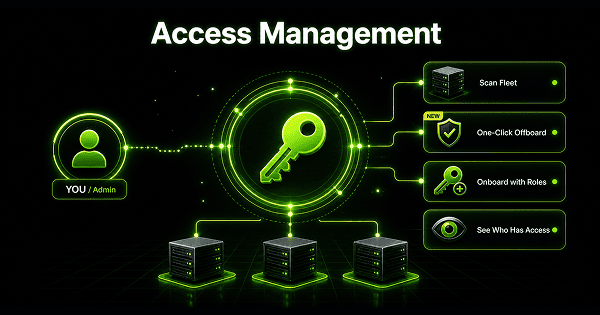
Access Management
Scan your fleet to see who can log in where and who has sudo. Offboard from every server at once.
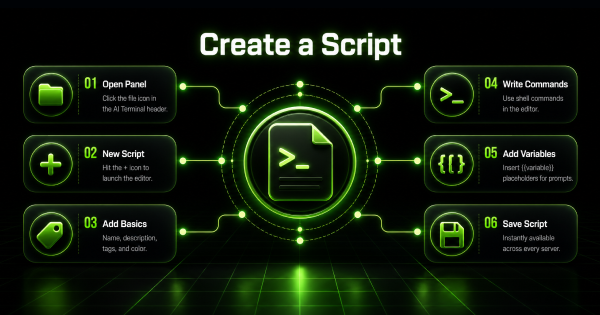
Script Directory
Save the commands you retype every week, with variables filled in at run time. One click on any server.
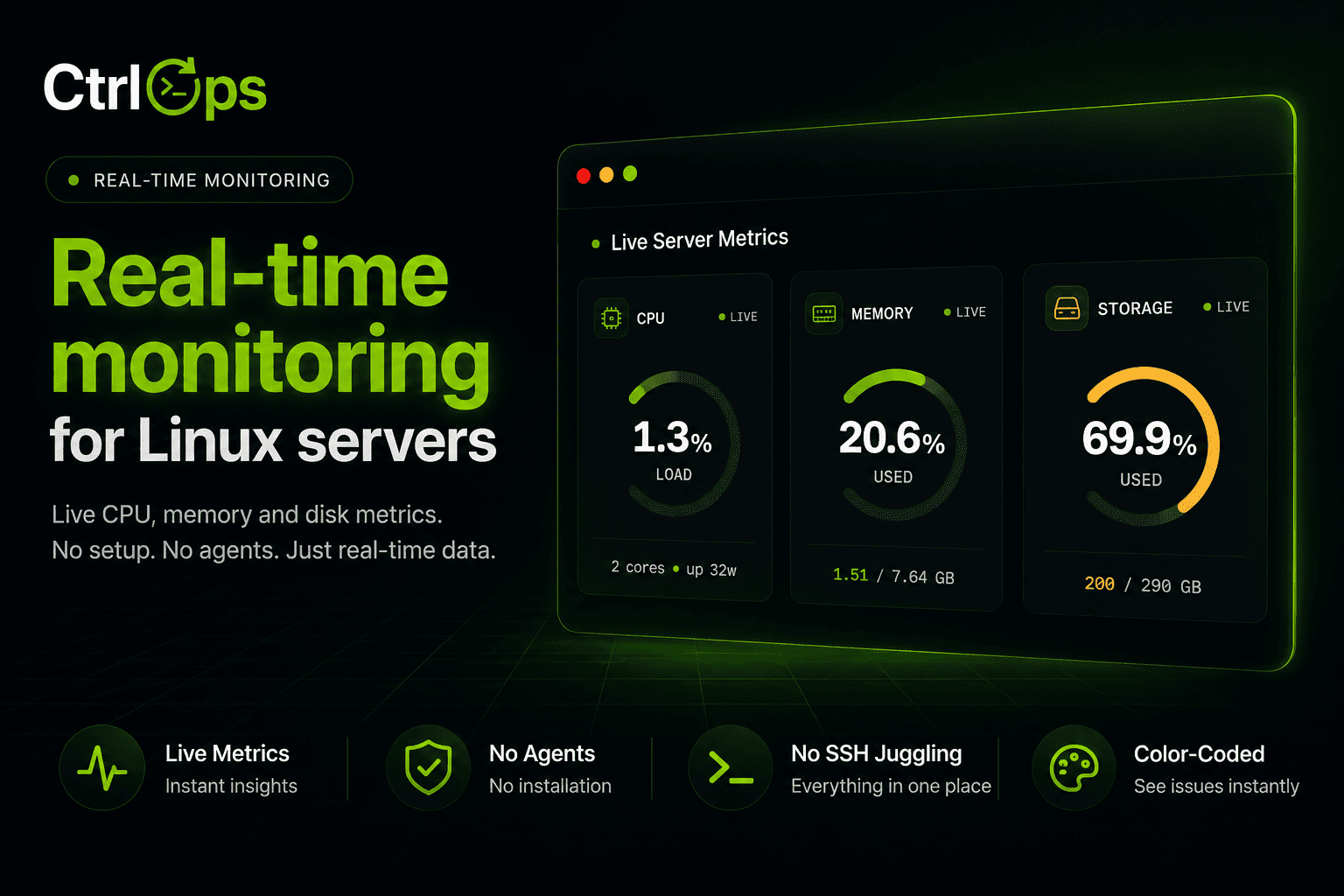
Real-Time Infra Monitoring
Live CPU, memory, disk, and network for every server, streamed as it happens.
Questions before you hand out a key.
Find out who can log in to prod.
Every authorized key on every server, in one readable table - with least-privilege roles and one-click revoke. 1-month free trial, no credit card.
✓ Start instantly·✓ No credit card·✓ No sneaky autorenewals