For freelancers
Every client's server. One desktop app.
Connect, fix and check your clients' Linux servers over SSH: files, logs, alerts and the terminal in one app. Every change is explained before you run it, with no agent or panel on their servers.
14-day free trial, no credit card required.
For freelancers and two-person teams who look after clients' Linux servers over SSH. The app runs on macOS, Windows and Linux.
 4.8 / 5on G2
- 1,000+ engineersin 160+ countries
Which client pinged you this week?
Example, Client says the site is slow: Check what Emily sees, not just the disk: space is back and the page is fast.
Sound familiar?
Five things freelancers know. Each one has a fix here.
Public posts from people who look after servers on their own, on their blogs, Product Hunt and LinkedIn. The problem first, then the fix.
simonij.com · 2026
“…the developer has to get back up to speed every time.”
Every client’s server stays saved in one app, by name and with its Production tag, and the scripts you used last time are a click away. How Scripts work
Product Hunt
“…separate SFTP client is such a pain when you just want to edit one config file.”
Files, the terminal and logs open together on the server you picked. Edit the config and save it, without a second login. How the file manager works
“…deployment was always my wall - I'd wait on a friend to handle the server stuff.”
Deploy a Node.js, React, Next.js or static app from GitHub in one form, and the AI terminal explains each command before it runs. How deploys work
Product Hunt
“The moment that person is unreachable, the whole team is paralyzed.”
Give each person their own login on the servers they need, and export who can reach what when you hand a client over. How Access works
learnwithirfan.com · 2026
“…occasional backup restores that made me question my life choices at 2 AM.”
Backups copy a client’s folders to S3-compatible storage on a schedule, with a log of every run, so you can check what last night’s copy really holds. How backups work
Built for freelancers
Every client. Every request. All in one app.
The work that comes with every new client, every request and every handover, on the real screens that do it.
14-day free trial, no credit card required.
Every new client
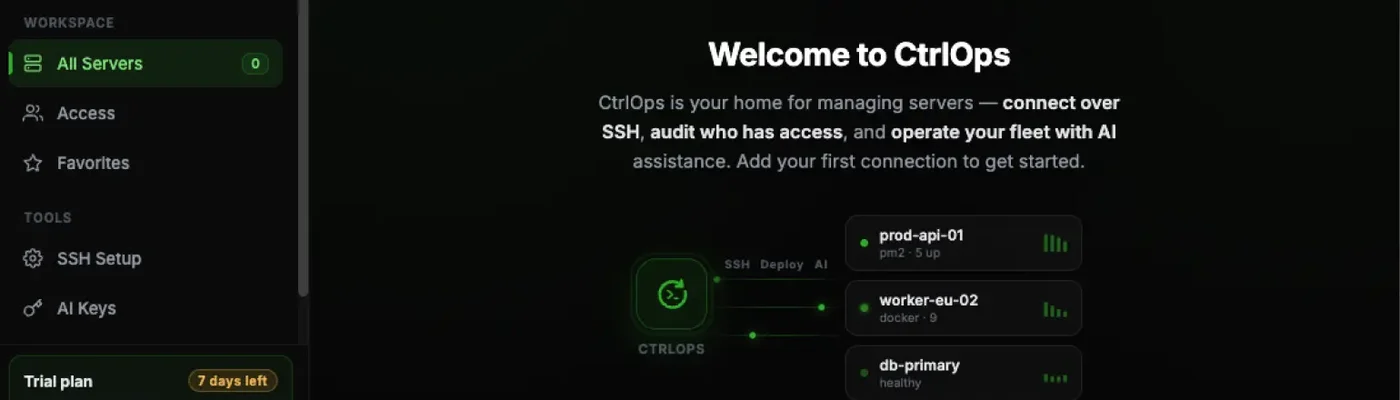
Add a client’s server over SSH
Paste an SSH string or import your Termius hosts, then name it and tag it Production, Staging or Development.
Around the clock
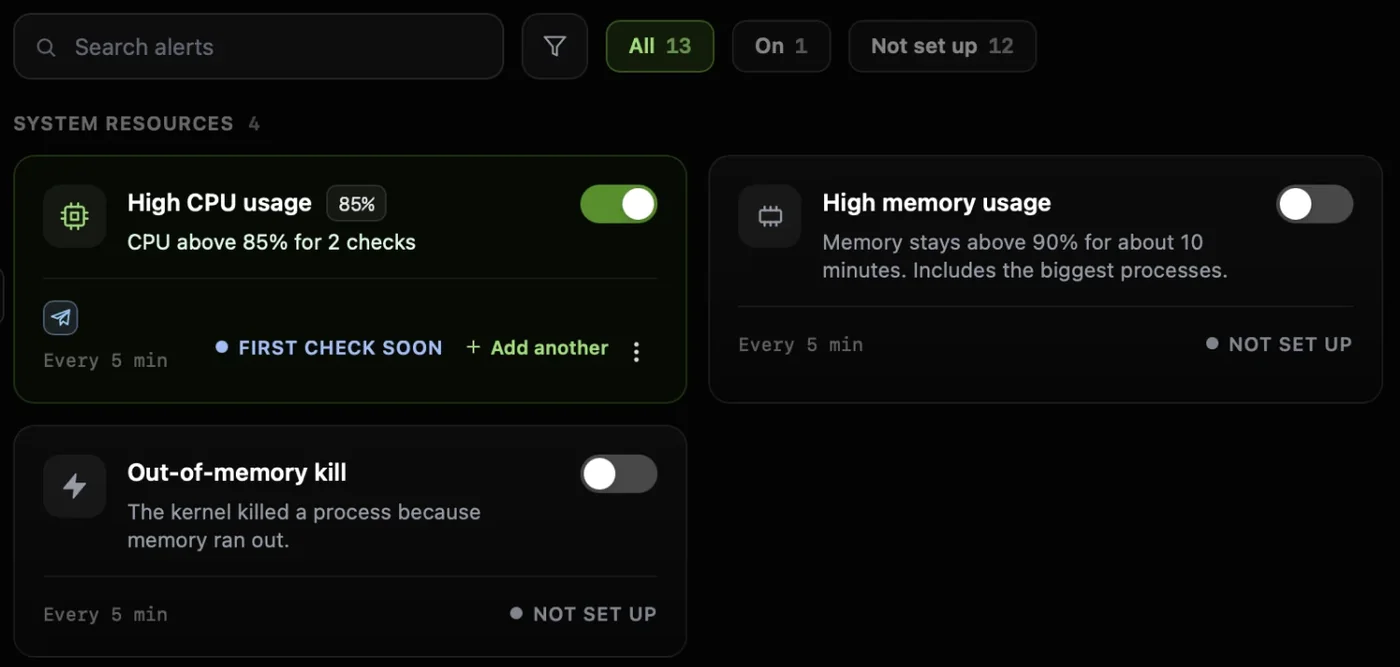
Works with the app closedKnow when a client’s site needs you
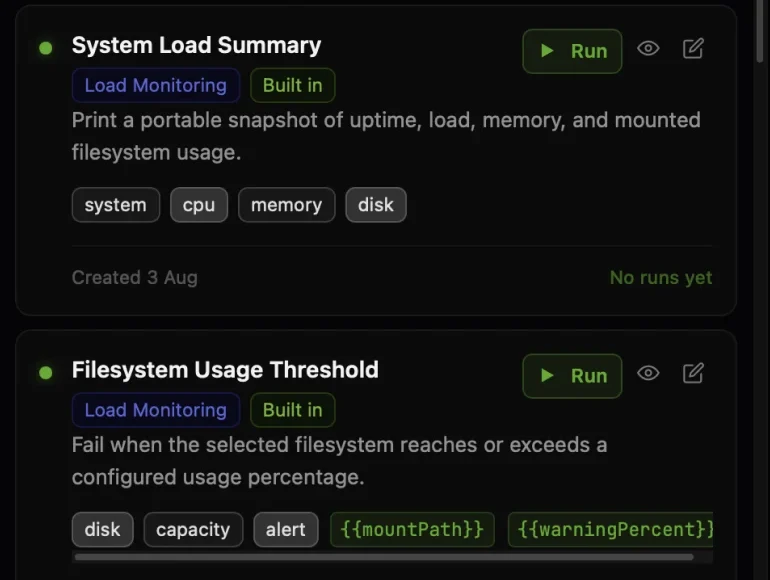
13 ready-made checks for disk, services, SSL and websites, sent to Slack or Telegram.
Every request
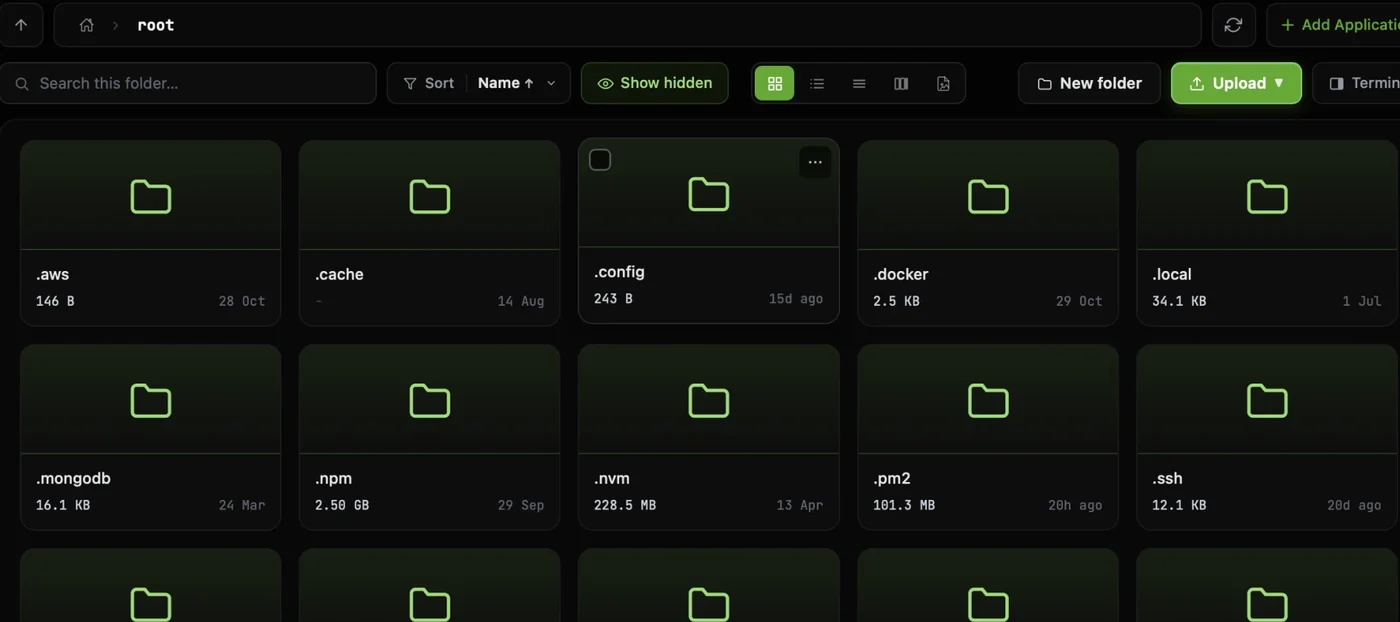
Edit a client’s files without an SFTP app
Browse, edit and upload over SSH, with the terminal right beside the files.
When a site breaks
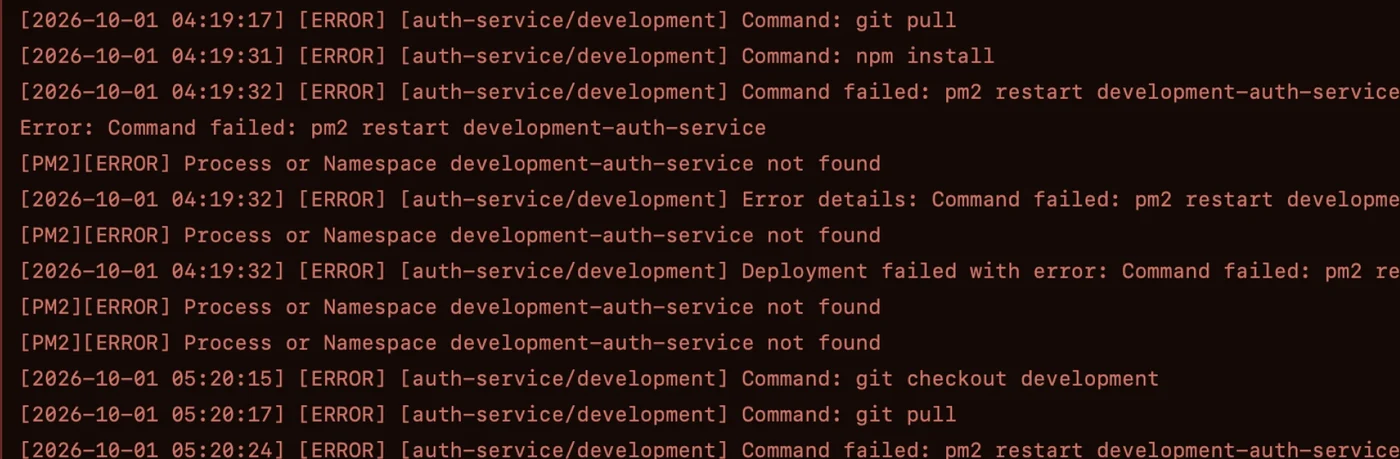
Find out why before you reply
Nginx and app logs are found for you. Search them, follow them live, or add any path.
Every handover
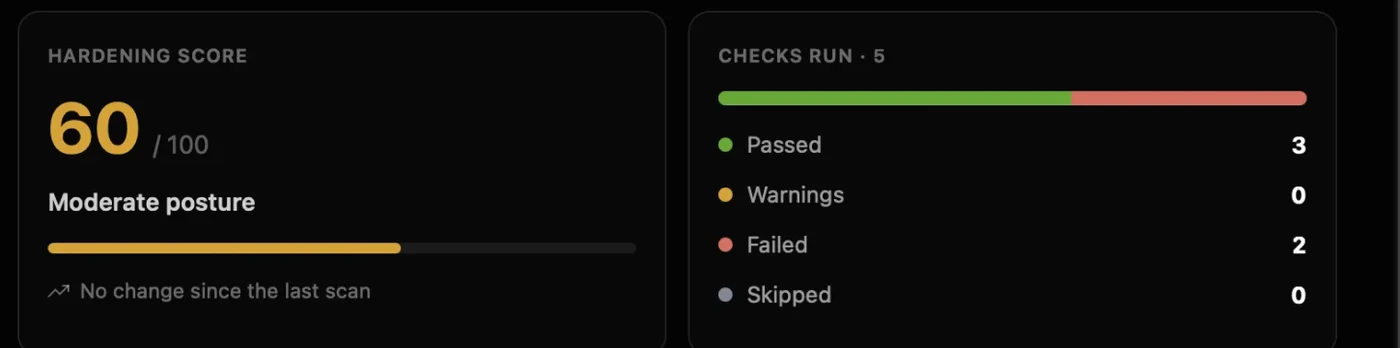
Hand over a report the client keeps
Run a security audit and send the PDF, with an export of who can log in where.
Every month
Run the same check on every client
Save a script once with variables, then run it on each client’s server, one server at a time.
- Servers
- Linux serversUbuntu, Debian, RHEL, Rocky, AlmaLinux, CentOS, Fedora, Amazon Linux
- Connect
- SSHPassword or .pem key, direct or through a bastion
- On their servers
- No agent or panelIt works over SSH. Alerts and backups you switch on run as cron jobs
- You pay for
- YourselfPer person, with unlimited servers on paid plans
Safe on client servers
Your clients trust you. Every command waits for you.
Every session shows which client's server you're on, and every change waits for your Run. Here is one update on a client's production server, taken apart.
The AI only suggests. Nothing reaches a client’s server until you press Run.
Auto-Run stays off unless you switch it on.
- 1Always know which clientThe server name, the login and its Production tag head every session, so one client never looks like another.
- 3One server at a timeA command runs on the server you're in. It never fans out across your clients.
- 5Nothing runs until you press RunRun or cancel each command. Auto-Run stays off unless you switch it on.
Install this month’s security updates on Meyer’s shop
12 updates are waiting, 4 of them security fixes. This installs them; a service may restart while its package updates.
$ sudo apt-get update && sudo apt-get upgrade -yWhyInstalls the pending Ubuntu updates. Services whose packages update may restart for a moment.
5RunEditCancel- 2See what this login can doA badge shows whether the account is Sudo, Standard or Restricted on this server.
- 4Changes are flagged firstAnything that changes the server carries an amber flag and a plain-English why, before you decide.
- 6Client keys stay on your laptopSSH keys, passwords and AI keys are stored AES-256 encrypted on your computer, with no CtrlOps relay in between.
- 1Always know which clientThe server name, the login and its Production tag head every session, so one client never looks like another.
- 2See what this login can doA badge shows whether the account is Sudo, Standard or Restricted on this server.
- 3One server at a timeA command runs on the server you're in. It never fans out across your clients.
- 4Changes are flagged firstAnything that changes the server carries an amber flag and a plain-English why, before you decide.
- 5Nothing runs until you press RunRun or cancel each command. Auto-Run stays off unless you switch it on.
- 6Client keys stay on your laptopSSH keys, passwords and AI keys are stored AES-256 encrypted on your computer, with no CtrlOps relay in between.
Reviews
Freelancer problems, in their own words.
Public posts from people who look after servers on their own. Each one names a problem from this page.
Many client servers
ok so the file manager sounds boring, I know. But I was doing everything through a separate SFTP client before this. separate login, separate window, separate headache every time. now i just open it inside CtrlOps and edit configs directly. for someone managing multiple client servers, this is honestly the feature i use the most. more than the AI stuff even.


AI on client servers
"AI suggests, you approve" framing is strong, especially for something as sensitive as servers.

Debugging at 11pm
this is exactly what i wanted last week debugging my railway worker at 11pm honestly 😭

The IP spreadsheet
The spreadsheet of IPs is a very specific kind of pain haha. One-click deploys plus an AI terminal that still asks before running commands sounds like the right amount of help

Wearing the DevOps hat
as a solo founder wearing the devops hat, this fills a gap i didnt know i needed filled. one dashboard to rule them all.
Pricing
More clients, same price. You pay for yourself.
Servers are unlimited on every paid plan, so a new client never changes your bill. The more servers you look after, the less each one costs.
At 10 servers
$0.90per server, per month
1 serverDrag to size your fleet200 servers
| Servers | Per server, per month |
|---|---|
| 1 | $9 |
| 10 | $0.90 |
| 50 | $0.18 |
| 100 | $0.09 |
| 200 | $0.05 |
They stay on your computer: SSH keys, server passwords and AI keys are stored AES-256 encrypted and never sync to a CtrlOps cloud, and your machine talks to each client’s server directly. If a client has rules about where their keys may live, those still apply.
No agent, no panel and no new port: CtrlOps connects over the SSH the server already runs. A few features add standard tools when you use them: alerts add cron jobs, backups add rclone, and deploys install PM2, Nginx and Certbot if they are missing.
For the server work, yes: files, logs, the terminal, alerts and backups over SSH. One-form deploys cover Node.js, React, Next.js and static sites from GitHub, so a WordPress or PHP site keeps deploying the way it does today.
If you can log in to the server over SSH, yes: a VPS, a cloud VM or the client’s own Linux box. Hosting without SSH access, such as most site builders, keeps its own dashboard.
Name each server so you know whose it is, and tag it Production, Staging or Development. Every session shows that name and tag at the top, and a command only ever runs on the server you are in.
You can send a security audit of their server as a PDF, and an export of who can log in to which server from Access. A command-level audit trail is coming soon.
Each person needs their own seat, and a seat can't be shared. Team covers up to 5 people for $39 a month with unlimited servers, and Access gives each of you your own login on a client’s server.
By default, no. Every command it suggests comes with a plain-English why and waits for you to run or cancel it. Auto-Run is a switch you can turn on later; with it on, only read-only commands run by themselves, and sudo and everything else still wait for you.
Point CtrlOps at a model you run yourself, such as Ollama on your machine. Otherwise your questions and the output of commands you run go to the provider you choose: ChatGPT, OpenRouter, or your own OpenAI, Anthropic or Google key. CtrlOps charges no AI fee.
Both. Personal comes with a 14-day free trial with every feature, no card needed. When it ends you move to Free, which covers 2 servers on 2 devices with no end date. Team has no trial: try Personal first.
Stop juggling tools. Start managing fleets.
One app. All your servers. No context switching. Free to start, free to leave.
Start instantly · No credit card · Cancel anytime