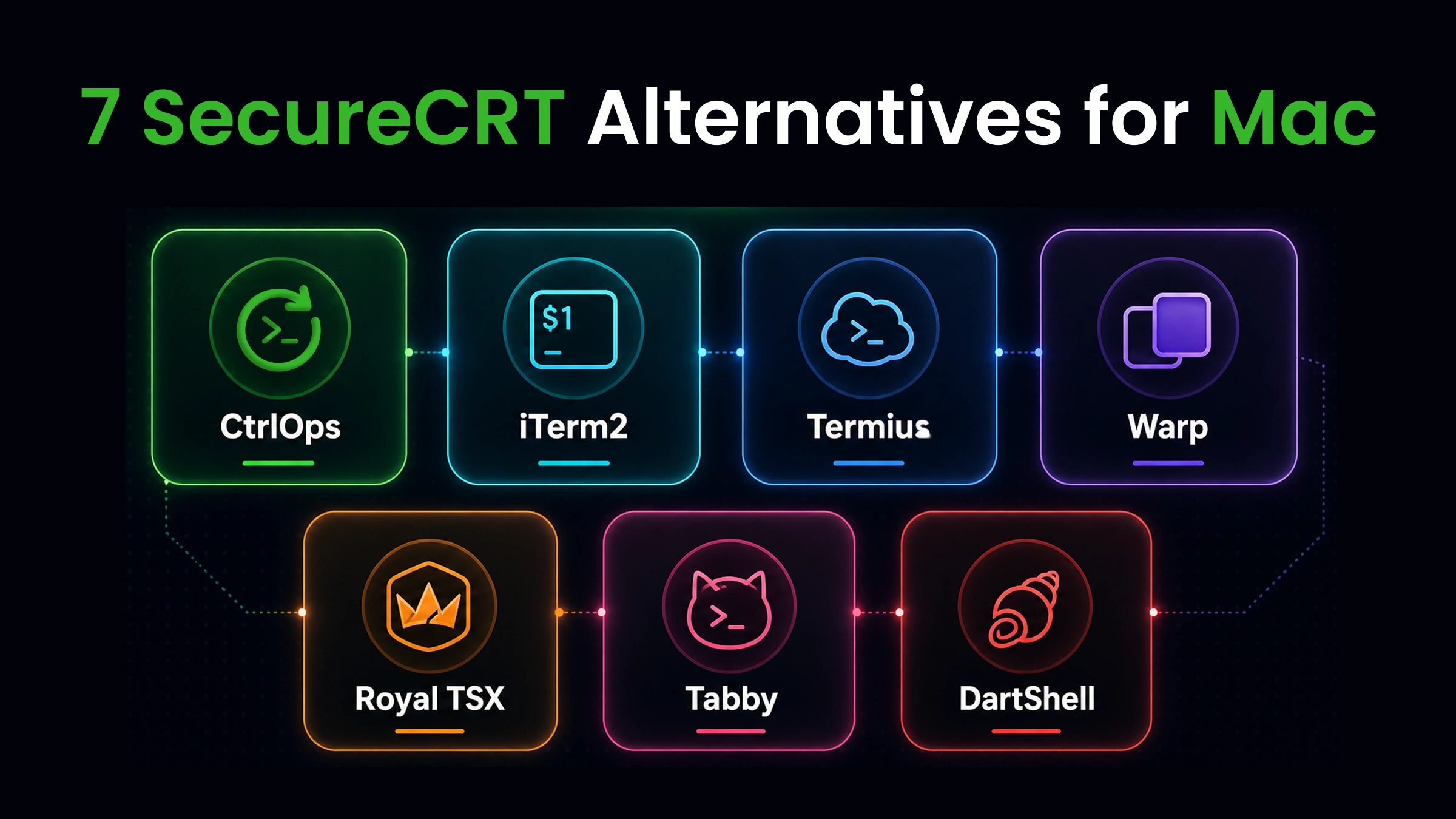

The best SecureCRT alternatives for Mac in 2026 are CtrlOps, iTerm2, Termius, Warp, Royal TSX, Tabby, and DartShell. For developers managing multiple servers, CtrlOps is the top pick: it replaces SecureCRT, a separate SFTP client, and a monitoring dashboard with one local-first desktop app at $7/user/month after a 1 month free trial, keeping every credential on-device and every AI command approval-gated.
Which one fits depends on the job. CtrlOps is best for all-in-one server management with AI diagnostics, file management, monitoring, and one-click deployment. iTerm2 is the strongest free, keyboard-centric Mac-native terminal for .ssh/config power users. Termius leads when you need the same setup synced across Mac, iPhone, and Android. Warp is the best AI coding terminal for local development, though it auto-runs commands. Royal TSX is the only option here that handles RDP, SSH, and VNC together natively on macOS. Tabby is the best open-source, cross-platform terminal with no vendor lock-in. DartShell is a lightweight, Mac-native multi-protocol tool for occasional remote access. SecureCRT still connects reliably, but it offers no AI, no file manager, and no monitoring at enterprise pricing, which is why Mac developers are switching.
Key Takeaways
SecureCRT still connects to servers reliably, but it is a single-purpose terminal: no AI, no built-in file manager, no monitoring, at enterprise pricing. The seven alternatives below add what Mac developers expect in 2026, and most cost less than a single SecureCRT license. Here is the quick comparison:
| Tool | Best For | Price | AI | File Manager | Local Credentials |
|---|---|---|---|---|---|
| CtrlOps | All-in-one server management | $7/user/mo (1 mo free) | ✓ Approval-gated | ✓ Full GUI | ✓ Local-only |
| iTerm2 | Free Mac power terminal | Free | ✗ | ✗ | ✓ Local |
| Termius | Cross-device sync + mobile | $10/user/mo | Partial (autocomplete) | ✓ SFTP | ✗ Cloud |
| Warp | AI-first coding terminal | $20/mo | ✓ Auto-run | ✗ | ✗ Cloud |
| Royal TSX | Multi-protocol (RDP/SSH/VNC) | €49 one-time | ✗ | Limited | ✓ Local |
| Tabby | Open-source modern terminal | Free | ✗ | ✓ SFTP | ✓ Local |
| DartShell | Lightweight Mac-native SSH | Free / $9.99 | ✗ | ✓ SFTP | ✓ Local |
Prefer to watch instead? The full comparison - all seven tools tested across SSH, file management, AI assistance, monitoring, and deployment - in under 6 minutes:
How We Evaluated 7 SecureCRT Alternatives for Mac
You just moved your main development machine to a MacBook. Your SecureCRT license still works, technically. But every interaction feels off.
The UI renders like a cross-platform afterthought. The settings panel looks like it was designed for Windows XP. Session management works, but nothing about it feels like a Mac app.
Then you realize you're paying $119+ for a terminal emulator with no AI, no monitoring, no file manager, and no deployment automation. A 31-year-old tool that hasn't shipped a major UX update in years.
If you're a freelance developer managing 5 to 15 client VPS instances, a startup CTO who deploys Node.js apps to production weekly, or an agency engineer switching between staging and production across multiple projects, you've already started searching for something better.
We compared 7 SecureCRT alternatives for Mac against the same real-world server management tasks:
- Connecting to a multi-server fleet on macOS
- Deploying a Node.js application to a VPS
- Debugging a 2 AM production incident
- Transferring config files without leaving the terminal
- Managing SSH keys across environments
This guide covers how each tool handles those scenarios. Not feature-list marketing. Actual workflow comparisons.
Why Are Mac Users Switching Away from SecureCRT in 2026?
SecureCRT still connects to servers reliably. That part works.
The problem is everything around the connection: the interface, the missing features, and the price relative to what modern tools offer.
Five specific pain points push Mac users to look for SecureCRT alternatives:
1. The UI is not Mac-native: SecureCRT runs on macOS, but it does not feel like macOS. No native toolbar, no Spotlight integration, no drag-and-drop that matches Finder conventions. After 8 hours in a Mac environment, SecureCRT feels like a foreign app.
2. No AI assistance: When you SSH into an unfamiliar server at 2 AM, SecureCRT gives you a blank cursor. No command suggestions. No diagnostics. No error interpretation. You Google everything manually. That loop costs 20 to 40 minutes per incident, according to research from Getcoherence on context-switching costs.
3. No built-in file management: Need to upload a config file? SecureFX is a separate product, sold separately. On macOS, most developers expect file transfer built into their SSH tool, not bolted on as a second purchase.
4. No infrastructure monitoring:
Checking CPU, RAM, or disk usage means running htop, free -m, and df -h manually. Every time. On every server. Modern tools show this data in a dashboard without typing a single command.
5. Expensive for what you get: SecureCRT costs $119 to $190 per license, plus annual maintenance fees for updates. That buys a lot of terminal, but no AI, no monitoring, no deployment, and no file manager. At that price, you're paying enterprise rates for a single-purpose tool.
Bottom line: SecureCRT's core SSH engine is still reliable. But Mac users increasingly need AI diagnostics, visual file management, and infrastructure monitoring alongside their terminal. SecureCRT doesn't offer any of these, and charges enterprise pricing anyway.
7 Best SecureCRT Alternatives for Mac in 2026
The 7 best SecureCRT alternatives for Mac are CtrlOps (all-in-one server management with AI), iTerm2 (free Mac power terminal), Termius (cross-device sync), Warp (AI coding terminal), Royal TSX (multi-protocol RDP/SSH/VNC), Tabby (open-source), and DartShell (lightweight Mac-native). We compared each against identical scenarios: connecting to multiple servers, deploying code, debugging under pressure, and transferring files on macOS.
Here's how all seven compare.
1. CtrlOps: Best for AI-Powered Server Management on Mac
CtrlOps is not a terminal replacement. It replaces your entire server management workflow: terminal, file manager, monitoring dashboard, and deployment system, combined in one desktop app.
Where SecureCRT gives you a connection and a blank cursor, CtrlOps gives you a complete operations platform. Every credential stays local on your Mac. Every AI command requires your approval before execution. For a side-by-side comparison, see CtrlOps vs SecureCRT.
Pros of CtrlOps:
- Named server cards. Connect instantly to "Prod-Backend" or "Client-Staging" in a single click. Say goodbye to memorizing IP addresses and navigating complex session trees.
- Full GUI file manager. Upload, download, edit, and delete remote files with drag-and-drop. No SCP commands. No separate SFTP tool.
- Approval-gated AI terminal. Type "why is my server slow?" and CtrlOps generates diagnostic commands. It shows every command before execution. You approve, then it runs. Human-in-the-loop, not auto-run.
- Modern terminal UX. Several terminals per server, each tab named after the command you ran. Block view keeps every command with its own output so you can copy, filter, or re-run it, and command suggestions are configurable down to what Tab does.
- MCP server integration. Connect external documentation, code repositories, and local files directly to the AI Terminal using the Model Context Protocol. Predefined servers include Context7 (official docs), GitHub (your repos), and Filesystem (local files). Add your own MCP server via JSON config or manual entry over HTTP, SSE, or a local process. The AI reads your actual codebase and current documentation before suggesting commands, not just its training data. MCP does not bypass the approval gate.
- One-click app deployment. Pick your stack (Node.js, React, Next.js), input your GitHub repository link, and configure your environment variables. CtrlOps automatically manages the git clone, npm installation, PM2 configuration, Nginx setup, and Certbot SSL provisioning. Deployment tasks that typically take 30 to 45 minutes of manual effort are finished in less than 5 minutes.
- Real-time infrastructure monitoring. Live CPU, RAM, disk usage, and top processes for every connected server. No
htopneeded. Spot a disk at 94% before it causes downtime. - Local-first security. Every SSH key, password, and server config stays on your Mac. AES-256 encrypted. No cloud sync. No vendor-side storage. Your credentials never leave your device.
- Script Directory. Save reusable command sequences with
{{variable_name}}placeholders. Run the same deployment script across every server without retyping a single command. - Web Search integration. The AI Terminal connects to real-time web search via Tavily, Brave, or DuckDuckGo. It reads the latest documentation before suggesting commands, not just the model's training data.
- Rust-based performance. Built in Rust as a lightweight native desktop app, not Electron. Faster startup and lower memory use than Electron-based tools.
CtrlOps Limitations:
- No mobile app
- No serverless or Kubernetes support
Pricing: $7/user/month or $70/user/year (unlimited servers). 1 month free trial, no credit card required.
Platforms: macOS (Apple Silicon + Intel), Windows, Linux.
| What you do with SecureCRT today | With CtrlOps |
|---|---|
| Look up server IP in a spreadsheet | Click named server card (10 seconds) |
| Buy SecureFX separately for file transfer | Drag-and-drop in the built-in File Manager |
Run htop, df -h, free -m manually | Glance at the monitoring dashboard |
| Google error messages at 2 AM | Ask the AI Terminal, approve commands before execution |
| Run 12 commands to deploy a Next.js app | Fill a form, click Create (under 8 minutes) |
| Paste docs into ChatGPT for context | Connect Context7 or GitHub via MCP, AI reads real sources |
"the file manager sounds boring, I know. But I was doing everything through a separate SFTP client before this. separate login, separate window, separate headache. now i just open it inside CtrlOps and edit configs directly. for someone managing multiple client servers, this is honestly the feature i use the most."
- Gabriel, Product Hunt review
2. iTerm2: Best Free Terminal for Mac Power Users
iTerm2 is the Mac terminal most developers already have installed. It is free, open-source, and built specifically for macOS.
iTerm2 is not an SSH client in the traditional sense. It is a terminal emulator that runs macOS's built-in OpenSSH. But for developers who configure .ssh/config files and live in the command line, iTerm2 is the most capable free option on the platform.
Pros of iTerm2:
- Truly Mac-native. Built for macOS from scratch. Spotlight integration, Finder services, native notifications, proper Retina rendering.
- Split panes and tabs. View multiple SSH sessions side by side. Save window arrangements and restore them with one shortcut.
- Hotkey window. Summon the terminal with a global hotkey, even while using other apps. Instant access from any workspace.
- Autocomplete and search. Search across all open sessions. Autocomplete commands from your shell history.
- Trigger automation. Define regex patterns that execute actions when matched in terminal output. Highlight errors, send notifications, run scripts automatically.
- tmux integration. Native tmux support lets you detach and reattach sessions without losing state.
- 100% free. No feature gates. No account required. No subscription.
iTerm2 Limitations:
- No GUI file manager. File transfers require SCP, rsync, or a separate SFTP tool.
- No server directory. You maintain SSH config files manually. No visual grouping, no one-click connect cards.
- No AI features. Same blank cursor as SecureCRT, just in a nicer window.
- No monitoring dashboard. You run diagnostic commands manually every time.
- No deployment automation. Every
git pull,npm install,pm2 restartis manual. - macOS only. Team members on Windows or Linux need a different tool.
Pricing: Free, open-source (GPL v2).
Platforms: macOS only.
iTerm2 is the best free SecureCRT alternative for Mac if you're comfortable with .ssh/config and command-line workflows.
Once you scale to managing more than five servers, regularly moving files, or troubleshooting new software stacks, you will hit its constraints. While iTerm2 serves as an excellent terminal emulator, it lacks native server management features. If you are looking for a Mac-native terminal that includes built-in server administration capabilities, explore our comprehensive best SSH clients for Mac 2026 guide for better alternatives.
3. Termius: Best for Cross-Device Sync and Mobile SSH
Termius is the most polished dedicated SSH client available. It syncs servers, credentials, and command snippets across Mac, Windows, Linux, iOS, and Android with end-to-end encryption.
If you need to SSH into a server from your phone during a production incident, Termius is the only serious option on this list.
Pros of Termius:
- Cross-device sync. Servers and credentials follow you across every device. E2E encrypted vault keeps data protected in transit.
- Mobile apps. Fully functional SSH client on iOS and Android. Not a stripped-down companion app.
- Streamlined connection management. Organizes your connections with named hosts, custom tags, and groups for quick one-click access - offering a much cleaner alternative to SecureCRT's complex session hierarchies.
- Integrated SFTP. Move files securely between environments without buying or launching external file transfer utilities.
- AI-assisted command autocomplete. Predicts and suggests commands in real-time as you type, referencing your command history and local environment context.
- Team vault. Shared server access with role-based controls and consolidated billing.
Termius Limitations:
- SSH keys sync to Termius's cloud. E2E encrypted, yes, but your credentials live on third-party infrastructure. Some client contracts and compliance frameworks prohibit this.
- No infrastructure monitoring. You SSH in and run
htopmanually. No dashboard. - No one-click deployment. Manual repo cloning, PM2 setup, Nginx configuration.
- AI is autocomplete, not diagnostics. Suggests command completions but doesn't understand your server's current state.
- Per-user pricing scales fast. Pro costs $10/user/month. Team costs $20/user/month. A 5-person Team plan runs $100/month ($1,200/year).
Pricing: Free (Starter, local vault only). Pro: $10/user/month. Team: $20/user/month. Business: $30/user/month.
Platforms: macOS, Windows, Linux, iOS, Android.
Termius wins if you need the same SSH setup on your MacBook, your iPhone, and your Linux workstation. For a deeper head-to-head breakdown, see CtrlOps vs Termius.
The trade-off is cloud credential storage and per-user pricing that gets expensive at team scale. At $7/user/month vs Termius's $10 to $20/user/month, CtrlOps offers more features (monitoring, deployment, AI diagnostics) at a lower price, but without mobile apps. And if Termius's cloud credential model isn't a fit either, our Termius alternatives guide covers the local-first options across every platform, with a Mac-specific breakdown that goes deeper on that exact question.
4. Warp: Best AI-Powered Coding Terminal
Warp is a modern AI terminal built in Rust with GPU-accelerated rendering. It reimagines the terminal with block-based output and an AI Agent Mode that converts natural language into shell commands.
While Warp looks and feels like the future of terminals, it is designed primarily as a coding terminal rather than a server management tool. For a detailed feature comparison, see CtrlOps vs Warp.
Pros of Warp:
- AI Agent Mode. Type natural language, get shell commands generated and executed. Powerful for local development workflows.
- Block-based output. Each command and its output is a selectable, searchable, shareable block. Copy results without line-number noise.
- IDE-like editing. Select, copy, and edit previous commands like text in VS Code. Cursor navigation works naturally.
- Rust-based performance. GPU-accelerated rendering. No Electron. Noticeably faster than any Electron-based terminal.
- Warp Drive. Create, store, and distribute command workflows across your engineering team to enable reusability without writing custom scripts.
- BYOK support. Bring your own OpenAI, Anthropic, or Google API key. AI requests routed through BYOK don't consume Warp credits.
Warp Limitations:
- Not a server manager. No server directory, no file manager, no monitoring, no deployment wizard.
- AI auto-runs commands by default. On a production server at 2 AM, one misinterpreted prompt can escalate an incident. No approval gate like CtrlOps.
- Cloud account required. You cannot use Warp without signing in to their service.
- Free tier is limited. 150 AI credits for 2 months, then 75/month. Build plan costs $20/month for 1,500 credits.
- No server context awareness. Warp's AI doesn't know your server's CPU, RAM, or running processes. It generates commands generically.
Pricing: Free (75 to 150 AI credits/month). Build: $20/month (1,500 credits). Business: $50/user/month.
Platforms: macOS, Windows, Linux.
Warp is the best AI terminal experience on Mac for writing and running code locally.
For managing remote servers, Warp's AI doesn't have your server's context. And auto-executing commands on production is a risk most teams shouldn't accept. CtrlOps's approval-gated approach shows every command before execution, which is the difference between a convenient tool and a safe one.
Reality check: Any AI terminal that auto-runs commands without a review step is a development-machine feature, not a server-management feature. On a production server with real traffic, the approval gate in CtrlOps stops 2 AM mistakes from becoming outages.
"The preview step is the whole game when AI touches live infra. CtrlOps gets it right: ask in plain English, see the exact command before it runs, approve."
- Vivek Chand, Product Hunt review
5. Royal TSX: Best for Multi-Protocol Mac Environments (RDP + SSH + VNC)
Royal TSX is the Mac version of Royal TS, built specifically for IT professionals who manage mixed-protocol environments.
If your workflow involves SSH to Linux servers, RDP to Windows machines, and VNC to headless systems from the same Mac, Royal TSX is the only tool on this list that handles all three natively.
Pros of Royal TSX:
- Multi-protocol support. SSH, RDP, VNC, Apple Remote Desktop, Telnet, Web, VMware, all in one app with tabbed connections.
- Mac-native design. Built for macOS. Native toolbar, proper window management, Retina display support.
- Connection organization. Folders, groups, and tags. Save credentials per connection or per folder.
- Royal Server integration. Centralized gateway for secure access management across teams.
- Password management integration. Connects to 1Password, KeePass, LastPass, and other vaults.
- One-time pricing. €49 individual license. No subscription. Includes 1 year of software maintenance.
Royal TSX Limitations:
- No AI features. Manual command execution only. No suggestions, no diagnostics.
- No infrastructure monitoring. No dashboard. You run system commands manually.
- No one-click deployment. No automation for app setup.
- Complex UI. Powerful, but the learning curve is steeper than simpler SSH clients. Beginners may find it overwhelming.
- Limited file management. Basic SFTP through plugins, not a full GUI file manager.
- Maintenance costs. Major version upgrades require a new license purchase.
Pricing: Free (limited connections). Individual: €49 one-time. Site: €849. Includes 1 year of updates.
Platforms: macOS, Windows, iOS, Android.
Royal TSX is the right SecureCRT alternative if you work across Linux, Windows, and macOS systems and need one tool for all of them.
For pure SSH-to-Linux server management with AI and monitoring, CtrlOps is more focused. For mixed-protocol IT administration, Royal TSX wins. If you're comparing the two head-to-head, see CtrlOps vs Royal TS for a feature-by-feature breakdown.
6. Tabby: Best Open-Source Modern Terminal
Tabby is a cross-platform, open-source terminal that modernizes SSH with tabs, split panes, a plugin ecosystem, and a built-in connection manager.
No subscription. No account. No vendor lock-in. MIT-licensed.
Pros of Tabby:
- Free and open-source. MIT license. No feature gates, no accounts, no usage limits.
- Cross-platform. macOS, Windows, Linux with an identical interface. Team members on different operating systems use the same tool.
- Built-in SSH client. Connection profiles, SFTP, Zmodem transfers, SSH key management included out of the box.
- Plugin ecosystem. Extend with community-built plugins for additional functionality.
- Split panes and workspaces. Save complex window layouts as reusable profiles.
- Encrypted password manager. Local storage with master passphrase protection.
- Modern UI. Themes, font ligatures, GPU-accelerated rendering.
Tabby Limitations:
- Resource-heavy. Electron-based. Uses noticeably more RAM than iTerm2 or native terminals.
- Lacks AI capabilities. Does not provide automated command suggestions, server diagnostics, or error analysis.
- No monitoring or deployment. Terminal only, no server management capabilities.
- Learning curve. Extensive configuration options are a strength for power users but a barrier for beginners.
- Occasional stability issues. Some plugin combinations cause crashes or rendering glitches.
Pricing: Free, open-source (MIT license).
Platforms: macOS, Windows, Linux.
Tabby is the best choice for developers who want a modern, cross-platform terminal without vendor lock-in or subscription fees.
It is significantly more capable than SecureCRT's UI. The trade-off is higher memory usage, no AI, and no server management features beyond basic SSH. If you're also looking at alternatives to PuTTY, Webmin, or ServerPilot, Tabby fits the SSH layer but not the management layer.
7. DartShell: Best for Lightweight Mac-Native Remote Access
DartShell is a macOS-native remote connection tool that bundles SSH, RDP, VNC, and SFTP in a single lightweight app.
It focuses on being a clean, Mac-first alternative to heavier cross-platform tools. No AI. No monitoring. Just smooth, native remote connections.
Pros of DartShell:
- Mac-native design. Feels like a macOS app, not a ported Windows utility. Fast startup, clean interface.
- Multi-protocol. SSH, RDP, VNC, SFTP, and FTP in one app. Covers more remote access scenarios than a pure SSH client.
- Low friction. Minimal setup. No account required for basic use.
- Available on the Mac App Store. Install with a click. Apple-reviewed.
DartShell Limitations:
- macOS only. No Windows, Linux, or mobile. Teams with mixed operating systems need a second tool.
- No AI features. Manual command execution only.
- No infrastructure monitoring. No server dashboards.
- No deployment automation. Every deployment step is manual.
- Newer product. Smaller community and fewer integrations than established tools.
- Limited documentation. Fewer guides and tutorials available compared to iTerm2 or Termius.
Pricing: Free download with premium features via in-app purchase.
Platforms: macOS only (requires macOS 11.5+).
DartShell is the right pick if you want a lightweight, Mac-native tool for occasional remote connections across multiple protocols.
For daily server management at scale, it lacks the depth of CtrlOps (AI, monitoring, deployment) or the ecosystem of Termius (cross-platform sync, team features).
SecureCRT Alternatives: Feature-by-Feature Comparison
Here is the full side-by-side comparison across every capability that matters for daily server management on macOS. Not marketing features. Things you actually do every day.
| Feature | CtrlOps | iTerm2 | Termius | Warp | Royal TSX | Tabby | DartShell |
|---|---|---|---|---|---|---|---|
| Named server directory | ✓ | ✗ | ✓ | ✗ | ✓ | ✓ | ✓ |
| One-click connect | ✓ | ✗ | ✓ | ✗ | ✓ | ✓ | ✓ |
| Built-in file manager | ✓ Full GUI | ✗ | ✓ SFTP | ✗ | Limited | ✓ SFTP | ✓ SFTP |
| Infrastructure monitoring | ✓ Dashboard | ✗ | ✗ | ✗ | ✗ | ✗ | ✗ |
| AI command generation | ✓ Approval-gated | ✗ | Partial | ✓ Auto-run | ✗ | ✗ | ✗ |
| MCP server integration | ✓ | ✗ | ✗ | ✗ | ✗ | ✗ | ✗ |
| One-click deployment | ✓ | ✗ | ✗ | ✗ | ✗ | ✗ | ✗ |
| Local credential storage | ✓ AES-256 | ✓ | ✗ Cloud | ✗ Cloud | ✓ | ✓ | ✓ |
| Multi-protocol (RDP/VNC) | ✗ SSH only | ✗ | ✗ | ✗ | ✓ | ✗ | ✓ |
| Mobile app | ✗ | ✗ | ✓ | ✗ | ✓ iOS | ✗ | ✗ |
| Mac-native UI | ✓ | ✓ | ✓ | ✓ | ✓ | Electron | ✓ |
| Price (individual/mo) | $7/user (1 mo free) | Free | $10/user | $20 | ~€49 one-time | Free | Free |
| 5-user team (monthly) | $35 | $0 | $100 | $250 | ~€245 one-time | $0 | N/A |
The pricing gap matters at team scale.
Termius and Warp charge per user. Costs grow linearly with headcount. A 5-person Termius Team plan costs $1,200/year.
CtrlOps at $7/user/month ($70/user/year, after a 1 month free trial) includes monitoring, deployment, file management, MCP integration, and AI diagnostics that you'd otherwise pay for separately or build with 3 to 4 additional tools.
SecureCRT at $119 to $190 per license gives you none of these extras. At 5 licenses, that's $595 to $950 upfront, plus annual maintenance, for a pure terminal emulator.
For more on how different Windows SSH clients compare on similar criteria, we've done the same deep-dive there.
Which SecureCRT Alternative Should You Pick?
The best SecureCRT alternative for Mac depends on what you actually need to do with it. No single tool wins every scenario.
You're a developer managing multiple client servers and need AI terminal that actually works: CtrlOps.
Named servers keep client environments organized. Local credentials satisfy NDAs.
"The 'bash (2)' tab hit too close to home. We literally had a sticky note on the monitor saying which terminal was which. Absolute chaos. What you built is what everyone needed but nobody sat down to actually make."
- Deep Boda, Product Hunt review
The AI Terminal diagnoses unfamiliar stacks without Googling. Connect Context7 or GitHub via MCP and the AI reads your actual documentation and codebase before suggesting a single command.
One-click deployment turns a 30 to 45 minute process into under 8 minutes. At $7/user/month - with the first month free - it pays for itself the first incident you resolve in 5 minutes instead of 45. To understand how AI fits into modern server management, read our guide on AI in DevOps workflows.
You're a CLI power user who configures everything in dotfiles: iTerm2.
Free, Mac-native, 100% keyboard-driven. With .ssh/config and tmux, you have a complete SSH workflow. When you outgrow manual file transfers and need monitoring, add CtrlOps alongside it.
Your team needs the same setup on every device, including mobile: Termius.
Cross-device sync across Mac, Windows, Linux, iOS, Android. Accept the cloud credential trade-off, or verify it meets your security requirements first.
You manage a mixed Linux + Windows environment from a Mac: Royal TSX.
SSH, RDP, VNC in one app. The only tool here that handles Windows remote desktop alongside Linux SSH natively.
You want open-source with zero vendor lock-in: Tabby.
Free, MIT-licensed, cross-platform, plugin ecosystem. Heavier on RAM, but more capable than SecureCRT's UI out of the box.
You live in the terminal writing code locally: Warp.
AI Agent Mode and block-based output are the best available for local development. Be careful with Agent Mode on production servers though, since there is no approval gate.
You just want a light Mac-native SSH/RDP tool: DartShell.
Clean, fast, multi-protocol. No AI or monitoring, but zero setup friction.
| Your Situation | Best Pick | Runner-Up |
|---|---|---|
| Freelancer, 5 to 15 client servers | CtrlOps | Termius |
| CLI power user, dotfile workflow | iTerm2 | Tabby |
| Cross-platform team with mobile SSH | Termius | CtrlOps |
| Mixed Linux + Windows from Mac | Royal TSX | DartShell |
| Open-source advocate | Tabby | iTerm2 |
| AI-first terminal power user | Warp | CtrlOps |
| Lightweight Mac remote access | DartShell | Royal TSX |
What Does Switching from SecureCRT Actually Look Like?
Feature tables help. But the real question is this: how much time do you lose on tasks that should be faster?
Same deployment. Two approaches.
Deploying with SecureCRT on Mac
- Open your server list. Find the right session in the tree. (1 to 2 minutes)
- Connect. Enter passphrase for your SSH key. (1 minute)
- Run
git pull. A dependency error appears. Google the error, find a Stack Overflow thread from 2021. (10 to 20 minutes) - Config file needs updating. Open SecureFX (separate app, separate license). Navigate to the right directory. (5 to 8 minutes)
- Upload the fix. Restart the service. Check the browser. (2 to 3 minutes)
Total: 19 to 34 minutes. Two apps. Two license costs. Multiple context switches.
The Same Deployment in CtrlOps
- Click the server card. Connected instantly. (10 seconds)
- Open File Manager. Upload the updated config with drag-and-drop. (1 minute)
- Open AI Terminal. Type: "pull latest, rebuild, restart PM2." Review the generated commands. Approve. (2 minutes)
- Check the infrastructure dashboard. CPU normal. No error spikes. (30 seconds)
Total: 4 to 5 minutes. One app. Zero context switches.
Conclusion
The best SecureCRT alternatives for Mac in 2026 are the tools that consolidate workflows into fewer apps.
SecureCRT still connects to servers. But connecting was never the hard part. The hard part is deploying code, debugging production at 2 AM, managing files across servers, and monitoring infrastructure without opening 4 separate tools.
CtrlOps does all of that at $7/user/month ($70/user/year) with a 1 month free trial. The workflow speaks for itself the first time you deploy in 5 minutes instead of 34.
"Started using CtrlOps a few weeks ago. Honestly didn't expect much. But my DevOps workflow has genuinely shifted: AI Terminal that understands plain English, server management without SSH juggling, backups, deployments, file manager all in one place. I'm doing in 10 minutes what used to take an hour."
- Chintan P., LinkedIn
Pick the tool that matches your biggest pain point today. Switch if it stops fitting. The best SSH client is the one you actually use without fighting it.
Frequently Asked Questions
Yes. SecureCRT by VanDyke Software runs on macOS, Windows, and Linux. VanDyke added Mac support in 2010 with version 6.6. The same license key works across platforms. However, the macOS version uses a cross-platform interface that doesn't feel Mac-native. It also lacks AI features, built-in file management, and infrastructure monitoring that newer Mac SSH tools like CtrlOps and iTerm2 offer.
macOS includes OpenSSH built into Terminal, so you can SSH without installing anything. For a graphical experience similar to PuTTY, iTerm2 is the most popular free option. For a fuller server management experience with AI, file management, and monitoring, CtrlOps combines everything PuTTY does and adds the features Mac users expect in 2026. You can also check our full list of PuTTY alternatives for Windows if you work across both platforms.
iTerm2 is the best free SecureCRT alternative for Mac if you want a powerful terminal with split panes, hotkey window, and tmux integration. Tabby is the best free option if you also need Windows and Linux support with a modern UI. Both are free and open-source. Neither includes AI, monitoring, or deployment features.
Yes. CtrlOps runs natively on macOS (Apple Silicon and Intel) and covers everything SecureCRT does: SSH connections, session management, key-based authentication. It also includes features SecureCRT lacks: a GUI file manager, real-time infrastructure monitoring, an approval-gated AI terminal with MCP server integration, and one-click app deployment. At $7/user/month ($70/user/year) with a 1 month free trial, it costs less annually than a single SecureCRT license. See the full CtrlOps vs SecureCRT comparison.
Yes. CtrlOps supports unlimited server connections with named server cards, visual grouping, and one-click connect. Unlike SecureCRT's session tree, CtrlOps also shows live CPU, RAM, and disk metrics for every connected server without running manual commands. The Script Directory lets you execute the same command sequence across multiple servers with variable placeholders. For a full guide on multi-server management workflows, see how to manage multiple servers without losing control.
For Mac users who need cross-device sync and mobile SSH access, Termius is a stronger choice than SecureCRT. It has a modern UI, syncs credentials across Mac, iOS, and Android, and offers team collaboration features. The trade-off is that Termius stores credentials in the cloud (E2E encrypted), while SecureCRT stores everything locally. For users who need local-only credential storage plus AI and monitoring, CtrlOps offers both without cloud dependency. Compare the details in our CtrlOps vs Termius breakdown.
Keep SecureCRT if you need FIPS 140-2 validated encryption for government or defense compliance. Keep it if your workflow depends on advanced scripting in Python, VBScript, or Perl that runs inside the terminal emulator. Keep it if you've invested heavily in SecureCRT session configurations and scripts that would take significant time to migrate. For these enterprise-specific requirements, no current alternative fully matches SecureCRT.
SecureCRT provides a native Apple Silicon (ARM64) build; VanDyke ships a dedicated ARM64 installer alongside the Intel one.
CtrlOps at $7/user/month ($70/user/year, after a 1 month free trial) is the lowest-cost SSH tool for Mac with AI command generation. It includes approval-gated AI diagnostics, MCP server integration, web search, and BYOK support for OpenAI, Anthropic Claude, and Google Gemini. Warp offers AI at $20/month (Build plan) but auto-runs commands without an approval step. Termius has basic AI autocomplete at $10/month but doesn't generate diagnostic commands.
No. SecureCRT scripts cannot run directly on other terminal emulators because they rely on a proprietary scripting API (specifically the crt object). If your existing scripts are written in Python, you can run them on SecureCRT for macOS. However, to switch to a different client like CtrlOps, you must rewrite your automation. You can convert your logic into standard shell/Python scripts (using libraries like Netmiko/Paramiko), write native Python scripts using iTerm2's API, or use CtrlOps's built-in Script Directory which stores reusable command sequences with variable placeholders.
SecureCRT does not support exporting sessions to a generic CSV or XML format; its built-in Tools > Export Settings option generates a proprietary XML backup. SecureCRT stores individual connection settings as separate .ini files in its Config directory. To migrate to CtrlOps, you can use a Python or VBScript export script (available on the VanDyke forums) to parse those .ini files into a standard CSV, and then copy those columns into the CtrlOps import template to import all your hosts, ports, and credentials in bulk.
iTerm2 does not have a graphical SFTP panel or a side-by-side file tree. However, it does support file transfers. Besides standard command-line tools like scp, rsync, and sftp, iTerm2 allows you to upload files via drag-and-drop and download them with a click if you install iTerm2's Shell Integration helper scripts on the remote host (using the it2ul and it2dl utilities). If you want an integrated graphical file browser next to your terminal window without setup, you will need a client like CtrlOps or Termius.
The most native option is the built-in macOS Terminal.app, which acts as a wrapper for standard system-level OpenSSH. For third-party options, iTerm2 is the most popular terminal emulator written specifically for macOS in Cocoa/Objective-C. If you want a GUI client for managing connections, Royal TSX and DartShell are designed specifically around macOS visual guidelines, and Swift-native options like Termy offer native terminal wrappers. CtrlOps is also styled to match modern macOS aesthetics, whereas SecureCRT uses a dated, cross-platform UI.