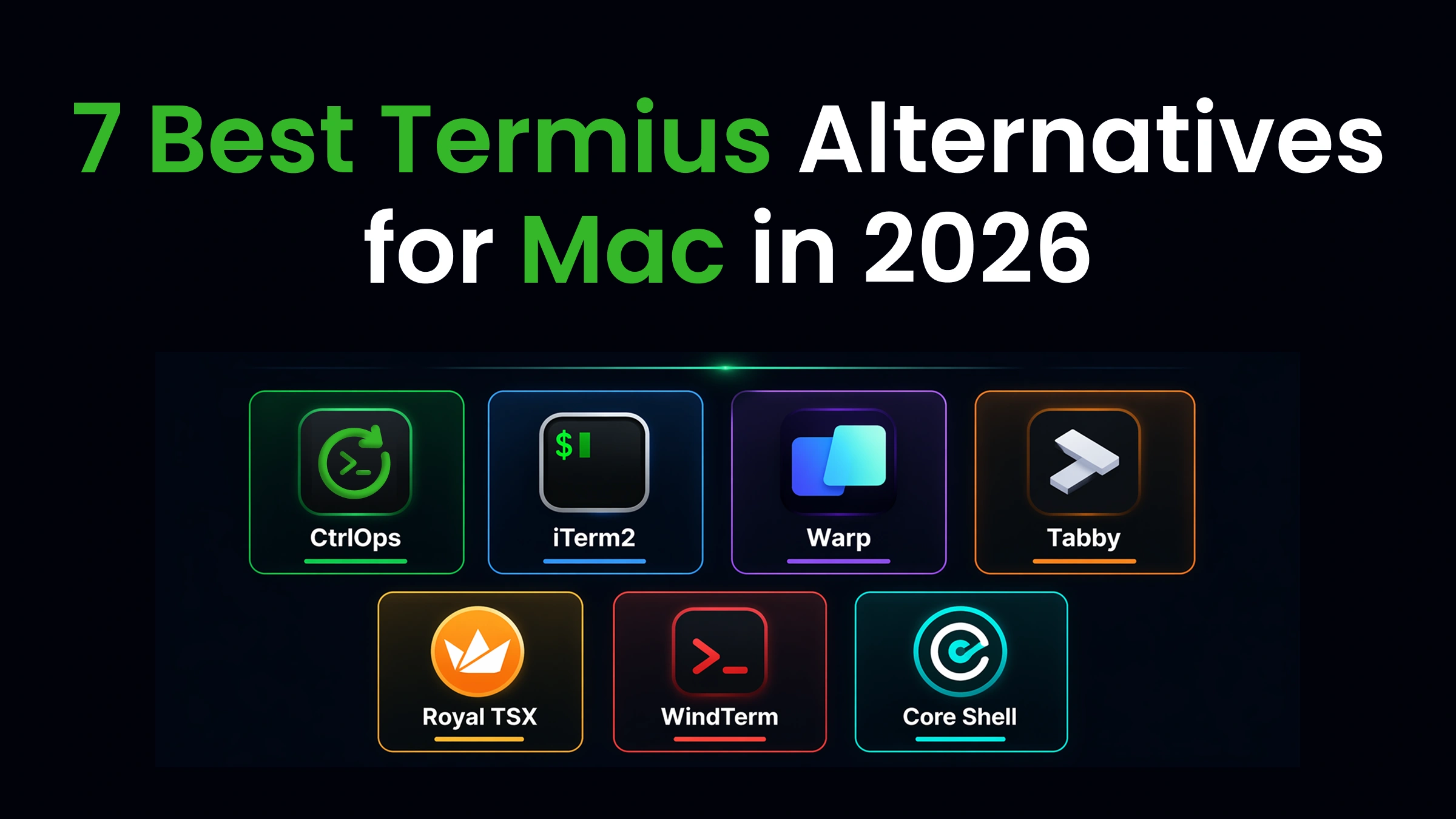

If you are looking for the best Termius alternatives for Mac in 2026, the leading options on macOS are CtrlOps, iTerm2, Warp, Tabby, Royal TSX, WindTerm, and Core Shell. For Mac teams managing several server instances, CtrlOps is highly recommended. It unites your shell, performance metrics, and deployment pipelines into a single local-first macOS application priced at $7 per user monthly after a 1 month free trial, keeping all keys on your Mac and ensuring no AI commands run without your approval.
This guide is macOS-only. Looking across Windows and Linux too? See our full Termius alternatives guide.
Key Takeaways
Although Termius is a popular SSH tool with a modern AI assistant, it focuses purely on connection tunnels. It leaves out critical needs like automated deployments, resource graphs, BYOK custom AI options, and MCP integrations, while also uploading server credentials to remote servers on commercial tiers.
The alternatives discussed here address these gaps for modern workflows, often at a lower price point.
Here is the quick comparison:
| Tool | Best For | Price | AI | File Manager | Local Credentials |
|---|---|---|---|---|---|
| CtrlOps | All-in-one server management | $7/user/mo (1 mo free) | ✓ Approval-gated | ✓ Full GUI | ✓ Local-only |
| iTerm2 | Free Mac power terminal | Free | ✗ | ✗ | ✓ Local |
| Warp | AI-first coding terminal | $20/mo | ✓ Auto-run | ✗ | ✗ Cloud |
| Tabby | Open-source modern terminal | Free | ✗ | ✓ SFTP | ✓ Local |
| Royal TSX | Multi-protocol (RDP/SSH/VNC) | €49 one-time | ✗ | Limited | ✓ Local |
| WindTerm | Fast free SSH + SFTP | Free | ✗ | ✓ SFTP/SCP | ✓ Local |
| Core Shell | Mac-native SSH manager | Free / $9.99/mo | ✗ | ✗ | ✓ Local |
The cost gap at team scale: For a 5-person team, Termius Team runs $1,200/year ($20/user/month), while CtrlOps costs $350/year on the annual plan ($70/user/year) - and includes monitoring, one-click deployments, automated backups, and AI diagnostics that Termius doesn't offer at any tier. You pay less and get more.
Prefer to watch instead? The full 7-tool comparison - SSH, file management, AI assistance, monitoring, and the deploy race - in under 6 minutes:
How We Evaluated 7 Termius Alternatives for Mac
You open Termius. Connect to your staging server. The deployment needs a config file updated. So you use the built-in SFTP browser. It works, barely.
Then you need to check CPU usage. Termius doesn't show that. You open a browser tab to your cloud provider's dashboard.
Next, a build script crashes. You turn to Termius's AI assistant. While it knows your host list and current sessions, it lacks the context of your specific files or documentation. The output is generic, forcing you to adjust commands by hand before the error resolves.
Whether you are a freelance developer overseeing multiple client servers, a startup CTO pushing Node.js deployments every week, or an agency engineer constantly bouncing between development and staging environments, this is a daily reality.
We compared 7 Termius alternatives for Mac against the same real-world server management tasks:
- Connecting to multiple servers on macOS
- Deploying a Node.js application to a VPS
- Debugging a production incident under pressure
- Transferring config files without leaving the terminal
- Managing SSH keys across environments
This guide covers how each tool handles those scenarios. Not feature-list marketing. Actual workflow comparisons.
Why Are Mac Developers Switching Away From Termius in 2026?
Termius is still the most polished dedicated SSH client available. Cross-device sync works well. The mobile apps are genuine. That part isn't the problem.
Five specific pain points push Mac developers to look for Termius alternatives on macOS:
1. Credentials sync to the cloud on paid plans: On the free Starter plan, Termius stores credentials locally. Upgrade to Pro or above, and your SSH keys move to Termius's cloud servers. E2E encrypted, yes, but your credentials leave your Mac.
Some client contracts and security rules, especially in finance and healthcare, strictly forbid keys and passwords leaving local storage. Check your NDAs before upgrading.
2. AI features lack codebase awareness and custom keys: Termius includes a confirmation-based AI helper that analyzes your connection parameters, active sessions, and group tags - which is a major convenience.
However, this AI operates over their cloud network. It cannot access your project's configuration files, repository code, or offline documents. It has no way of reading your package.json, server configurations, or project documentation to understand your build structure. Additionally, it does not let you supply your own API keys (BYOK) from providers like OpenAI, Anthropic, or Google.
3. No visual system metrics:
To monitor CPU, memory, or disk health, you have to SSH in and manually run tools like htop or df -h on each instance. Modern alternatives display this performance data automatically via visual dashboards.
4. Manual builds and deployments: Pushing updates to a remote app requires logging in and running commands for Git syncs, package installations, process manager restarts, and web server configurations. Doing this by hand on every release is slow and prone to errors.
5. Expensive subscription costs at scale: With seats starting at $10 monthly for the individual tier and scaling to $20 for teams, managing a small squad of 5 can cost $100 monthly ($1,200 annually). While this covers a refined shell client and cross-device sync, it doesn't give you performance dashboards, deployment helpers, deep AI troubleshooting, or advanced file handling.
Bottom line: Termius is very good at what it was built for: cross-device SSH. But Mac developers managing production servers increasingly need AI diagnostics, deployment automation, and infrastructure monitoring alongside their terminal. Termius doesn't offer any of these, and per-user pricing makes the gap harder to justify at team scale.
What Is Better Than Termius for Mac?
The best Termius alternative for Mac depends on what you need beyond SSH. For all-in-one server management with AI, monitoring, and deployment, CtrlOps is the most complete option at $7/user/month, with a 1 month free trial. For a free Mac-native terminal, iTerm2.
For AI-first local coding, Warp. For open-source with no vendor lock-in, Tabby. For connecting to different kinds of systems (RDP + SSH + VNC), Royal TSX.
For a fast free SSH client with SFTP, WindTerm. For a lightweight Mac-native SSH manager, Core Shell.
Here is the full side-by-side:
| Feature | CtrlOps | iTerm2 | Warp | Tabby | Royal TSX | WindTerm | Core Shell |
|---|---|---|---|---|---|---|---|
| Named server directory | ✓ | ✗ | ✗ | ✓ | ✓ | ✓ | ✓ |
| One-click connect | ✓ | ✗ | ✗ | ✓ | ✓ | ✓ | ✓ |
| Built-in file manager | ✓ Full GUI | ✗ | ✗ | ✓ SFTP | Limited | ✓ SFTP/SCP | ✗ |
| Infrastructure monitoring | ✓ Dashboard | ✗ | ✗ | ✗ | ✗ | ✗ | ✗ |
| AI command generation | ✓ Approval-gated | ✗ | ✓ Auto-run | ✗ | ✗ | ✗ | ✗ |
| MCP server integration | ✓ | ✗ | ✗ | ✗ | ✗ | ✗ | ✗ |
| One-click deployment | ✓ | ✗ | ✗ | ✗ | ✗ | ✗ | ✗ |
| Automated backups | ✓ S3/R2/B2 | ✗ | ✗ | ✗ | ✗ | ✗ | ✗ |
| Local key and password storage | ✓ AES-256 | ✓ | ✗ Cloud | ✓ | ✓ | ✓ | ✓ |
| Cross-device sync | ✗ | ✗ | Cloud | ✗ | ✗ | ✗ | iCloud |
| Mobile app | ✗ | ✗ | ✗ | ✗ | ✓ iOS | ✗ | ✗ |
| Multi-protocol (RDP/VNC) | ✗ SSH only | ✗ | ✗ | ✗ | ✓ | Telnet/Serial | ✗ |
| Mac-native UI | ✓ | ✓ | ✓ | Electron | ✓ | Cross-platform | ✓ |
| Price (individual/mo) | $7/user (1 mo free) | Free | $20 | Free | ~€49 one-time | Free | Free / $9.99 |
| 5-user team (monthly) | $35 | $0 | $250 | $0 | ~€245 one-time | $0 | N/A |
7 Best Termius Alternatives for Mac in 2026
The 7 best Termius alternatives for Mac are CtrlOps (all-in-one server management with AI), iTerm2 (free Mac power terminal), Warp (AI coding terminal), Tabby (open-source cross-platform), Royal TSX (multi-protocol RDP/SSH/VNC), WindTerm (fast free SSH + SFTP), and Core Shell (Mac-native SSH manager).
We compared each against identical scenarios: connecting to multiple servers, deploying code, debugging under pressure, and transferring files on macOS.
Here's how all seven compare.
1. CtrlOps: Best All-in-One Server Management for Mac
CtrlOps is not a Termius replacement. It replaces your entire server management stack: terminal, file manager, monitoring dashboard, backup scheduler, and deployment system, combined in one desktop app.
While Termius focuses on establishing SSH connections and syncing them across devices, CtrlOps handles the connection and manages the entire post-connection workflow. More importantly, all of your sensitive credentials remain stored locally on your Mac.
No AI-generated action runs without your approval. If you want a detailed side-by-side feature analysis, check out the complete CtrlOps vs Termius comparison.
Pros of CtrlOps:
-
Named server cards. Connect instantly to "Prod-Backend" or "Client-Staging" in a single click. No memorizing IP addresses. No navigating Termius's host groups to find the right entry.
-
Full GUI file manager. Upload, download, edit, and delete remote files with drag-and-drop. No SCP commands. No opening Termius's SFTP panel in a separate tab. Edit a config file without leaving the app.
"The file manager sounds boring, I know. But I was doing everything through a separate SFTP client before this - separate login, separate window, separate headache every time. Now I just open it inside CtrlOps and edit configs directly. For someone managing multiple client servers, this is honestly the feature I use the most, more than the AI stuff even."
- Gabriel, verified review on Product Hunt
-
Approval-gated AI terminal. Type "why is my server slow?" and CtrlOps generates diagnostic commands. It shows every command before execution. You approve, then it runs. Human-in-the-loop, not auto-run. Warp auto-executes by default. Termius's AI Agent also requires confirmation, but runs through their cloud and lacks MCP integration or BYOK support. CtrlOps keeps everything local and connects to your actual docs and codebase.
"The approve before execute thing is what sold me. Every other AI tool just runs stuff, and you find out what happened after."
- Bhautik Kapadiya, verified review on Product Hunt
-
Modern terminal UX. Several terminals per server, each tab named after the command you ran. Block view keeps every command with its own output so you can copy, filter, or re-run it, and command suggestions are configurable down to what Tab does.
-
Support for MCP servers. Integrate external developer guides, GitHub repositories, and local directories with the AI Terminal using the Model Context Protocol. It comes with built-in configurations for Context7 (official documentation), GitHub (your repositories), and the local Filesystem. You can also hook up custom MCP servers using a JSON configuration or connect manually via HTTP, SSE, or a local process. Instead of relying solely on static training data, the AI analyzes your actual codebase and up-to-date documentation prior to suggesting commands. This keeps things secure, meaning MCP suggestions still require manual user approval before running.
-
Streamlined application deployments. Select your framework (such as Node.js, React, or Next.js), paste your GitHub repository URL, and set your environment variables. The platform automatically handles downloading the code, installing dependencies, configuring PM2, setting up Nginx, and generating SSL certificates with Certbot. What usually takes 30 to 45 minutes of manual configuration is completed automatically in under 5 minutes.
-
Instant server health monitoring. Track live server usage - like CPU loads, RAM utilization, disk capacity, and active system processes - across all your machines without running terminal commands like
htop. This visual feedback helps you catch a disk reaching 94% capacity before it impacts production uptime. -
Hands-off scheduled backups. Easily configure automated backups to popular cloud destinations like AWS S3, Cloudflare R2, Backblaze B2, DigitalOcean Spaces, Wasabi, or MinIO. Once configured, the application manages the scheduler, tracks backup progress, and maintains execution logs, eliminating the need to write and debug custom cron scripts.
-
Cron Jobs. Schedule any job without cron syntax and get a Slack or Telegram alert when one fails, or when CPU or disk crosses a limit.
-
Privacy-first key storage. Keep all server configurations, SSH keys, and passwords saved only on your macOS device. This data is protected locally using AES-256 encryption. There is no cloud sync or remote server storage, ensuring your keys and passwords remain completely under your control.
-
Global template scripts. Create and save custom command sequences using
{{variable_name}}placeholders for dynamic values. This allows you to execute uniform scripts across different servers without having to input them again. Any custom scripts added to the Script Directory can be accessed from any of your connection profiles. -
Live web search integration. The AI Terminal can search the live web using engines like Tavily, Brave, or DuckDuckGo. This fetches current manuals and API reference pages to formulate command recommendations, rather than relying on outdated offline training data.
-
Easy user and SSH key control. Create a user on a server, set its role (Restricted, Standard, or Sudo), and authorize their key in one form. The tool helps you deploy, manage, and change keys across your servers. It is also designed to give temporary, Restricted access to external contractors for troubleshooting sessions and end their access immediately afterwards.
-
Centralized user access control. Oversee user access permissions across your entire server network from a unified control panel. You can authorize a new engineer on multiple hosts at the same time, or instantly remove a former team member's access from all servers in one click. It also allows you to export access logs for security checks, removing the tedious task of reading
authorized_keysfiles on individual servers. -
Security Audit. Run 25 audits over SSH (server, database, web server, Docker) and get a hardening score, a PDF report, and AI-written fixes you approve before they run.
-
Port forwarding. Save local, remote, or SOCKS tunnels as named forwards, test one before you save it, and start it in a click. Paste an existing
ssh -Lcommand to import it.
CtrlOps Drawbacks:
- Lacks a mobile application, making it impossible to perform remote administration from a smartphone.
- Does not offer native integration or management tools for serverless architectures or Kubernetes deployments.
Pricing Structure: Costs $7 per seat monthly or $70 annually for managing unlimited target servers. A 1 month free trial is available without entering payment details.
Platforms: macOS (Apple Silicon + Intel), Windows, Linux.
| What you do with Termius today | With CtrlOps |
|---|---|
| Browse host groups for the right server | Click named server card (10 seconds) |
| Open SFTP panel for file transfers | Drag-and-drop in the built-in File Manager |
SSH in, run htop, df -h, free -m manually | Glance at the monitoring dashboard |
| Paste errors into Termius AI Agent (no project docs or MCP context) | Ask the AI Terminal with MCP-connected docs and codebase, approve commands before execution |
| Run 12 commands to deploy a Next.js app | Fill a form, click Create (under 5 minutes) |
| Paste docs into ChatGPT for context | Connect Context7 or GitHub via MCP, AI reads real sources |
| No automated backups | Schedule backups to S3/R2/B2, forget about it |
2. iTerm2: The Premier Free Terminal for Power Users on macOS
iTerm2 is a popular tool that many macOS developers already use daily. It is completely free, open-source, and designed to leverage macOS features.
Technically, iTerm2 is not a dedicated, standalone SSH client; rather, it is a terminal environment that utilizes the operating system's native OpenSSH utility. However, for engineers who manage their connections using custom .ssh/config configurations and operate primarily from the CLI, it represents the most robust free solution on Mac.
Advantages of iTerm2:
- Deeply integrated with macOS. Built specifically for the Apple ecosystem, providing Retina resolution support, Finder integration, native OS notifications, and Spotlight searches.
- Support for tabs and split layouts. Run multiple terminal sessions in adjacent panes to keep everything visible, and restore previous screen arrangements with a simple keybinding.
- Hotkey window overlay. Configure a global shortcut key to reveal the terminal window over any active application for quick commands.
- Command search and suggestion. Query your shell logs to find historical inputs, and leverage built-in autocompletion.
- Automated triggers. Specify custom regular expression rules to intercept specific console outputs - allowing you to trigger shell scripts, pop up warnings, or highlight system bugs automatically.
- Built-in tmux support. Integrate directly with tmux to manage persistent shell environments without detaching manually.
- Entirely free to use. There are no paid features, mandatory cloud profiles, or subscription schemes.
Limitations of iTerm2:
- Lacks a visual file explorer. You will need to rely on terminal-based utilities like SCP or rsync, or use an external SFTP program to transfer items.
- No visual connection dashboard. You must catalog your hosts using static configuration files rather than clicking on cards.
- No integrated AI assistance. You are left with a blank prompt without intelligent suggestions or autocompletion shortcuts.
- No telemetry graphing. Keeping tabs on CPU or RAM necessitates running commands yourself whenever you check.
- No built-in pipeline automation. Manual tasks such as updating Git repositories, building packages, and restarting application managers remain completely unautomated.
- Limited to macOS. Any developers on your team running Linux or Windows will need to find another terminal.
Pricing: Free, open-source (GPL v2).
Platforms: macOS only.
For macOS developers comfortable editing their own SSH configs, iTerm2 represents the strongest free alternative to Termius. It elevates the standard shell experience, though it misses the dedicated remote-management utility features.
As you manage more servers, or when you find yourself frequently copying documents or configuring new software stacks manually, the utility's limits become apparent. To look at other options, take a look at our curated list of best SSH clients for Mac 2026.
3. Warp: The Most Advanced AI-Infused Development Terminal
Warp is a modern terminal utility coded in Rust that utilizes your graphics card for hardware-accelerated rendering. It structuralizes your workspace by separating logs into distinct blocks and comes with an AI agent capable of translating simple text prompts into terminal inputs.
Although Warp has a very modern design, it functions primarily as a local development tool rather than a comprehensive server controller. If you want to check how it fares side-by-side, read the detailed comparison at CtrlOps vs Warp.
Advantages of Warp:
- Interactive AI Prompting. Input normal English sentences to generate and execute shell actions, streamlining local system workflows.
- Discrete visual blocks. Each execution and its corresponding output exists inside an isolated segment that you can select, filter, or share easily, bypassing traditional console copy issues.
- Rich editor controls. Place cursors, select text blocks, and adjust lines just like you would in a typical code editor.
- Rust execution speed. Utilizes GPU processing rather than Electron web wrappers, rendering text much faster than legacy terminal projects.
- Collaborative workflow sharing. Use the built-in storage to share standard command books across your team, standardizing repetitive scripts.
- BYOK capability. Configure the software to route requests using your private API access keys from Anthropic, Google, or OpenAI, saving your native Warp AI quota.
Limitations of Warp:
- Not built for server fleet administration. It doesn't feature an address book, graphical file transfer modules, diagnostic metrics, or deployment workflows.
- Automatic execution risks. Because it defaults to executing suggestions directly, a misunderstood prompt on a live production node could trigger a service outage or database drop without warning. It does not provide the safety approval flow found in CtrlOps.
- Compulsory cloud profiles. You are forced to create a registered account and sign in to their servers before using the terminal.
- Free tier is limited. 150 AI credits for 2 months, then 75/month. Build plan costs $20/month for 1,500 credits.
- No server context awareness. Warp's AI doesn't know your server's CPU, RAM, or running processes. It generates commands generically.
Pricing: Free (75 to 150 AI credits/month). Build: $20/month (1,500 credits). Business: $50/user/month.
Platforms: macOS, Windows, Linux.
Warp is the best AI terminal experience on Mac for writing and running code locally. For managing remote servers, Warp's AI doesn't have your server's context. And auto-executing commands on production is a risk most teams shouldn't accept.
CtrlOps's approval-gated approach shows every command before execution, which is the difference between a convenient tool and a safe one. For a closer look at that trade-off, see our comparison of three AI terminal approaches to server management.
Reality check: Any AI terminal that auto-runs commands without a review step is a development-machine feature, not a server-management feature. On a production server with real traffic, one misinterpreted prompt can drop a database or restart the wrong process. The approval gate in CtrlOps shows every command before execution so you catch destructive operations before they run.
4. Tabby: Best Open-Source Cross-Platform Terminal
Tabby is a cross-platform, open-source terminal that modernizes SSH with tabs, split panes, a plugin ecosystem, and a built-in connection manager.
No subscription. No account. No vendor lock-in. MIT-licensed.
Pros of Tabby:
- Free and open-source. MIT license. No feature gates, no accounts, no usage limits.
- Cross-platform. macOS, Windows, Linux with an identical interface. Team members on different operating systems use the same tool.
- Built-in SSH client. Connection profiles, SFTP, Zmodem transfers, SSH key management included out of the box.
- Plugin ecosystem. Extend with community-built plugins for additional functionality.
- Split panes and workspaces. Save complex window layouts as reusable profiles.
- Encrypted password manager. Local storage with master passphrase protection.
- Modern UI. Themes, font ligatures, GPU-accelerated rendering.
Tabby Limitations:
- Resource-heavy. Electron-based. Uses noticeably more RAM than iTerm2 or native terminals.
- Lacks AI capabilities. Does not provide automated command suggestions, server diagnostics, or error analysis.
- No monitoring or deployment. Terminal only, no server management capabilities.
- Steeper learning curve. While power users enjoy the depth of options, the initial setup can feel overwhelming to novices.
- Plugin compatibility issues. Certain combinations of third-party plugins can lead to performance hits or visual bugs.
Pricing: Free, open-source (MIT license).
Platforms: macOS, Windows, Linux.
Tabby remains the premier option for engineers seeking a contemporary, multi-platform console free of recurring bills or closed ecosystems. When compared to the free version of Termius, it provides far more features.
The trade-off is higher memory usage, no AI, and no server management features beyond basic SSH. If you're also looking at alternatives to PuTTY, Webmin, or ServerPilot, Tabby fits the SSH layer but not the management layer.
5. Royal TSX: The Top Choice for Mixed-Protocol Environments on macOS
Royal TSX is a dedicated macOS version of Royal TS, built for network administrators managing different types of systems.
If you regularly use SSH to interact with Linux instances, connect to Windows systems via RDP, and manage remote desktops with VNC from a single macOS workstation, this is the only client that supports all these methods out of the box.
Advantages of Royal TSX:
- Diverse protocol support. Consolidate SSH, remote desktop (RDP), VNC, Apple Remote Desktop, Telnet, web views, and VMware connections into a single tabbed workspace.
- Tailored for macOS. Designed specifically for the Apple desktop interface, incorporating native menu layouts, window controls, and crisp Retina scaling.
- Connection organization. Folders, groups, and tags. Save credentials per connection or per folder.
- Royal Server integration. Centralized gateway for secure access management across teams.
- Password management integration. Connects to 1Password, KeePass, LastPass, and other vaults.
- One-time pricing. €49 individual license. No subscription. Includes 1 year of software maintenance.
Royal TSX Limitations:
- No AI features. Manual command execution only. No suggestions, no diagnostics.
- No infrastructure monitoring. No dashboard. You run system commands manually.
- No one-click deployment. No automation for app setup.
- Complex UI. Powerful, but the learning curve is steeper than simpler SSH clients. Beginners may find it overwhelming.
- Limited file management. Basic SFTP through plugins, not a full GUI file manager.
- Maintenance costs. Major version upgrades require a new license purchase.
Pricing: Free (limited connections). Individual: €49 one-time. Site: €849. Includes 1 year of updates.
Platforms: macOS, Windows, iOS, Android.
Royal TSX is the right Termius alternative for Mac if you work across Linux, Windows, and macOS systems and need one tool for all of them. Termius handles SSH and SFTP. Royal TSX handles SSH, RDP, VNC, and more.
For pure SSH-to-Linux server management with AI and monitoring, CtrlOps is more focused. For managing different types of systems, Royal TSX wins. Curious how the two stack up feature by feature? See CtrlOps vs Royal TS.
6. WindTerm: Best Free Lightweight SSH Client
WindTerm is a cross-platform SSH/SFTP/Shell/Telnet/Serial terminal built in C. It is the #1 ranked Termius alternative on AlternativeTo, and for good reason: it is fast, feature-rich, and completely free.
WindTerm uses dynamic memory compression that reduces working memory load by 20% to 90% compared to other terminals. According to benchmarks published on its GitHub repository, WindTerm consistently outperforms iTerm2, PuTTY, Alacritty, and Windows Terminal in rendering speed and SFTP transfer rates.
Pros of WindTerm:
- Very fast performance. Built in C with dynamic memory compression. In official benchmarks, WindTerm used around 107 MB of memory to process 97.6 MB of random text data, while xterm consumed over 3,300 MB and PuTTY used around 733 MB for the same test.
- Integrated SFTP and SCP. Upload, download, rename, and manage remote files directly inside the terminal. No separate tool.
- Deep tmux integration. Tmux sessions, windows, and panes display natively inside WindTerm's UI. No detach/reattach friction.
- Session management. Named sessions, folders, auto-login with password or key-based authentication, SSH ProxyJump support.
- Cross-platform. macOS, Windows, Linux with identical functionality.
- Completely free. Free for commercial and non-commercial use. Apache-2.0 license on released source code.
- Port forwarding. Local, remote, and dynamic (SOCKS) port forwarding built in. (If you ever need the raw command instead, our free SSH tunnel generator builds local, remote, and SOCKS forwarding commands for you.)
WindTerm Limitations:
- No AI features. Manual command execution only.
- No infrastructure monitoring. No dashboards, no health checks.
- No deployment automation. Every deployment step is manual.
- Configuration complexity. Some settings require manual config file editing. No GUI for every option.
- Smaller community. Fewer guides and tutorials compared to iTerm2 or Termius.
- Cross-platform UI. Doesn't feel Mac-native the way iTerm2 or Core Shell does.
Pricing: Free (Apache-2.0 license).
Platforms: macOS, Windows, Linux.
WindTerm is the best free Termius alternative on macOS if raw performance and built-in SFTP matter most. It gives you more features than Termius's free Starter plan: SFTP, port forwarding, session management, and tmux integration, all without paying anything. The trade-off is no AI, no monitoring, and a less polished Mac experience.
7. Core Shell: Best Mac-Native SSH Manager
Core Shell is a macOS-native SSH client built on top of OpenSSH. It focuses on being the cleanest, lightweight SSH connection manager for Mac users who want a GUI without giving up terminal power.
Available through Setapp or as a standalone purchase on the Mac App Store.
Pros of Core Shell:
- Mac-native design. Built in Cocoa for macOS. Feels like a first-class Mac app, not a cross-platform port.
- OpenSSH-based. Uses the same OpenSSH you already trust. Full compatibility with
~/.ssh/config. - Auto-reconnect. Drops and reconnects automatically when your network changes. Useful for laptop users moving between Wi-Fi networks.
- Color-coded hosts. Assign colors to servers for quick visual identification. Spot your production server instantly.
- iCloud sync. Sync connection settings across multiple Macs via iCloud. Not a third-party cloud, but Apple's own infrastructure.
- Lightweight. Minimal resource usage. Opens instantly.
Core Shell Limitations:
- macOS only. No Windows, Linux, or mobile support.
- No AI features. Manual command execution only.
- No file manager. File transfers require
scpor a separate tool. - No infrastructure monitoring or deployment.
- Limited free tier. Free version restricts some features. Premium available through Setapp ($9.99/month for 250+ apps) or standalone.
- SSH only. No RDP, VNC, or other protocols.
Pricing: Free (limited features). Premium via Setapp ($9.99/month) or Mac App Store (one-time purchase).
Platforms: macOS only.
Core Shell is the right pick if you want the most Mac-native SSH experience possible. It is simpler than Termius but also more focused: no cross-device sync beyond iCloud, no mobile apps, no team features.
For developers who manage a handful of servers from a single Mac and want a clean, fast connection manager, Core Shell fits perfectly.
Termius vs CtrlOps: A Direct Comparison
Termius and CtrlOps solve different problems. Termius is a cross-device SSH client that syncs your connections across Mac, iPhone, and Android, with a cloud-based AI Agent for command generation. CtrlOps is a server management platform that replaces your terminal, file manager, monitoring dashboard, backup scheduler, and deployment system with one local-first app, with BYOK AI and MCP integration.
Here is the head-to-head:
| Capability | Termius | CtrlOps |
|---|---|---|
| SSH connections | ✓ | ✓ |
| Port forwarding | ✓ (local, remote, dynamic) | ✓ (local, remote, SOCKS, saved as named forwards) |
| Cross-device sync | ✓ (Mac, Windows, Linux, iOS, Android) | ✗ (desktop only) |
| Mobile app | ✓ (iOS, Android) | ✗ |
| File management | SFTP browser | Full GUI file manager (drag-and-drop) |
| AI assistance | AI Agent (confirmation-gated, infrastructure context, cloud-based) + Autocomplete | Approval-gated AI Terminal (BYOK, MCP integration, web search, local-first) |
| MCP integration | ✗ | ✓ (Context7, GitHub, Filesystem, custom servers) |
| Infrastructure monitoring | ✗ | ✓ (live CPU, RAM, disk, processes) |
| One-click deployment | ✗ | ✓ (Node.js, React, Next.js) |
| Automated backups | ✗ | ✓ (S3, R2, B2, Wasabi, DO Spaces) |
| Script library | Snippets (command shortcuts) | Script Directory (reusable scripts with variables, on any server you open) |
| Credential storage | Cloud (E2E encrypted) on paid plans | Local-only (AES-256, never leaves your Mac) |
| Web search in terminal | ✗ | ✓ (Tavily, Brave, DuckDuckGo) |
| Team pricing (5 users/mo) | $100 (Team) / $50 (Pro) | $35 |
| Individual pricing | Free / $10/mo (Pro) | $7/user/mo (1 mo free trial) |
The manual method versus the CtrlOps shortcut
Same task: deploy a Node.js application to a VPS. Two approaches.
Deploy Node.js Using Termius (13 Steps):
- Open Termius, find your server in the host groups, and connect via SSH. (1 to 2 minutes)
- Update server packages:
sudo apt update && sudo apt upgrade. (2 to 3 minutes) - Install Node.js and Git on the server. (2 to 3 minutes)
- Clone your Node.js project from GitHub. (1 minute)
- Navigate to the project directory. (10 seconds)
- Create and configure your
.envfile with environment variables. (2 to 3 minutes) - Install project dependencies with
npm install. (1 to 2 minutes) - Open the required firewall ports using
ufw allow. (1 minute) - Test the application locally on the server to confirm it runs. (1 to 2 minutes)
- Install PM2 and configure it as a process manager for your app. (2 to 3 minutes)
- Install and configure Nginx as a reverse proxy. (3 to 5 minutes)
- Point your domain's DNS to the VPS IP address. (1 to 2 minutes, plus propagation wait)
- Install Certbot and generate an SSL certificate for HTTPS. (2 to 3 minutes)
Total: 13 manual steps, 20 to 30 minutes of active terminal work. Each step runs through separate SSH commands. If a dependency error appears mid-process, Termius's AI helper can suggest a fix, but it lacks access to your project files or docs, so you adjust the output by hand.
Deploy Node.js Using CtrlOps (3 Steps):
- Open CtrlOps and click your named server card to connect. (10 seconds)
- Click "Add Application" inside the File Manager. (5 seconds)
- Fill out the deployment form: paste your GitHub URL, select your Node.js version, add environment variables, enter your domain, and click "Create." (3 to 4 minutes)
Total: 3 steps, 4 to 5 minutes. CtrlOps handles the Git clone, dependency install, PM2 setup, Nginx configuration, and SSL certificate generation automatically. Your Node.js application goes live without running a single manual command.
"I'm a designer, I don't write code. Building websites is easy now, but deployment was always my wall - I'd wait on a friend to handle the server stuff. One day he wasn't available and I was stuck with a finished site and no way to take it live. I opened CtrlOps, asked the AI Terminal in plain English what to do, and it walked me through everything step by step. I deployed my website. By myself. For the first time."
- Urvesh Kavar, UI/UX Product Designer (original post on LinkedIn)
For a deeper dive into how AI changes server management workflows, see our guide on AI in DevOps.
How to Choose the Right Termius Alternative for Your Mac Workflow
The best Termius alternative for Mac depends on what you actually need to do with it on macOS. No single tool wins every scenario.
You're a developer managing multiple client servers and need AI diagnostics: CtrlOps.
Named server cards keep distinct client platforms separated, and storing your credentials locally ensures compliance with NDAs. The AI Terminal diagnoses stack issues dynamically. By linking resources like Context7 or GitHub using the Model Context Protocol, the AI is able to read relevant files and developer guides prior to suggesting command syntax.
By automating configuration and deployment, what used to take 30 to 45 minutes is cut down to under 5 minutes. Billed at $7 per seat monthly, the tool pays for itself the very first time you patch a production bug in minutes rather than spending an hour on manual SSH troubleshooting.
You're a CLI power user who configures everything in dotfiles: iTerm2.
Free, Mac-native, 100% keyboard-driven. With .ssh/config and tmux, you have a complete SSH workflow. When you outgrow manual file transfers and need monitoring, add CtrlOps alongside it.
You live in the terminal writing code locally: Warp.
Its custom prompts and modular output blocks are highly efficient for local setups. However, using these automated commands on live servers requires caution, as there is no confirmation step to intercept dangerous operations.
You want open-source with zero vendor lock-in: Tabby.
Free, MIT-licensed, cross-platform, plugin ecosystem. Heavier on RAM, but more capable than Termius's free tier out of the box.
You manage a mixed Linux + Windows environment from a Mac: Royal TSX.
Integrates SSH, RDP, and VNC into a single platform. This is the only software on the list that natively handles remote desktop sessions for Windows alongside standard SSH sessions for Linux.
You want raw performance and free SFTP: WindTerm.
Fastest terminal on this list. Built-in SFTP and SCP. Deep tmux integration. Zero cost.
You just want a clean Mac-native SSH manager: Core Shell.
Lightweight, fast, OpenSSH-based. iCloud sync across Macs. No bloat. If you manage fewer than 5 servers and just want clean connections, it handles that without friction.
| Your Situation | Best Pick | Runner-Up |
|---|---|---|
| Freelancer, 5 to 15 client servers | CtrlOps | Termius |
| CLI power user, dotfile workflow | iTerm2 | WindTerm |
| AI-first terminal power user | Warp | CtrlOps |
| Open-source advocate | Tabby | WindTerm |
| Mixed Linux + Windows from Mac | Royal TSX | Core Shell |
| Raw performance on a budget | WindTerm | iTerm2 |
| Lightweight Mac-native SSH | Core Shell | iTerm2 |
If you're evaluating broader DevOps automation tools beyond just SSH clients, CtrlOps fits as the deployment and monitoring layer that complements your CI/CD pipeline.
Conclusion
The best Termius alternatives for Mac in 2026 are the tools that go beyond cross-device SSH sync.
Termius still connects to servers beautifully. But connecting was never the hard part. The hard part is deploying code, debugging a crashed process on a live server, managing files across servers, monitoring infrastructure, and scheduling backups, without opening 4 separate tools.
CtrlOps does all of that at $7/user/month ($70/user/year) with a 1 month free trial. The workflow speaks for itself the first time you deploy in under 5 minutes instead of 30.
"Started using CtrlOps a few weeks ago, honestly didn't expect much. But my DevOps workflow has genuinely shifted - AI Terminal that understands plain English, server management without SSH juggling, backups, deployments, and file manager all in one place. I'm doing in 10 minutes what used to take an hour. If you manage servers, just try it."
- Chintan Poriya, Co-founder & CEO of BytezTech (original post on LinkedIn)
Pick the tool that matches your biggest pain point today. Switch if it stops fitting. The best SSH client is the one you actually use without fighting it.
Migrating from a different legacy client instead? The same testing methodology is behind our SecureCRT alternatives for Mac guide.
Frequently Asked Questions
For developers seeking a zero-cost replacement, iTerm2 is a top option for macOS, offering advanced terminal features like window overlays, split panes, and tmux support. If you require multi-platform compatibility (Windows, Linux, Mac) alongside modern UI tabs and integrated file transfers, Tabby is a great choice. If speed and low resource usage are key, WindTerm provides robust SFTP/SCP features for free. All of these tools are open-source and free, though they lack AI assistants, visual monitoring, or deployment tools.
If you need a tool that handles broader administration tasks, CtrlOps provides a comprehensive environment. It matches standard SSH utilities in organizing connections and keys, but includes features like a graphical file manager, visual server vitals, one-click deployment pipelines, automated remote backups, and a locally-controlled AI terminal that works with MCP servers. Starting at $7 per seat monthly after a 1 month free trial, it offers more utility than Termius's plans for less money, though it doesn't offer a mobile version or cloud-based device sync.
Termius encrypts your credentials end-to-end, but paid subscriptions sync this data to their remote servers. The free tier stores configuration data only on your local system. For compliance-heavy projects (like finance or medicine) or strict NDAs, saving keys in the cloud might violate security policies. If your project mandates local storage, CtrlOps secures your configuration using local AES-256 encryption without external cloud sync.
Yes, CtrlOps is fully compatible with macOS (both Apple Silicon and Intel chips) and supports essential client features like session directories, keys, and file handling. Furthermore, it integrates live monitoring, a safety-first AI terminal with MCP/web connectivity, deployment tools, scheduled backup schedules, and template scripting. Priced at $7/month (or $70/year) with a 1 month free trial, it is cheaper than Termius Pro. Read our CtrlOps vs Termius summary for more details.
Yes. Termius offers a free Starter plan that includes SSH, SFTP, AI-powered autocomplete, port forwarding, and a local vault. Credentials stay on your machine on this tier. The free plan does not include cloud sync, snippets, or team features. To sync credentials across devices or access the team vault, you need Pro ($10/user/month billed annually) or Team ($20/user/month billed annually).
An individual Termius Pro plan is $10 per user monthly ($120/user annually), and their Team tier is $20 per user monthly ($240/user annually). CtrlOps, by contrast, is priced at $7 per user monthly, or $70/user annually. For a team of five on annual billing, Termius Team costs $1,200/year while CtrlOps costs $350/year - and CtrlOps includes monitoring, automatic deployments, AI diagnostics, backups, and file browsing that Termius doesn't offer. For every Termius tier plan by plan, see our Termius pricing breakdown.
Keep Termius if mobile SSH access is critical to your workflow. No other tool on this list offers fully functional iOS and Android apps. Keep Termius if your team relies on cross-device credential sync across Mac, Windows, Linux, and mobile. Keep Termius if you've invested heavily in team vaults with role-based access controls and consolidated billing. For these specific use cases, Termius remains the best option in 2026.
Yes, Termius features an AI assistant that uses system metadata (connection lists, host names, groups) to construct commands, requiring your confirmation before running them via their cloud service. While both tools use a review step, CtrlOps adds capabilities like private API key usage (BYOK), direct MCP integration (for local directories, repositories, and documentation), and built-in search engines (Tavily/Brave/DuckDuckGo). This gives CtrlOps a deeper context layer and complete API key privacy.
If you want AI capabilities on macOS, CtrlOps and Warp are the main options. CtrlOps requires your approval, showing you every proposed command before execution. Warp defaults to running suggestions immediately. For production systems, having a review stage is safer. Both systems support BYOK (private keys from OpenAI, Anthropic, or Google). Termius includes an autocomplete assistant rather than generating complete multi-step command sets.
Yes. Tabby (MIT license) is the most feature-rich open-source Termius alternative for Mac. It offers tabs, split panes, built-in SFTP, SSH key management, and a plugin ecosystem. WindTerm (Apache-2.0) is the fastest open-source option with integrated SFTP/SCP and deep tmux support. iTerm2 (GPL v2) is the most popular Mac-native open-source terminal. None of these include cloud sync or mobile apps that Termius offers.
You do not have to re-enter anything. CtrlOps has a built-in Termius importer: on the All Servers screen, click the three-dot menu and choose Import from Termius under MIGRATE. Your Mac asks once for permission to read the credentials Termius saved in your keychain, then CtrlOps lists every host it found with its authentication type and imports the ones you select. Hosts, ports, usernames, and SSH keys all come across in about 30 seconds, with no export file. Everything is read locally on your Mac and stored with AES-256 encryption, so nothing is uploaded. Termius snippets, port-forwarding rules, and sync groups do not transfer, since they have no equivalent in the CtrlOps server list. Full walkthrough: migrate from Termius to CtrlOps.
Yes. CtrlOps supports unlimited server connections with named server cards, visual grouping, and one-click connect. Unlike Termius's host groups, CtrlOps also shows live CPU, RAM, and disk metrics for every connected server without running manual commands. For a full guide on multi-server management workflows, see how to manage multiple servers without losing control.