For Founders & CTOs
Build your product. Leave servers to CtrlOps.
You write the code, answer customers and still own production. CtrlOps puts deploys, logs, alerts, backups and team access for your Linux servers in one desktop app.
14-day free trial, no credit card required.
Works on the Linux servers you already run, at Hetzner, DigitalOcean, AWS and more, over SSH. The app runs on macOS, Windows and Linux.
 4.8 / 5on G2
- 1,000+ engineersin 160+ countries
What landed on your desk this week?
Example, Dev leaves: His key is off all 4 servers and People no longer lists him. The logins stay for everyone else.
Sound familiar?
Founders said it first. Each one has a fix here.
Public posts from founders and small teams, on Hacker News, X and their own blogs. The problem first, then the fix.
Hacker News · 2019
“What if something happens to me and there's another outage that I can't fix?”
Give a teammate their own login and role on each server they need, with an end date when the help is temporary. How SSH Management works
X
“Every push to production made my stomach drop, so I delayed, avoided, and shipped less.”
Deploy a Node.js, React or Next.js app from GitHub in one form and watch every step run. A failed step turns red, with its log. How deploys work
Hacker News · 2019
“…particularly doing potentially destructive things under pressure.”
Every AI command says what it changes and why, then waits for your Run. How the AI terminal works
Buttondown · 2026
“We got paged way too late because while the alert went off, it was misconfigured”
Set up Slack or Telegram once and press Send test, so you see an alert land before you need one. How alerts work
Tally · 2026
“Data that didn't need to be accessible through Metabase in the first place. That's on us.”
Access lists every key that can log in to each server, so access nobody needs any more is one click to remove. How Access works
Built for founders
Launch, alerts, backups, audits. All in one app.
The server work that lands between product work, on the real screens that do it.
14-day free trial, no credit card required.
Launch day
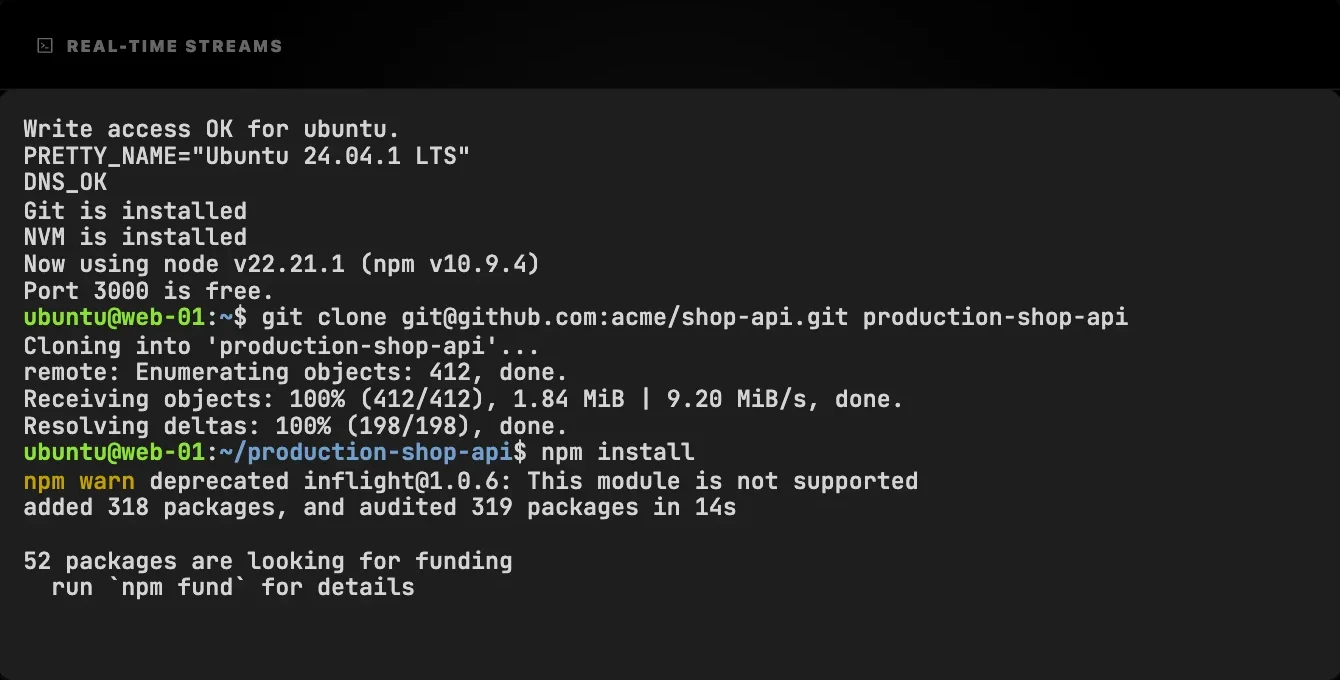
Ship from GitHub to your own server
One form installs, builds and starts a Node.js, React, Next.js or static app, with PM2, Nginx and SSL. Every step streams live.
While you sleep
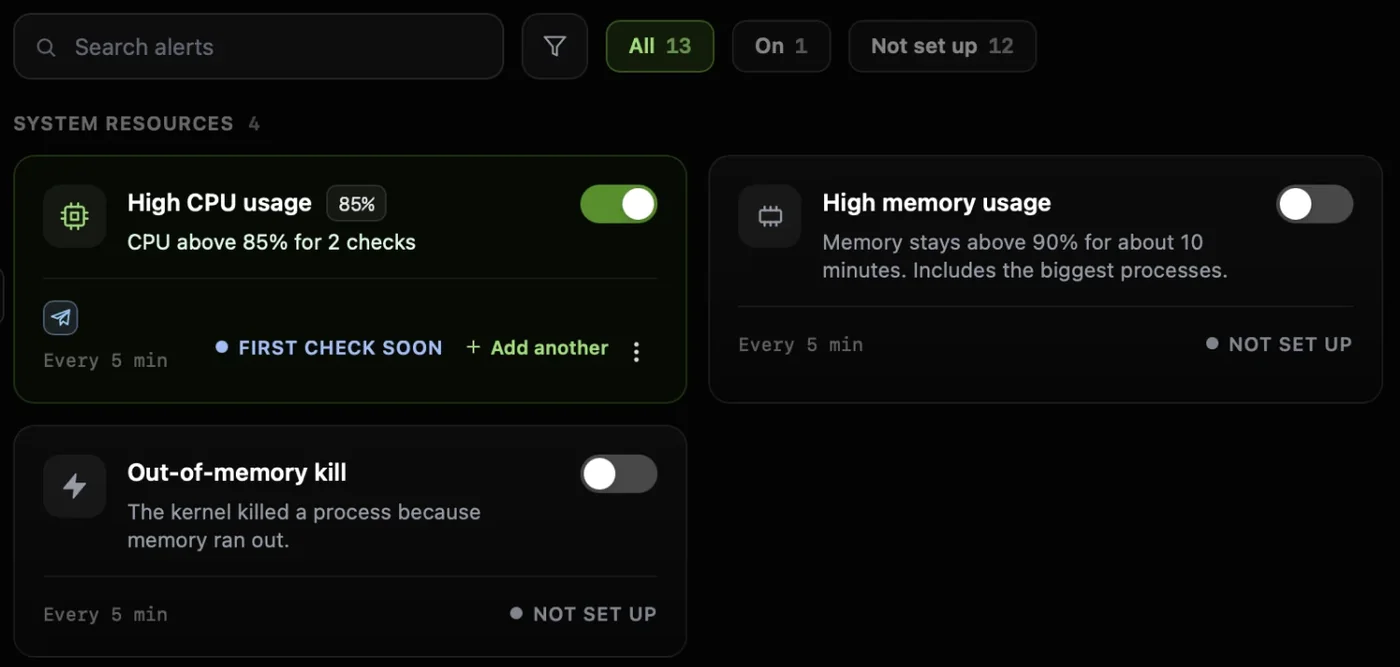
Works with the app closedHear about problems before customers do
14 ready-made checks for disk, services, SSL and your site, sent to Slack or Telegram.
Any other stack
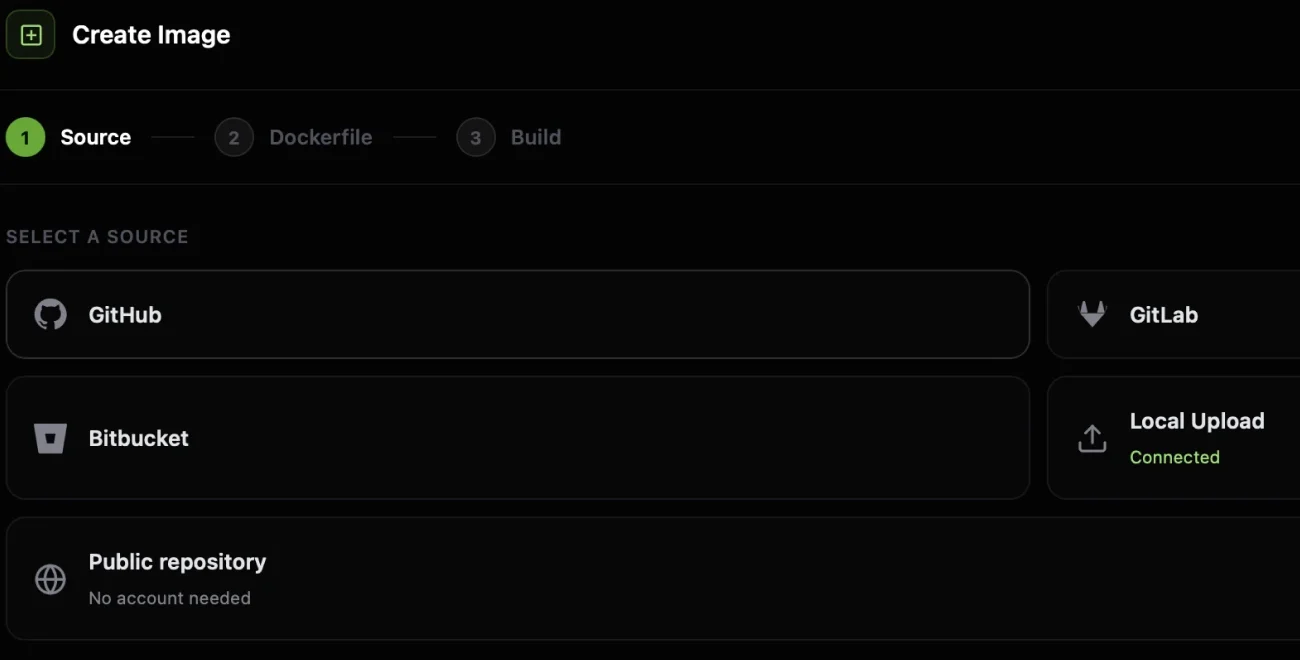
Laravel, Python or anything with a Dockerfile
The CtrlOps Docker add-on builds from GitHub, GitLab or Bitbucket with your Dockerfile or Compose file.
Every bug report
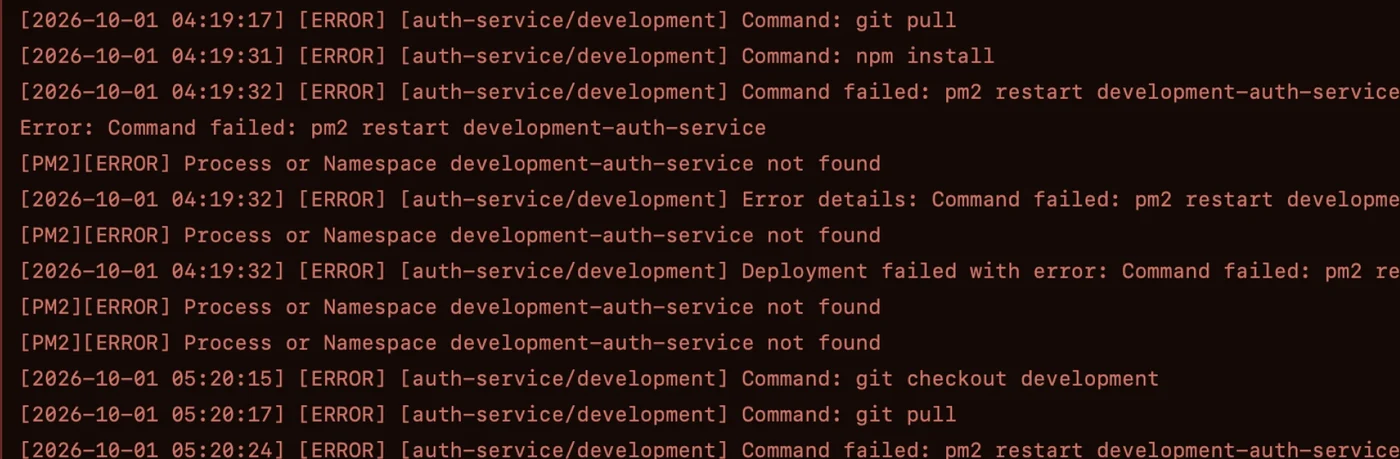
Find the error without hunting for the log file
Nginx, PM2, database and system logs are found for you. Search them or follow them live.
Every night
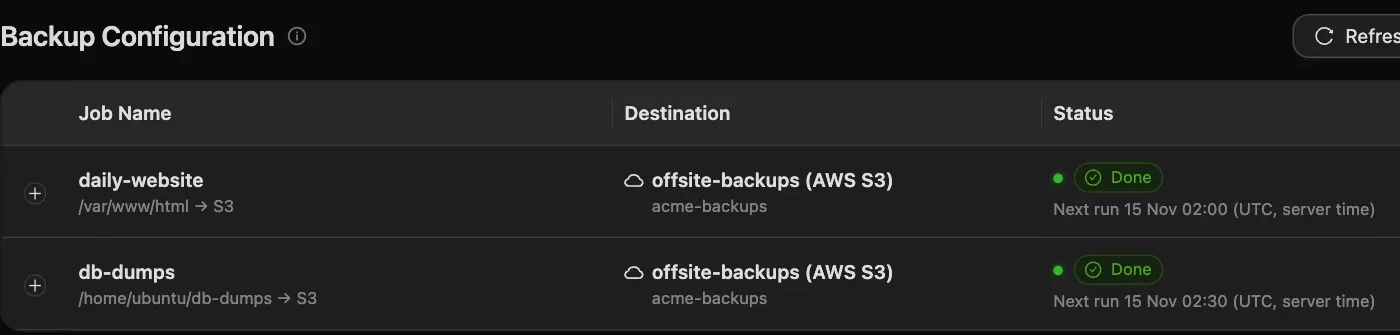
Backups in your own S3, ready to restore
Folders copy to S3-compatible storage on a schedule. Every run shows its size and time, with a restore point.
When a customer asks
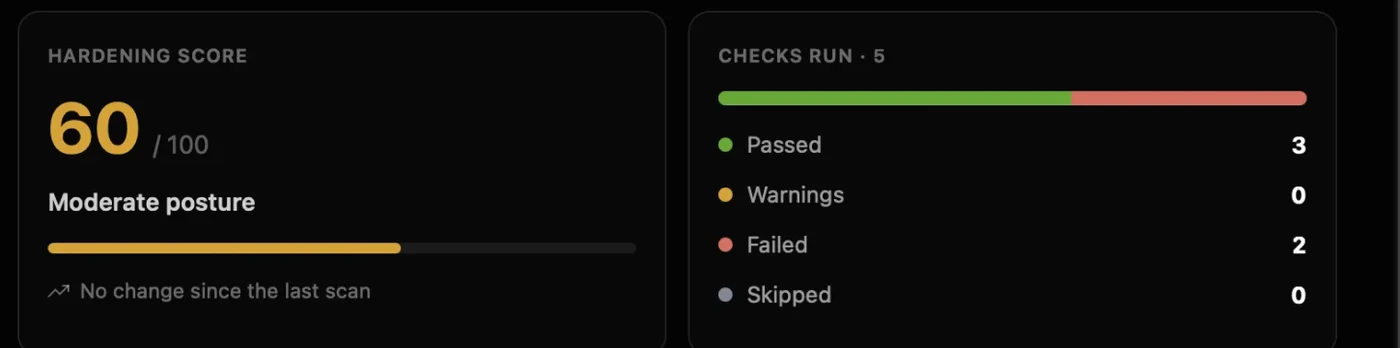
A security report you can send a customer
25 audits over SSH score each server and give you a PDF. Fixes wait for your Run.
- Servers
- UnlimitedOn every paid plan. You pay per person, never per server
- Your team
- 5 seats on TeamEach person their own seat, on up to 2 devices
- Your AI
- No AI feeBring your own key, a ChatGPT sign-in or a local model
- On your servers
- No agentIt works over SSH. Alerts and backups you switch on run as cron jobs
Hand it over
Not only in your head. Hand production over, safely.
From the day it is just you to the day someone leaves: each person gets their own access, and taking it back is one confirmed step.
Today
Write it down once
Export your servers, scripts and AI keys into one encrypted file a co-founder can import.
Home · Export servers
- Servers
- Scripts
- MCP servers
- AI keys
acme-servers.ctrlops
Locked with a backup password. Key files stay with each person; only their paths go in.
Day one
Give them their own login
A seat of their own, and a role on each server they need, so nobody shares your key.
SSH Management · Add user
Linux user leon
RestrictedStandardSudoA normal login. No admin and no blanket log access.
For three weeks
Access that ends by itself
Give a contractor a key with an end date. After that, the server refuses it.
SSH Management · Add user
- Linux user
- sam
- Role
- Restricted
Set an expiry
Ends 10 Dec 2026, 18:00
Access is revoked at that time, so there is nothing to revoke by hand.
Their last day
Take it all back in one step
Remove their key from every server at once, then export who can still log in where.
Access · Remove from all servers
Remove Leon M. from all servers?
4 grants on 4 servers lose this key.
Type the name to confirm
leon
CancelRemove from all servers
Server lists move between people as an encrypted file, not a live sync. Removing a key doesn’t cut an open session, but every command in it fails; servers the scan can’t reach are listed so you can re-scan.
Safe on production
AI writes the command. You decide if it runs.
AI moves fast, and production is no place to guess. Every session shows which server you're on, and every change waits for your Run. Here is one change on a production server, taken apart.
The AI only suggests. Nothing reaches your server until you press Run.
Auto-Run is off by default, and runs read-only commands only.
- 1Always know it is productionThe server name, the login and its Production tag head every session, so staging never looks like prod.
- 3One server at a timeA command runs on the server you're in. It never fans out across your servers.
- 5Nothing changes until you press RunRun or cancel each command. With Auto-Run on, only read-only commands run by themselves.
Builds keep running out of memory on app-prod. Can you fix that?
The server has 2 GB of RAM and no swap, and next build needs more. This adds a 2 GB swap file; nothing running is touched.
$ sudo fallocate -l 2G /swapfile && sudo chmod 600 /swapfile && sudo mkswap /swapfile && sudo swapon /swapfileWhyAdds 2 GB of swap so builds stop failing. It lasts until a reboot unless you add it to /etc/fstab.
5RunCancel- 2See what this login can doA badge shows whether the account is Sudo, Standard or Restricted on this server.
- 4Changes are flagged firstAnything that changes the server carries an amber flag and a plain-English why, before you decide.
- 6Your keys stay on your laptopSSH keys, passwords and AI keys are stored AES-256 encrypted on your computer, with no CtrlOps relay in between.
- 1Always know it is productionThe server name, the login and its Production tag head every session, so staging never looks like prod.
- 2See what this login can doA badge shows whether the account is Sudo, Standard or Restricted on this server.
- 3One server at a timeA command runs on the server you're in. It never fans out across your servers.
- 4Changes are flagged firstAnything that changes the server carries an amber flag and a plain-English why, before you decide.
- 5Nothing changes until you press RunRun or cancel each command. With Auto-Run on, only read-only commands run by themselves.
- 6Your keys stay on your laptopSSH keys, passwords and AI keys are stored AES-256 encrypted on your computer, with no CtrlOps relay in between.
Reviews
Founders and CTOs, in their own words.
Public posts from founders and CTOs who run their own servers. Each one names a problem from this page.
An hour of server work
Started using CtrlOps a few weeks ago. Honestly didn't expect much. But my DevOps workflow has genuinely shifted: → AI Terminal that understands plain English → Server management without SSH juggling → Backups, deployments, file manager - all in one place I'm doing in 10 minutes what used to take an hour. If you manage servers, just try it.

Debugging at 11pm
this is exactly what i wanted last week debugging my railway worker at 11pm honestly 😭


AI on live servers
The preview step is the whole game when AI touches live infra. CtrlOps gets it right: ask in plain English, see the exact command before it runs, approve. Been running it alongside ClawMetry and the fit is natural.

No DevOps background
The "spreadsheet with random server IPs and commands" line is too real 😂 Really like what you're building here. Making server management simpler without needing full DevOps knowledge is a big win for a lot of developers.

A panel per server
…I appreciate that I don't have to manage separate panels for each server, as CtrlOps manages all servers in one single software.

Pricing
Your team grows. Servers never cost extra.
You pay per person, and servers are unlimited on every paid plan. Add a server for a new customer or a staging copy and the bill stays the same.
At 5 servers
$7.80per server, per month
1 serverDrag to size your fleet120 servers
| Servers | Per server, per month |
|---|---|
| 1 | $39 |
| 10 | $3.90 |
| 50 | $0.78 |
| 100 | $0.39 |
| 120 | $0.33 |
For routine Linux work, often not: deploys, logs, alerts, backups and team access are in one app, and the AI explains each command before you run it. Architecture, security decisions and being on call still need a person who owns them, whether that is you or someone you hire.
No. CtrlOps works on the Linux servers you reach over SSH, such as a VPS at Hetzner, DigitalOcean or AWS. Keep the managed services that work for you, and use CtrlOps for the servers next to them: a worker, a database box or a staging copy.
Yes. One-form deploys cover Node.js, React, Next.js and static apps from GitHub. For any other stack, the CtrlOps Docker add-on builds from your Dockerfile or Compose file, from GitHub, GitLab or Bitbucket. It costs $10 a month on Personal and is included in Enterprise and every Lifetime plan.
No, it works next to them. A deploy sets an app up on a server with PM2, Nginx and SSL; there is no push-to-deploy or rollback. Keep your pipeline for releases, and use CtrlOps to see what the server is doing when one goes wrong.
In SSH Management, add each person as their own Linux user with a role (Restricted, Standard or Sudo) and, for a contractor, an end date. When someone leaves, Access removes their key from every server at once. An open session isn’t cut, but every command in it fails.
A seat is one person and can't be shared, on up to 2 devices. Team is a pack of 5 seats for $39 a month, for your company's own staff and contractors, and Enterprise has unlimited seats. Servers are unlimited on every paid plan.
Yes, as a file. Export servers saves your servers, scripts and AI keys into one encrypted file, with an optional backup password, and your co-founder imports it. Lists don’t sync live between people, and key files aren’t included, only their paths, so each person keeps their own key.
Two reports you can download today: a security audit PDF for each server, with a hardening score and every finding, and an export of who can log in to which server from Access. They are technical records, not a SOC 2 report. A command-level audit trail is coming soon.
By default it asks: every command comes with a plain-English why and waits for Run or Cancel. With Auto-Run on, only read-only commands run by themselves. Use a ChatGPT sign-in, OpenRouter, your own OpenAI, Anthropic or Google key, or a local model such as Ollama. CtrlOps charges no AI fee.
Both. Personal comes with a 14-day free trial with every feature, CtrlOps Docker included, and no card needed. When it ends you move to Free, which covers 2 servers on 2 devices with no end date. Team has no trial: try Personal first.
Stop juggling tools. Start managing fleets.
One app. All your servers. No context switching. Free to start, free to leave.
Start instantly · No credit card · Cancel anytime