VPS Deployment15 min read
I Tested 7 Server Deployment Methods: How Long Each Takes (2026)
How long deployment takes across 7 methods, timed with the same Node.js app: manual SSH, CI/CD, PaaS, panels, CtrlOps, Docker and Terraform.

- Methods tested
- 7
- Manual SSH first deploy
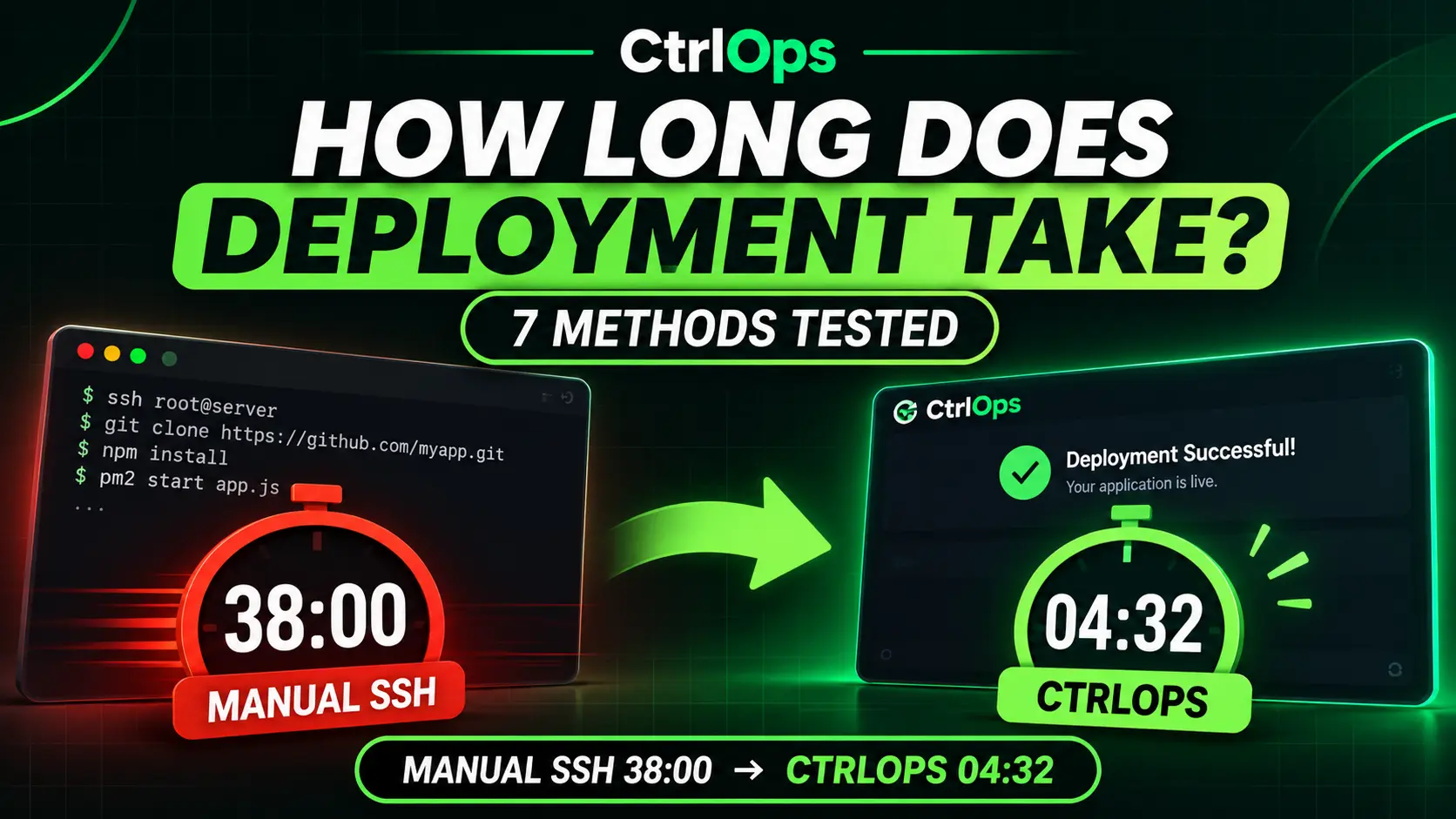
- 38 min
- CtrlOps first deploy
- 4 min 32 sec
- Last updated
- Nov 19, 2026
You push code to Git. SSH into the first server. Pull, build, restart PM2. Works.
Then you remember the same thing is waiting on server #2. And server #3. Twenty minutes gone, and you haven't even touched Nginx or SSL yet.
Next deploy, you tell yourself you'll "set up CI/CD this weekend." Four weekends pass. The manual deploy is still eating 30 minutes every time.
One push should not become a 45-minute ritual across three terminal tabs.
I tested all 7 deployment methods with the same Node.js app over one weekend. Timed every step. Here's what actually works and where the hours really go.
Deploying a web app to an existing Linux VPS takes 5 to 45 minutes, depending on the method and how much you automate. In my test, a first deploy by manual SSH took 38 minutes. The same app went live with CtrlOps in 4 min 32 sec, with Nginx, PM2 and SSL configured. In larger teams, most of the elapsed time is waiting for approvals and scans, not hands-on work.
| Method | First Deploy | Repeat Deploy | Setup Time | Control | My Rating |
|---|---|---|---|---|---|
| CtrlOpsOur pick | Under 5 min (4 min 32 sec in my test) | Manual: pull, build, restart in the PM2 tab | 10 min | Full | 5/5 |
| PaaS (Vercel, Render, Railway) | 5-15 min | 1-5 min | 5 min | Limited | 4.5/5 |
| CI/CD Pipeline (GitHub Actions) | 2-4 hours (setup) | 2-15 min | 2-4 hours | Full | 4/5 |
| Server Panel (RunCloud, Forge) | 15-30 min | 5-15 min | 20 min | Medium | 3.5/5 |
| Docker + Manual Deploy | 20-45 min | 5-10 min | 30 min | Full | 3/5 |
| IaC (Terraform, Ansible) | 2-8 hours (setup) | 5-20 min | 2-8 hours | Full | 3/5 |
| Manual SSH | 30-60 min (38 min in my test) | 15-30 min | None | Full | 2/5 |
My #1 pick for getting an app live on a VPS: CtrlOps. Your first deploy is free, then $9 a month or $349 once, with unlimited servers. Laravel Forge, for comparison, starts at $12 a month for 1 external server. No vendor lock-in, and SSH keys stay on your machine.
This guide breaks down server deployment time across seven common methods, shows where the hours actually go, and gives you a formula to estimate your own timeline.
I tested these methods against real deployments so the numbers reflect what a solo developer or small team actually experiences - not enterprise benchmarks from teams with 50-person platform groups.
I deployed the same Node.js app (Express + Postgres, ~2,400 lines) using every method on this list. VPS-based methods ran on fresh DigitalOcean Ubuntu 22.04 instances. PaaS methods ran on the platform's own hosting, since they don't deploy to a VPS. MacBook Pro M3, 100 Mbps connection, one weekend in October 2026.
For each method, I timed 2 tasks:
- First-time setup - fresh server to running app with HTTPS
- Code update deploy - git push to live, including build
I also checked whether each method handles PM2, Nginx, and Let's Encrypt out of the box, and where credentials are stored.
Numbers marked "in my test" come from these runs. Ranges labeled "typical" combine my runs with common real-world experience and will vary with your app and network.
A server deployment takes a few minutes to several months.
That range sounds absurd until you separate the different things people mean by "deployment." A code update pushed through a CI/CD pipeline finishes in 2-15 minutes.
A new cloud VM configured from a template takes 10-60 minutes. A physical server racked in a data center takes 4-12 weeks just for procurement and shipping.
For most developers reading this - deploying a web application to an existing Linux VPS - the realistic range is 5 to 45 minutes per deployment. The exact number depends on your method and how much you have automated.
Harness's Continuous Delivery Insights 2020 study of over 100 firms found that teams needed an average of 8 hours of advance notice to validate and sign off a deployment, and that 11% of deployments failed. Those 8 hours are validation and sign-off, not typing commands.
Strip that waiting away and the hands-on work is a fraction of the total.
Deployment means three different things depending on context. Mixing them up is why deployment time estimates vary so wildly across forums and blog posts.
Server provisioning is creating the compute resource itself - spinning up a VPS, launching an EC2 instance, or racking a physical server. This happens once per server and takes minutes (cloud) to weeks (physical hardware).
First application deployment is setting up your app on a fresh server for the first time. This includes installing dependencies, configuring the web server, setting up SSL, creating database connections, and running the first build. Every developer knows this step takes 5-10x longer than every deployment after it.
Code update deployment is pushing new code to a server that already runs your application. This is the most frequent type and the one most people mean when they ask "how long does deployment take." It is also the fastest - under 5 minutes with the right tooling.
This article covers all three, but focuses on the second and third - deploying applications to existing Linux servers over SSH.
That is the daily reality for freelance developers, startup CTOs, and small teams managing their own infrastructure.
The table below separates the common meanings of "deployment." The answer differs by orders of magnitude between them.
| Deployment Type | Typical Duration | What Dominates the Time |
|---|---|---|
| Code release to an existing service (CI/CD, rolling update) | 2-30 min | Build, tests, health checks |
| Container or Kubernetes workload release | 5-45 min | Image build and push, rollout and readiness probes |
| New cloud VM, configured from a template | 10-60 min | Provisioning, OS patching, config management |
| Full cloud environment via infrastructure as code | 1-8 hours | Networking, IAM, databases, validation |
| Production-ready cloud setup built manually | 1-5 days | Design reviews, security hardening, load testing |
| On-premises virtual server (existing hypervisor) | 1-5 days | Change approval, capacity checks, handoffs |
| On-premises physical server (order to production) | 4-12 weeks | Procurement, shipping, racking, cabling, OS imaging |
| Greenfield data center or colocation build-out | 3-9 months | Contracts, power and cooling, hardware lead times |
Teams with mature automation sit at the low end of each range. Teams with manual steps and approval queues sit at the high end.
For deploying a web application to an existing VPS, seven methods cover most workflows. Here is what each one actually costs you in time.
Manual SSH Deployment (30-60 Minutes First Time)
Manual SSH deployment takes 30-60 minutes for a first-time setup and 15-30 minutes for repeat deploys. In my test, the first-time setup took 38 minutes.
You connect to each server individually, pull code from Git, install dependencies, build, restart the process manager, and verify.
A typical manual deployment looks like this:
| Step | Time |
|---|---|
| SSH into server, navigate to project | 1-2 min |
| Git pull and resolve conflicts | 2-5 min |
| Install dependencies (npm install, pip install) | 3-10 min |
| Build the application | 2-8 min |
| Configure or update Nginx | 3-5 min |
| Restart PM2 or Systemd service | 1-2 min |
| Set up or renew SSL with Certbot | 3-5 min |
| Smoke test and verify | 2-5 min |
Multiply those numbers by three servers and you have over an hour. For a full VPS deployment walkthrough, check our step-by-step guide.
The real problem is not time per step. It is context switching. You are juggling a terminal, a browser, documentation tabs, and config files across 4-5 different tools.
One wrong command on the wrong server tab and you are debugging for an hour.
Best for: Developers who deploy once a month to a single server and want zero tooling overhead
Skip this if: You deploy weekly, manage 3+ servers, or your time is worth more than $25/hour
If context-switching across 5 terminal tabs is where your 30 minutes actually goes, CtrlOps puts the terminal, file manager, deploy and SSL in one desktop app. Your first deploy is free.
CI/CD Pipeline Deployment (2-15 Minutes)
A CI/CD pipeline takes 2-15 minutes per deploy once configured. The setup cost is the catch - building your first pipeline with GitHub Actions or GitLab CI takes 2-4 hours, sometimes more.
A typical pipeline run:
| Step | Time |
|---|---|
| Trigger (push to main) | Instant |
| Install dependencies | 1-3 min |
| Run tests | 1-5 min |
| Build | 1-3 min |
| Deploy via SSH or rsync | 1-2 min |
| Health check | 30 sec |
CI/CD makes sense when you deploy multiple times per day or manage more than two environments. For a single VPS with weekly deploys, the setup overhead might not pay off for months.
Best for: Teams of 3+ deploying multiple times per day across staging and production
Skip this if: You're solo, deploy weekly, or don't want to spend a weekend writing YAML
PaaS Deployment (1-5 Minutes)
Platform-as-a-Service tools like Vercel, Render, and Railway deploy in 1-5 minutes. Push to Git and the platform handles everything - build, deploy, SSL, scaling.
The tradeoff is control and cost. You cannot SSH into the server. Custom Nginx configurations are off the table. And pricing scales with usage - a Node.js app that costs $7/month on a VPS might cost $25-50/month on a PaaS once you hit real traffic.
PaaS works best for front-end apps, JAMstack sites, and early-stage projects where speed matters more than infrastructure control.
Best for: Front-end apps, JAMstack sites, and early-stage projects where you don't need SSH access
Skip this if: You need custom Nginx configs, SSH into your box, or your traffic costs will cross $50/month
Server Management Panel Deployment (5-15 Minutes)
Panels like RunCloud, Laravel Forge, and ServerPilot sit between manual SSH and full PaaS. They give you a web dashboard to manage server configuration, deploy from Git, and handle SSL without writing Nginx configs by hand.
First-time panel setup takes 15-30 minutes (connect server, configure site, link Git repo). Repeat deploys take 5-15 minutes through the dashboard or a webhook trigger.
The downside: monthly fees stack up. RunCloud starts at $9/month ($90/year) for 1 server. Laravel Forge starts at $12/month (Hobby, 1 external server). ServerPilot charges $5 per server plus $0.50 per app each month (Economy, billed hourly). And these panels are web dashboards - for anything the dashboard does not cover, you are back in an SSH session.
Prices verified on each vendor's own page: RunCloud on November 6, 2026, Laravel Forge and ServerPilot on November 19, 2026.
Best for: PHP/Laravel developers already in that ecosystem
Skip this if: You deploy Node.js apps - RunCloud is PHP-first and its Node.js setup is a manual job
One-Click Deployment Tools (Under 5 Minutes)
One-click deployment tools reduce the first deploy to a form and a button. You pick the repository and branch, pick the server, and the tool handles dependency installation, process management, web server proxy, and SSL provisioning.
I deployed my test Node.js app in 4 minutes 32 seconds - including PM2, Nginx reverse proxy, and Let's Encrypt SSL. With CtrlOps one-click deploy, you connect GitHub (or paste the repo URL), pick a branch, select the server, and click Deploy. That's it.
The same first-time setup took me 38 minutes manually across SSH, config files, and Certbot the day before.
It's the kind of thing that sounds boring in a feature list until you've spent three hours debugging a missing semicolon in an Nginx config at 11 PM.
The same task manually requires seven steps: SSH into the server, clone the repo, install Node.js dependencies, configure PM2, write the Nginx config, set up Certbot, test everything. That is seven separate steps across three different tools. CtrlOps collapses them into one.
Code updates are still a manual step. CtrlOps has no redeploy button yet. For an update, you open the server's terminal in CtrlOps, run git pull and your build, then restart the app from the PM2 tab. It is the same update you would do over SSH, without leaving the app. If you want every push to deploy itself, pair it with a CI/CD pipeline.
Best for: Solo developers and small teams managing 1-20 VPS servers who want new apps live fast without giving up SSH
Skip this if: You need push-to-deploy on every commit, Kubernetes, serverless, or multi-region pipelines
Docker + Manual Deploy (5-10 Minutes on Repeat Deploys)
Building and deploying Docker containers manually takes 20-45 minutes on the first run and 5-10 minutes for updates. You build the image locally or in CI, push to a registry, SSH into the server, pull the image, and restart the container.
Docker adds consistency - the same image runs the same way everywhere. But it also adds complexity. You need a registry, a Dockerfile, and enough server RAM to run containers alongside everything else. For a single-app VPS, Docker might be overhead you do not need.
If you already run containers, the CtrlOps Docker tool builds from a Dockerfile or Compose file in your GitHub repo right on the server, or runs an image from a registry, and adds the domain and SSL. It is an add-on on Personal and Team, and included in Lifetime and the 14-day trial.
Best for: Teams that need identical environments across staging/production
Skip this if: You run a single app on a single VPS - containers add RAM overhead you don't need
Infrastructure as Code (5-20 Minutes on Repeat Runs)
Tools like Terraform, Ansible, and Pulumi turn hours of console clicking into a repeatable script. First-time setup takes 2-8 hours to write and test the configuration. After that, running the script takes 5-20 minutes.
IaC makes sense when you rebuild environments regularly or manage infrastructure across multiple providers. For a freelancer deploying one app to one VPS, the learning curve rarely pays off.
Best for: Teams managing infrastructure across multiple cloud providers
Skip this if: You're a freelancer with one VPS, the learning curve won't pay off
Every deployment passes through seven stages. The time you spend in each depends on how much is automated.
- Planning and approval: Scope, change tickets, maintenance windows. Automated pipelines reduce this to near zero. Regulated enterprises spend days on this step alone.
- Provisioning: Creating the compute, storage, and network resources. Cloud providers do this in seconds to minutes. Physical hardware adds weeks of procurement and installation.
- Configuration: OS hardening, packages, users, secrets, certificates. Scripted with Ansible or cloud-init, this takes minutes. By hand, it takes hours per server.
- Application install: Pulling artifacts or container images, running migrations. Typically 1-15 minutes, longer for large databases or images.
- Testing and validation: Smoke tests, integration tests, security scans, load tests. Smoke tests take minutes. Full regression and load testing can take hours.
- Cutover: Shifting traffic through rolling, blue-green, or canary strategies. A rolling update across 20 instances takes 5-20 minutes. A canary with a bake period can take hours by design.
- Monitoring and rollback readiness: Watching error rates and latency after release. Teams typically watch for 15-60 minutes before declaring success.
Automation maturity is the largest single factor. Five others move the estimate the most.
Automation level: A scripted pipeline repeats the same steps in minutes. A manual runbook takes hours and varies with whoever follows it.
Infrastructure type: Cloud and virtualized resources are available on demand. Physical hardware adds procurement, shipping, and installation - 4-12 weeks before you even start configuring.
Application complexity: A stateless web service deploys fast. Stateful systems with database migrations, data replication, or multi-region failover take far longer.
Architecture and scale: Deploying to 3 servers is different from deploying to 3,000. Rolling updates trade speed for safety, so total time grows with instance count and batch size.
Security and compliance: Vulnerability scans, penetration tests, audit evidence, and change advisory boards can add days or weeks - even when the technical work takes an hour.
Team handoffs: Every handoff between development, operations, and security adds waiting time. Waiting, not working, is most of the elapsed time in enterprise deployments.
Sum the time of each stage, then add the waiting time between stages and a buffer for the unexpected.
T_total = Σ (T_work_i + T_wait_i) × (1 + b)T_work is hands-on or machine time for each stage. T_wait is queue and approval time before it starts. b is a contingency buffer as a fraction - commonly 0.2-0.3 for routine work and 0.5 or more for first-time deployments.
Worked example: A new web application on three cloud VMs behind a load balancer, with a managed database.
| Stage | Work | Wait |
|---|---|---|
| Approval and change ticket | 0.5 h | 8 h |
| Provisioning (Terraform) | 0.5 h | 0 h |
| Configuration (Ansible) | 1 h | 0 h |
| App install and migrations | 0.5 h | 0 h |
| Security scan and smoke tests | 1.5 h | 4 h |
| Cutover and monitoring | 1 h | 0 h |
The subtotal is 5 hours of work plus 12 hours of waiting - 17 hours total. With a 25% buffer, the estimate is about 21 hours, roughly two to three working days.
About 70% of that time is waiting. That is why removing approval delays saves more time than speeding up the scripts.
Most engineering teams track deployment speed using DORA metrics - four measures defined by Google's DevOps Research and Assessment program. Two of them relate directly to speed: lead time for changes and failed deployment recovery time. Deployment frequency shows how often you ship, not how long a deploy takes.
Deployment frequency measures how often a team pushes to production.
The 2025 DORA report found that only 16.2% of teams deploy on demand (multiple times per day). Nearly 24% deploy less than once per month.
Lead time for changes measures the gap from code commit to code running in production. Only 9.4% of teams achieve a lead time under one hour. Over 43% take more than a week.
| DORA Metric | Fastest Band | Largest Group of Teams |
|---|---|---|
| Deployment frequency | On demand, multiple per day (16.2%) | Once per week to once per month (31.5%) |
| Lead time for changes | Under 1 hour (9.4%) | 1 day to 1 week (31.9%) |
| Change failure rate | 0-2% (8.5%) | 8-16% (26%) |
| Failed deployment recovery time | Under 1 hour (21.3%) | Less than one day (35.3%) |
The takeaway: "fast" deployment is rare. If your team deploys weekly and your lead time is under a day, you are already ahead of most organizations.
The biggest gains come from removing manual work and waiting, not from making individual steps faster.
Automate with infrastructure as code: Terraform, CloudFormation, or Pulumi turn hours of console clicking into a repeatable run of minutes. Write it once, run it every time.
Build a CI/CD pipeline: Automated build, test, and release removes handoffs and makes every deployment identical. Even a simple GitHub Actions workflow saves 15-20 minutes per deploy.
Use immutable images and containers: Baking dependencies into an image moves configuration time out of the deployment and into the build. The deploy becomes a swap instead of a setup.
Run tests and rollouts in parallel: Split test suites across runners. Update independent instances or regions at the same time where risk allows. A test suite that runs in 10 minutes can drop to roughly 2.5-3 minutes across 4 runners.
Cache dependencies and build layers: Layer caching and artifact repositories cut image builds from minutes to seconds. Your node_modules should not install from scratch every deployment.
Replace approval queues with automated policy checks: Policy-as-code and pre-approved change types keep the safety and drop the wait. A ticket sitting in a queue for 8 hours is not adding security.
Rehearse in staging that mirrors production: Surprises found in staging cost minutes. The same surprises in production cost hours plus a rollback.
Keep releases small and frequent: Small changes are easier to test, deploy, and roll back than large batches. A 50-line diff deploys with confidence. A 5,000-line diff deploys with anxiety.
For more on DevOps automation tools that handle these steps, see our full comparison.
These delays show up in nearly every deployment post-mortem. Most are preventable.
| Delay | Typical Cost | Prevention |
|---|---|---|
| Environment drift between staging and production | Hours to days of debugging | Define both from the same code. Rebuild, do not patch. |
| Missing firewall rules, DNS, or certificates | 1-3 days if routed through another team | Include network and certificate requests in the plan from day one. |
| Database migrations on large tables | Minutes to many hours | Use online, backward-compatible migrations. Test on production-sized data. |
| Failed health checks and rollbacks | 30 min to a few hours | Add readiness probes and automated rollback triggers. |
| Hardware lead times | 4-12 weeks | Order early, keep spares, or move to cloud capacity. |
| Secrets and access not ready | Hours to days | Provision credentials and permissions before deployment day. |
| Late security or compliance findings | Days to weeks | Scan during the build, not at the end. |
The pattern is clear. Almost every delay comes from something that should have been handled earlier in the process, not from the deployment itself.
Most of the hands-on time in a deployment is spent in a terminal: SSH-ing into hosts, editing configs, reading logs, and restarting services. One server at a time. CtrlOps is a local-first desktop app for Linux server management that puts all of that work in one place.
It combines an AI terminal, live monitoring, a visual file manager, multi-server management, and a deployment module. It connects to Linux servers over SSH - a $5 VPS or a cloud VM, same workflow.
What CtrlOps speeds up
Git-to-production deployment: The deployment module rolls out a Node.js, React or Next.js app from a GitHub repository and configures process management (PM2), the web server proxy (Nginx or Apache), and SSL certificates (Let's Encrypt). That replaces the configuration and install stages - the largest hands-on stages it touches in the worked example above.
Debugging: The AI terminal turns plain-English requests into Linux commands, explains terminal errors and log output, and suggests fixes. It shows you each command and waits for you to click Run before it executes. A failed rollout takes less searching and less trial and error.
Multi-server management: Instead of a separate SSH window per host, you save your servers once and open each one in its own tab, named after the server. You always see which server you are on before you type.
Tool switching: Terminal, file manager, monitoring, and deployment sit in one interface. A routine change does not mean juggling five tools. For more on how AI fits into this workflow, see our guide on AI in DevOps.
Credential security: Saved servers and credentials are AES-256 encrypted on your own computer, and your key files stay where they are - not in a hosted service. When a security review asks where secrets live, the answer is simple: your laptop.
What CtrlOps does not change
CtrlOps shortens the hands-on stages. In the worked example, that is configuration, install, and cutover - about 2.5 hours of work. The 12 hours spent waiting on approvals and scans is a process problem. Pair it with the policy automation described earlier.
How to try CtrlOps
If your stack is Linux servers over SSH, connect a few of them to CtrlOps, point the deployment module at a GitHub repository, and compare the result with your current runbook. Then measure what remains - the remaining wait is where most of your hours will be.
Choose CtrlOps if:
- You manage 1-20 VPS servers and want new apps live fast without giving up SSH access
- You want terminal, file manager, monitoring, and deployment in one app instead of five
- Your clients or compliance require credentials to stay on your machine, not a hosted service
Choose CI/CD (GitHub Actions) if:
- You deploy multiple times per day across staging and production
- Your team is 3+ developers who all push to the same repos
- You have time to invest 2-4 hours in pipeline setup upfront
Choose PaaS (Vercel/Render) if:
- You're building a front-end or JAMstack app
- You don't need SSH access or custom server configs
- Your traffic is predictable and you've modeled the usage-based pricing
Choose Manual SSH if:
- You deploy once a month to a single hobby server
- Your time investment on tooling is zero
- You're okay with 30+ minutes per deploy
Still not sure? Deploy your first app with CtrlOps for free - you'll know within the first deploy whether it replaces your current workflow.
Deployment time is set less by how fast servers boot than by how much work is manual and how long requests wait between teams.
A mature pipeline releases code in minutes and builds a cloud environment in hours. Physical infrastructure takes weeks to months because of procurement, not configuration.
How long does deployment take for your stack? List the stages, add the waiting time honestly, and include a buffer. To shorten it: automate the hands-on stages first and remove approval queues second.
For the hands-on part - the SSH sessions, the Nginx configs, the PM2 setup - CtrlOps got my first deploy done in under 5 minutes.
- Deploying a web application to an existing VPS takes 5-45 minutes depending on your method. Manual SSH takes 30-60 minutes for a first setup (38 minutes in my test), including dependency installation, Nginx configuration, and SSL setup. One-click tools like CtrlOps reduce the first deploy to under 5 minutes by setting up PM2, Nginx, and SSL in a single step. Your first deploy with CtrlOps is free, no credit card needed.
- It depends on what you count. Harness's Continuous Delivery Insights 2020 study of over 100 firms found teams needed about 8 hours of advance notice to validate and sign off a deployment, and 11% of deployments failed. That time is mostly approval and validation, not hands-on work. Teams with automated CI/CD pipelines finish deploys in 2-15 minutes. The 2025 DORA report found only 9.4% of teams achieve a lead time under one hour from commit to production.
- First-time deployments take 5-10x longer than repeat deployments. A first manual SSH deploy takes 30-60 minutes because you are installing dependencies, configuring the web server, and setting up SSL from scratch. Repeat deploys to the same server take 15-30 minutes manually or 1-5 minutes with a CI/CD pipeline or PaaS, since the infrastructure is already configured.
- The fastest way to deploy is a PaaS like Vercel or Render (1-5 minutes), but those limit server access and pricing scales with traffic. For VPS deployments with full SSH control, one-click tools like CtrlOps deploy a Node.js, React or Next.js app from GitHub in under 5 minutes, handling Nginx, PM2, and SSL for you. Your first deploy is free, no credit card.
- CtrlOps cut my first deploy from 38 minutes (manual SSH) to 4 minutes 32 seconds by automating the three slowest hands-on steps: Nginx reverse proxy configuration, PM2 process management setup, and Let's Encrypt SSL. You pick your GitHub repository and branch, select the server, and click Deploy. Code updates are still manual: pull and build in the CtrlOps terminal, then restart from the PM2 tab. All credentials stay on your local machine.
- Yes. Solo developers and small teams deploy to VPS servers without dedicated DevOps staff using one-click deployment tools, server management panels, or PaaS platforms. CtrlOps is built for developers who manage their own servers - the AI terminal explains Linux commands before running them, so you do not need deep sysadmin knowledge to get started. Still review each command before you approve it, especially on production servers.
- DORA metrics are four measures defined by Google's DevOps Research and Assessment program: deployment frequency (how often you deploy), lead time for changes (commit to production), change failure rate (percentage of deploys causing incidents), and failed deployment recovery time (how fast you recover from a failure). The 2025 DORA report found that only 16.2% of teams deploy on demand, and 43.5% have a lead time over one week.
- Setting up a CI/CD pipeline with GitHub Actions or GitLab CI takes 2-4 hours for a basic build-test-deploy workflow. Complex pipelines with multiple environments, approval gates, and parallel testing can take days. Once configured, each run takes 2-15 minutes. If you don't want to spend a weekend writing YAML before your first deploy, CtrlOps gets your app from GitHub to production in under 5 minutes with no pipeline setup.
- One-click deployment tools like CtrlOps are not the right fit for Kubernetes clusters, serverless functions (AWS Lambda, Google Cloud Functions), multi-region pipelines, or deploying on every push. CtrlOps one-click deploy is designed for SSH-reachable Linux servers running Node.js, React or Next.js apps under PM2. For containerized microservices at scale, stick with your CI/CD pipeline and orchestration tooling.
- For small teams deploying to 1-3 servers a few times per week, manual SSH with a deployment script is often faster to start with. CI/CD pipelines add 2-4 hours of setup time but save 15-20 minutes per deploy after that. The break-even point is roughly 10-15 deployments. CtrlOps gets the first deploy of each app live in under 5 minutes on day one; for automatic deploys on every push, you still need a pipeline.
- Start with three changes that work with any stack: cache your dependencies so they do not reinstall from scratch every deploy, run your test suite in parallel across multiple runners, and script the manual steps you repeat every time (Nginx config, PM2 restart, SSL renewal). These three changes alone cut most manual deployments from 30+ minutes to under 15 minutes without adding new tools or platforms.