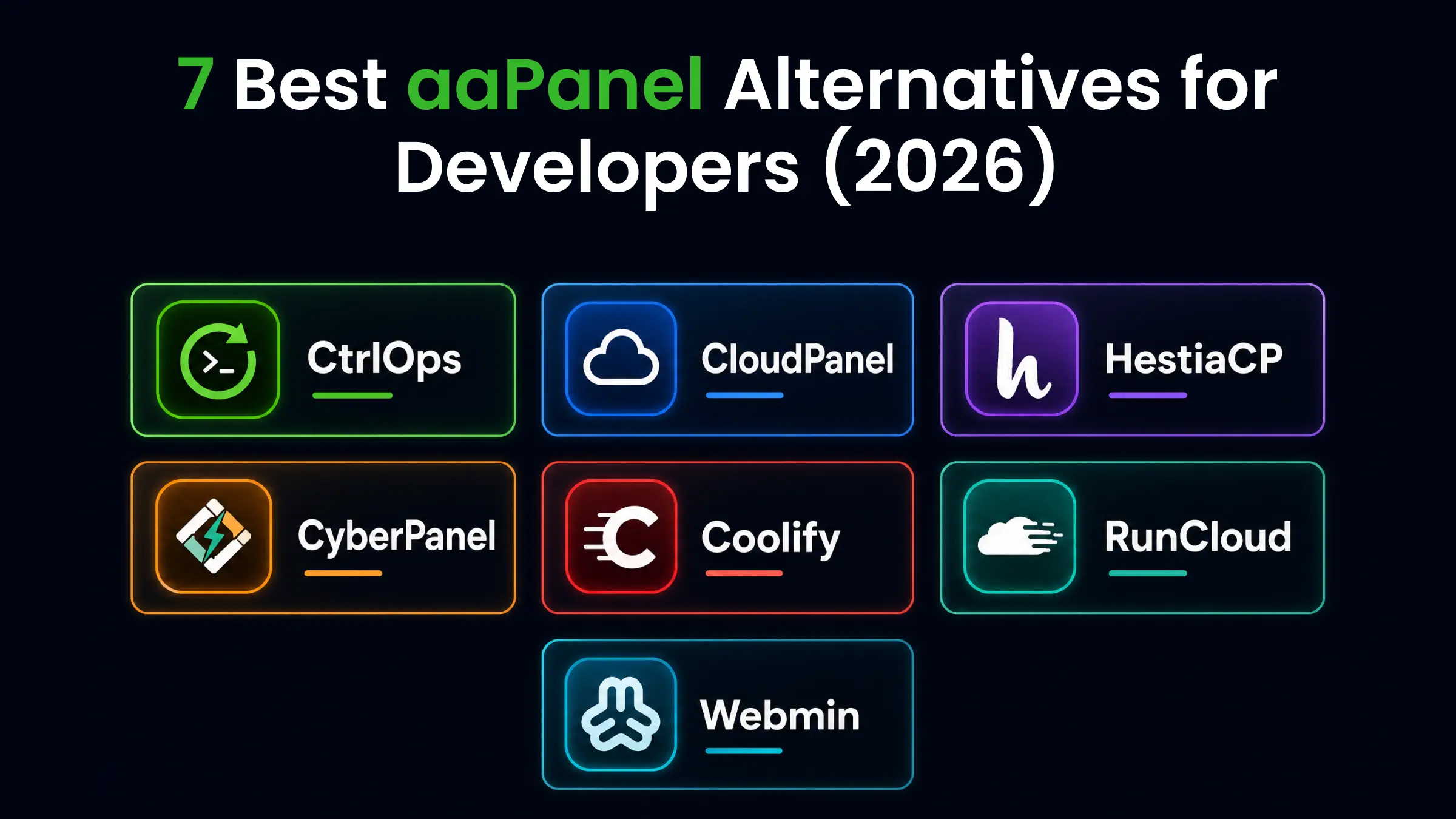

The best aaPanel alternatives in 2026 are CtrlOps (desktop app with an approval-gated AI terminal, $7/user/month with a 1 month free trial), HestiaCP (free full hosting stack with email), CloudPanel (fastest free PHP panel), CyberPanel (OpenLiteSpeed speed), Coolify (self-hosted PaaS), RunCloud (managed SaaS), and Webmin + Virtualmin (deepest control). The right pick depends on your stack, team size, and where your credentials are allowed to live.
Top 7 aaPanel Alternatives for Developers in 2026
We tested 7 aaPanel alternatives across real deployment tasks, security models, and pricing structures to find which ones actually solve the problems aaPanel creates. Testing ran on real Ubuntu and Debian servers, comparing installation, deployment workflows, team access, data privacy, and pricing. If aaPanel's data residency model is your primary concern, jump to the data privacy section.
| Tool | Type | Price | AI Terminal | Team Access | Data Privacy |
|---|---|---|---|---|---|
| aaPanel (baseline) | Web panel | Free (1 admin) / Pro $28.80/mo per server | No | Free: single admin only | Self-hosted (international version of BT Panel, China) |
| CtrlOps | Desktop app | $7/user/mo (1-month free trial) | Yes (approval-gated) | Unlimited | Local-only |
| CloudPanel | Web panel | Free | No | Limited | Self-hosted |
| HestiaCP | Web panel | Free | No | Multi-user | Self-hosted |
| CyberPanel | Web panel | Free | No | Multi-level | Self-hosted |
| Coolify | Self-hosted PaaS | Free | No | Unlimited | Self-hosted |
| RunCloud | Managed SaaS | From $9/month | No | Yes | Cloud (RunCloud servers) |
| Webmin + Virtualmin | Web panel | Free | No | Multi-user | Self-hosted |
Prices verified October 6, 2026 against each vendor's own site: aaPanel, CloudPanel, HestiaCP, CyberPanel add-ons, Coolify, RunCloud and Virtualmin. aaPanel Pro is $28.80/month, $198/year or $699 lifetime, one server per licence, so it is priced per server; CtrlOps is priced per user with unlimited servers. Vendors change plans from time to time, so confirm the current price there before you buy.
1. CtrlOps
CtrlOps is a desktop application for macOS, Windows, and Linux. It connects to your servers over standard SSH - no agent installed, no web panel exposed on the server.
Key Features
- AI Terminal: Describe the problem in plain English. CtrlOps generates diagnostic commands and waits for your approval before running anything.
- One-click deployment: Paste a GitHub repo URL, select your framework. CtrlOps handles git clone, npm install, PM2, Nginx, and SSL. Reduces deployment from 30 - 45 minutes to under 5.
- GUI file manager: Drag-and-drop uploads, in-app editing. No separate SFTP tool needed.
- Real-time monitoring: Live CPU, RAM, disk, and top processes for every connected server.
- Script Directory: Save command sequences as reusable one-click scripts with
{{variable}}placeholders. Reuse the same script on any server you open. - Log management: Auto-discovers every log file on your server, grouped by service. Search, tail live, or download without touching the terminal.
- Cron Jobs: Schedule jobs without cron syntax, adopt the ones already in crontab, and start from ready-made alerts for CPU, disk, services, and SSL.
- Local-first security: All credentials stored on your machine with AES-256 encryption. Nothing syncs to the cloud. aaPanel runs on your server and exposes a web interface to the internet.
- Security Audit: Run 25 audits over SSH (server, database, web server, Docker) and get a hardening score, a PDF report, and AI-written fixes you approve before they run.
For developers concerned about SSH key security, our SSH key management best practices guide covers Ed25519 keys, passphrases, and why local-only storage matters.
Pricing
- Free trial: 1 month free, no credit card required
- Monthly: $7/user/month (unlimited servers)
- Yearly: $70/user/year (save 16.7%)
Best For
- Developers managing 3-20 VPS servers
- Small teams that need AI-assisted diagnostics and deployment automation
- Anyone who requires local-first credential storage (NDAs, data residency)
- Freelancers replacing 4+ separate tools (SSH client, SFTP, monitoring, terminal)
Limitations
- No mobile app.
- No serverless support (Lambda, Cloud Functions).
- No Kubernetes or container orchestration.
2. CloudPanel
CloudPanel is a free, open-source web hosting panel built on NGINX and PHP-FPM. It installs on Debian or Ubuntu and strips everything to the essentials - lighter and faster than aaPanel on the same hardware.
Key Features
- NGINX-native stack: No Apache fallback. PHP-FPM, MySQL, Redis, and Node.js all configured out of the box.
- Cloud provider integrations: Built-in support for AWS, DigitalOcean, Hetzner, Google Cloud, Vultr, and Azure. Auto-configures firewalls and DNS for each provider.
- Site isolation: Each website runs under its own Linux user. One compromised site cannot access another.
- Free SSL via Let's Encrypt: Automatic certificate provisioning and renewal.
- Vhost templates: Pre-built configs for WordPress, Laravel, Drupal, and other PHP frameworks.
Pricing
- Free forever, open-source (BSD license)
- No paid plans or premium tiers
- All features included at no cost
Best For
- Developers hosting 5-15 PHP or Node.js sites on a single server
- Teams that want a lightweight, NGINX-native panel with minimal resource overhead
- Projects that do not need a built-in email server
Limitations
- No built-in email server.
- No GUI file manager inside the panel.
- Smaller community than HestiaCP or CyberPanel.
3. HestiaCP
HestiaCP is a free, open-source control panel forked from VestaCP. It provides a full hosting stack in a single install: web server, email, DNS, databases, and backups - plus a properly integrated mail server that aaPanel lacks.
Key Features
- Full hosting stack: NGINX + Apache or NGINX + PHP-FPM, Exim mail server, Dovecot, Roundcube webmail, PowerDNS, and MariaDB/MySQL. All configured during installation.
- Multi-user support: Create separate accounts with their own domains, databases, and email. aaPanel free limits you to one admin.
- Multi-PHP: Run PHP 5.6 through 8.2 simultaneously. Assign different PHP versions per site.
- Automated backups: Schedule backups to local storage or 50+ cloud destinations.
- One-click CMS installs: WordPress, Drupal, Laravel, NextCloud, PrestaShop, and more.
Pricing
- Free forever, open-source (GPLv3 license)
- No paid plans or premium tiers
- All features included at no cost
Best For
- Freelancers and small agencies hosting client sites with email
- Teams that need multi-user accounts, DNS management, and automated backups at zero cost
- WordPress and PHP sites that require a full hosting stack (web server, mail, DNS, databases) in one install
Limitations
- Supports only Debian and Ubuntu.
- UI is functional but dated.
- No Docker management.
4. CyberPanel
CyberPanel is a free hosting panel built on OpenLiteSpeed, the open-source edition of LiteSpeed Web Server. If page speed matters for your WordPress sites, CyberPanel's OpenLiteSpeed stack is the biggest differentiator over aaPanel.
Pricing
- Core panel: Free forever (OpenLiteSpeed)
- .htaccess Module: $59/year or $199 lifetime
- CyberPanel Add-ons bundle (all 6 premium add-ons): $59/year or $169 lifetime, with a 7-day free trial
- Add-ons bundle plus .htaccess module together: $99/year
- LiteSpeed Enterprise bundles: separate pricing via LiteSpeed store (starts higher)
Best For
- WordPress-heavy hosting where page load speed is the top priority
- Developers who want OpenLiteSpeed's built-in caching for PHP workloads
- Teams comfortable troubleshooting occasional panel quirks in exchange for raw speed
Key Features
- OpenLiteSpeed built-in: Up to 10x faster than Apache for PHP workloads, according to LiteSpeed's own benchmarks. LiteSpeed Cache for WordPress is included.
- Docker manager: Deploy containerized apps alongside traditional PHP hosting from the same panel.
- Email server: Postfix + Dovecot with Rspamd spam filtering, DKIM, SPF, and DMARC.
- One-click installs: WordPress, Redis, MongoDB, n8n, and 20+ applications.
- Multi-user levels: Admin, reseller, and user roles for hosting businesses.
Limitations
- Premium add-ons cost $59/year each.
- Community support can be slow.
- User reviews report occasional backup and SSL failures under production load.
5. Coolify
Coolify is an open-source, self-hosted PaaS. Instead of managing Apache configs and PHP versions like aaPanel, you push code to Git and Coolify handles the rest. Think self-managed Heroku.
Key Features
- Git-push deployments: Connect your GitHub, GitLab, or Bitbucket repo. Push to deploy. Automatic SSL, preview deployments, and rollbacks.
- 280+ one-click templates: Deploy databases (PostgreSQL, MySQL, Redis), workflow tools (n8n), CMS platforms, and AI inference engines.
- No per-user fees: Unlimited team members on the self-hosted version. No feature gates.
- Multi-server support: Manage multiple VPS instances from one Coolify dashboard.
- Docker Compose native: Bring your own
docker-compose.ymland deploy.
Pricing
- Self-hosted: free forever (Apache 2.0 license), no feature limits, no user caps
- Coolify Cloud: $5/month for 2 servers, $3/month per additional server
- Coolify Cloud annual: 20% discount (~$4/month)
- No per-user fees on any plan
Best For
- Developers deploying Node.js, Python, Go, or containerized apps
- Teams that want Heroku-like Git-push workflows on their own servers
- Projects using Docker Compose that need automatic SSL, preview deployments, and rollbacks
Limitations
- Requires Docker knowledge.
- Scaling stops at Docker Swarm. No Kubernetes.
- Needs a dedicated VPS for the Coolify management layer.
- Documentation gaps for complex multi-server setups.
6. RunCloud
RunCloud is a managed SaaS panel. You connect your VPS to RunCloud's dashboard, and it handles stack configuration, deployments, SSL, and monitoring - no panel installed on your server, but an agent is required.
Key Features
- Web-based dashboard: Manage servers from any browser. No SSH needed for most tasks.
- Atomic deployments: Git-based deploys with zero-downtime switching for PHP apps.
- Automated backups: Scheduled server and database backups with one-click restore.
- Team management: Role-based access and shared server management across team members.
- WordPress toolkit: One-click staging, cloning, and automatic updates for WordPress sites.
- Integrations: Slack, Telegram, GitHub, Cloudflare DNS, and more.
Pricing
- 7-day free trial, card required (no free plan)
- Essentials: $9/month (1 server, unlimited web apps, 2GB backup storage)
- Professional: $19/month (up to 50 servers, 10GB backup, staging, app cloning)
- Business: $49/month (up to 100 servers, 30GB backup, atomic deployment, 10 team seats, API access)
- Enterprise: $399/month (up to 500 servers, 50 team seats, high-volume API)
- Annual billing available on all plans.
Best For
- Agencies managing multiple client WordPress and PHP sites
- Developers who want a managed SaaS experience without maintaining panel software
- Teams that need atomic (zero-downtime) deployments and role-based access (Business plan and above)
Limitations
- No free plan. 7-day trial only, and a card is required to start it.
- Pricing is per server. Scales fast with multiple servers.
- PHP-focused. Limited non-PHP stack support.
- Agent-based. Installs software on your server.
- Best features locked behind higher tiers.
7. Webmin + Virtualmin
Webmin is a free, open-source web interface for Linux system administration. Virtualmin is a plugin that adds web hosting features (virtual hosts, DNS, email, databases) on top of Webmin.
Together, they form the most configurable alternative to aaPanel. Every server setting is exposed. Every config file is editable through the GUI.
Key Features
- Full system administration: Manage users, firewall rules, cron jobs, services, packages, disk quotas, and network config. Goes far deeper than any hosting panel.
- Virtualmin hosting stack: Apache or NGINX, BIND DNS, Postfix mail, MySQL/MariaDB. Full multi-domain hosting with per-user isolation.
- 100+ modules: Extend Webmin with modules for Samba, Squid, LDAP, Fail2ban, and nearly any Linux service.
- Supports most Linux distros: Debian, Ubuntu, CentOS, AlmaLinux, Rocky Linux, RHEL, and more.
- Long track record: Webmin has been actively developed since 1997. Massive documentation and community.
Pricing
- Webmin: free, open-source
- Virtualmin GPL: free, unlimited domains
- Virtualmin Pro: from $7.50/month or $75/year (10 domains), scales with domain count
- Virtualmin Pro adds: script installers, reseller features, spam/virus filtering, mobile access, priority support
Best For
- Experienced Linux sysadmins who want granular control over every server setting
- Teams managing multi-domain hosting with per-user isolation, email, and DNS
- Environments that need 100+ Webmin modules (Samba, LDAP, Fail2ban, Squid, and more)
Limitations
- Steep learning curve with hundreds of options.
- Interface looks dated.
- No one-click app deployment.
- No Docker integration in the base install.
Feature and Capability Comparison
These tables compare all 7 aaPanel alternatives across the capabilities that matter for daily server management - not marketing bullet points.
Hosting Stack and Web Server
| Tool | Web Server | PHP Support | Node.js Support | Built-in Email | DNS Management | Database GUI |
|---|---|---|---|---|---|---|
| aaPanel (baseline) | Apache + NGINX | ✓ (multi-version) | ✓ | ✗ | ✗ | ✓ (phpMyAdmin) |
| CtrlOps | N/A (connects over SSH) | N/A | ✓ (one-click deploy) | N/A | N/A | ✗ |
| CloudPanel | NGINX only | ✓ (PHP-FPM) | ✓ | ✗ | ✗ | ✓ (phpMyAdmin) |
| HestiaCP | NGINX + Apache | ✓ (multi-version) | ✗ | ✓ (Exim + Dovecot) | ✓ (PowerDNS) | ✓ |
| CyberPanel | OpenLiteSpeed | ✓ | ✗ | ✓ (Postfix + Dovecot) | ✓ | ✓ |
| Coolify | Docker-based | Via container | ✓ (Git deploy) | Via container | ✗ | Via container |
| RunCloud | NGINX + Apache | ✓ | ✓ (limited) | ✗ | Cloudflare integration | ✓ |
| Webmin + Virtualmin | Apache or NGINX | ✓ | ✗ | ✓ (Postfix) | ✓ (BIND) | ✓ |
Deployment and Automation
| Tool | One-Click App Deploy | Git-Based Deploy | Docker Support | Deployment Templates | CI/CD Integration |
|---|---|---|---|---|---|
| aaPanel | ✓ (limited) | ✗ | Basic | ✗ | ✗ |
| CtrlOps | ✓ | ✓ (GitHub URL) | Coming in v2.0 | ✓ (Script Directory) | ✗ |
| CloudPanel | ✓ (PHP frameworks) | ✗ | ✗ | ✓ (vhost templates) | ✗ |
| HestiaCP | ✓ (CMS installs) | ✗ | ✗ | ✗ | ✗ |
| CyberPanel | ✓ (20+ apps) | ✗ | ✓ | ✗ | ✗ |
| Coolify | ✓ (280+ templates) | ✓ (Git-push) | ✓ (native) | ✓ (Docker Compose) | ✓ (webhooks) |
| RunCloud | ✓ (WordPress) | ✓ (atomic deploy) | ✗ | ✗ | ✓ (GitHub integration) |
| Webmin + Virtualmin | ✗ | ✗ | ✗ | ✗ | ✗ |
Team Access and Security
| Tool | Multi-User Access | Role-Based Permissions | Credential Storage | Agent on Server | Exposed Web Port |
|---|---|---|---|---|---|
| aaPanel | Free: 1 admin only | Pro only | Server-side | ✗ (is the server) | ✓ (port 8888) |
| CtrlOps | Unlimited | ✓ (Restricted/Standard/Sudo) | Local only (AES-256) | ✗ | ✗ |
| CloudPanel | Limited | Basic | Server-side | ✗ (is the server) | ✓ (port 8443) |
| HestiaCP | ✓ (multi-user) | ✓ (admin/user) | Server-side | ✗ (is the server) | ✓ (port 8083) |
| CyberPanel | ✓ (multi-level) | ✓ (admin/reseller/user) | Server-side | ✗ (is the server) | ✓ (port 8090) |
| Coolify | Unlimited | ✓ | Server-side | ✗ (is the server) | ✓ |
| RunCloud | ✓ | ✓ (role-based) | Cloud (RunCloud) | ✓ (agent required) | ✗ |
| Webmin + Virtualmin | ✓ (multi-user) | ✓ (granular ACLs) | Server-side | ✗ (is the server) | ✓ (port 10000) |
Monitoring and AI Features
| Tool | Live Metrics Dashboard | Log Viewer | AI Command Generation | AI Approval Gate | Process Manager GUI |
|---|---|---|---|---|---|
| aaPanel | Basic | ✓ | ✗ | N/A | ✗ |
| CtrlOps | ✓ (CPU/RAM/disk/processes) | ✓ (auto-discovery) | ✓ | ✓ | ✓ |
| CloudPanel | Basic | ✗ | ✗ | N/A | ✗ |
| HestiaCP | Basic | ✗ | ✗ | N/A | ✗ |
| CyberPanel | Basic | ✗ | ✗ | N/A | ✗ |
| Coolify | ✓ | ✓ | ✗ | N/A | ✗ |
| RunCloud | ✓ | ✓ | ✗ | N/A | ✗ |
| Webmin + Virtualmin | ✓ (detailed) | ✓ | ✗ | N/A | ✓ |
Why Are Developers Switching Away from aaPanel?
Single-user limit on the free tier: aaPanel free supports one admin account. If you manage client servers with a teammate, or hand off access to a contractor, there's no built-in way to do it without sharing the root login. HestiaCP, CtrlOps, and Coolify all support multiple users at no cost.
Pricing jumps quickly on Pro: aaPanel Pro costs $28.80/month (monthly), $198/year, or $699 lifetime. Each license covers one server. Managing 3 servers on Pro costs $86.40/month or $594/year. CtrlOps covers unlimited servers for $7/user/month or $70/user/year.
No deployment automation or AI: aaPanel provides a file manager, database tools, and a terminal emulator. It does not generate commands, diagnose errors, or deploy apps from a Git repo. Every task beyond basic hosting is manual terminal work.
If you're evaluating aaPanel alongside traditional SSH clients, see how PuTTY, MobaXterm, and Warp compare - the comparison covers the same decision between web panels and desktop tools.
The Data Privacy Question Nobody Wants to Ignore
aaPanel is the international version of BT Panel, a Chinese server management panel. This is public information listed in aaPanel's own documentation.
A June 2026 Trustpilot review captures the concern directly: the reviewer questioned whether server data, domains, or usage information managed through aaPanel could be monitored or accessed under Chinese data regulations.
If your clients require data sovereignty guarantees or your contracts include data residency clauses, a locally installed alternative (CtrlOps, HestiaCP, CloudPanel) or a self-hosted platform (Coolify) removes this variable entirely.
What This Means Practically
If your situation includes any of the following, the origin of your server panel matters:
- Client NDAs that prohibit non-approved software with server root access
- Data residency requirements (GDPR, HIPAA, SOC 2) that need documented software provenance
- Government or healthcare projects where auditors ask about every tool with privileged access
- Agency work where client trust depends on transparent tooling choices
The alternatives in this guide fall into two categories: self-hosted open-source panels (HestiaCP, CloudPanel, CyberPanel, Coolify, Webmin) where you control the code and audit it yourself, and desktop-based tools (CtrlOps) that connect over SSH without installing any panel software on the server.
Both approaches eliminate the third-party panel residency question entirely.
How to Choose the Right aaPanel Alternative for Your Stack
The right tool depends on what you're hosting, how many servers you manage, and whether you need team access.
You host PHP/WordPress sites and want a free panel: CloudPanel (performance-focused, no email) or HestiaCP (full stack with email and DNS). Both are self-hosted, open-source, and replace aaPanel feature-for-feature.
You host PHP sites and page speed is critical: CyberPanel. OpenLiteSpeed's built-in caching gives a measurable edge for WordPress. Accept the trade-off of occasional stability issues.
You deploy Node.js, Python, or Docker apps: Coolify. Git-push deploys and 280+ templates make it the best PaaS alternative. aaPanel's app deployment for non-PHP stacks is basic at best.
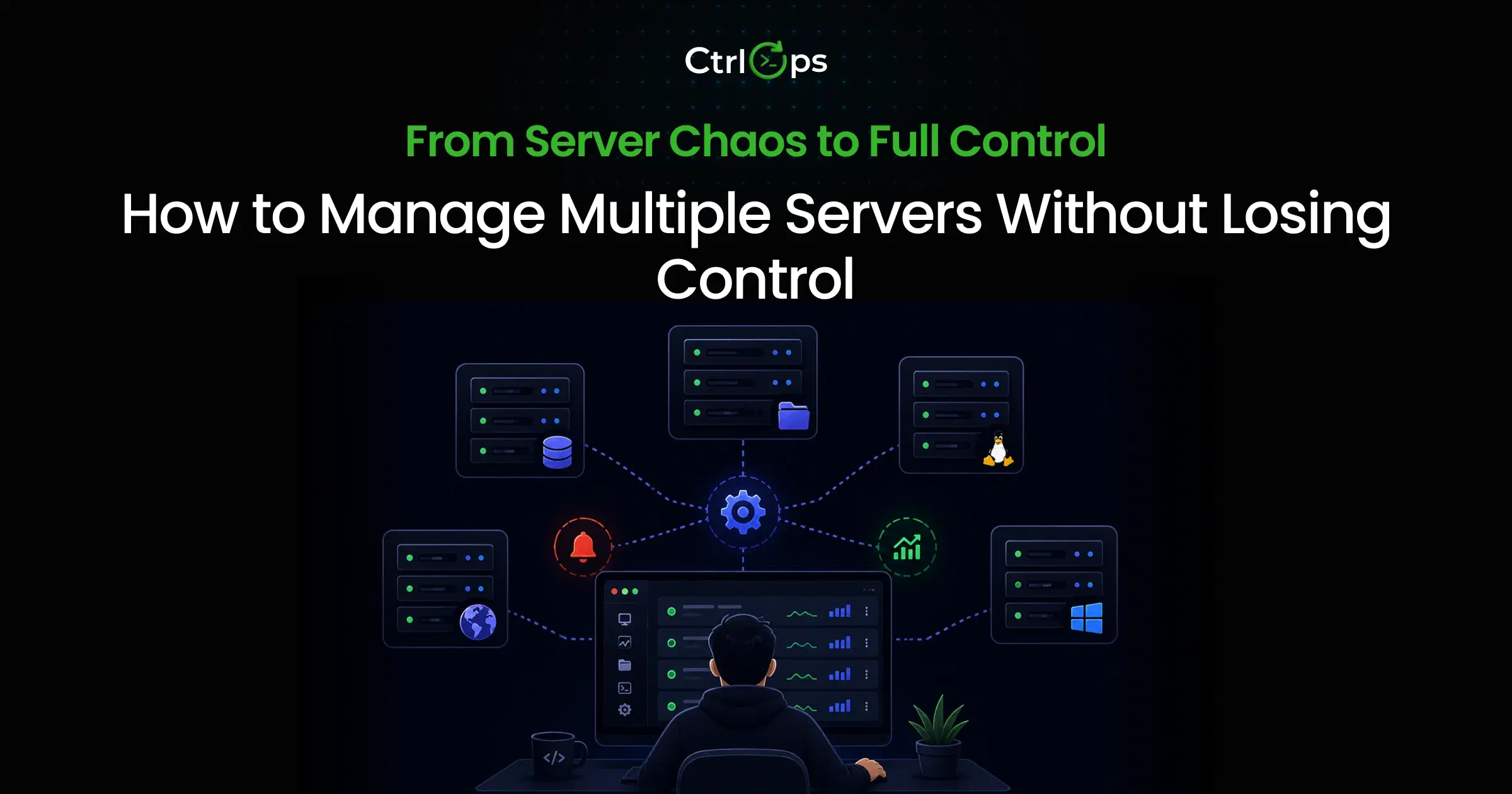
You manage 3+ servers and want AI assistance: CtrlOps. The AI terminal diagnoses issues, the file manager replaces SFTP, and the monitoring dashboard replaces htop. Our CtrlOps vs aaPanel breakdown covers the trade-off feature by feature.
You want a managed service with no self-hosting: RunCloud. You trade local control for convenience. Good for agencies that want to manage multiple servers without maintaining panel software. CtrlOps vs RunCloud compares the two approaches side by side.
You need full system administration control: Webmin + Virtualmin. More powerful than any panel on this list. Also more complex. Best for experienced Linux admins. Our CtrlOps vs Webmin breakdown covers where a desktop app fits instead.
| Your Situation | Best Pick | Runner-Up |
|---|---|---|
| WordPress hosting, zero budget | HestiaCP | CyberPanel |
| PHP sites, max performance | CyberPanel | CloudPanel |
| Node.js / Docker deployments | Coolify | CtrlOps |
| 5+ servers, team access, AI | CtrlOps | RunCloud |
| Managed SaaS, no self-hosting | RunCloud | CtrlOps |
| Full Linux admin control | Webmin + Virtualmin | HestiaCP |
| Data privacy / local credentials | CtrlOps | CloudPanel |
Conclusion
The best aaPanel alternative depends on what broke for you.
If aaPanel's single-user limit and lack of AI assistance are costing you time, CtrlOps replaces the entire workflow with a desktop app that handles SSH, file management, monitoring, and deployment at $7/month per user, free for the first month. That is the same shift developers describe after switching:
Honestly didn't expect much. But my DevOps workflow has genuinely shifted... I'm doing in 10 minutes what used to take an hour. If you manage servers, just try it.
- Chintan Poriya, Co-founder & CEO of BytezTech, in a public LinkedIn review
More developer feedback is collected on the CtrlOps reviews page, where every quote links back to its original public post.
If you want a free browser-based panel with email support, HestiaCP is the most complete. If you deploy Docker apps, Coolify is purpose-built for that workflow.
Every tool on this list solves a specific problem aaPanel doesn't. Match the tool to your stack, test it on a staging server, and switch when you're confident.
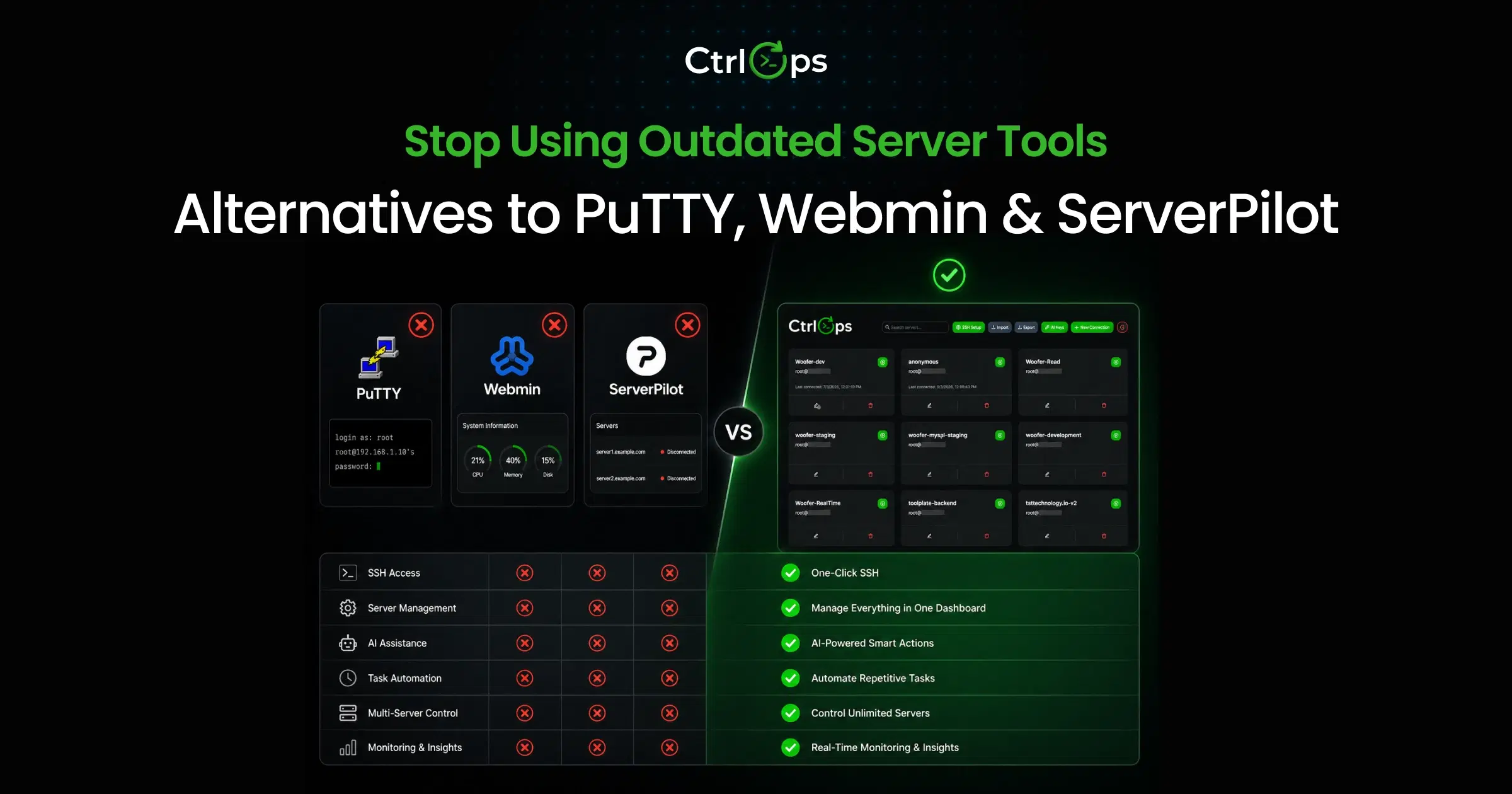
If you're also evaluating SSH clients alongside server panels, the best SSH client for Mac and PuTTY, Webmin, and ServerPilot alternatives guides cover the terminal side of the equation.
Related Comparisons
- CtrlOps vs aaPanel: detailed head-to-head comparison
- CtrlOps vs RunCloud: desktop app vs managed SaaS panel
- Best Alternatives to PuTTY, Webmin & ServerPilot: broader server management tool comparison
Frequently Asked Questions
HestiaCP is the most complete free alternative. It includes web hosting, email server, DNS management, multi-user accounts, and automated backups. CloudPanel is a better choice if you only need PHP/Node.js hosting without email. Both are open-source and self-hosted.
aaPanel functions as a capable server management panel. The safety concern relates to its origin as BT Panel, a Chinese company, and whether Chinese data regulations could theoretically apply to data managed through the panel. No public evidence of data misuse exists, but developers handling client data under NDAs or data residency contracts should evaluate this risk. Self-hosted alternatives like HestiaCP, CloudPanel, or a local-first tool like CtrlOps remove this variable.
Yes - for SSH-based server management, file operations, deployment, and monitoring. CtrlOps replaces aaPanel's terminal, file manager, cron job editor, and system monitoring with a desktop app that adds AI diagnostics and one-click Node.js, React, and Next.js deployment. Key difference: CtrlOps connects over SSH with no agent or panel installed on your server, so nothing extra is exposed to the internet. It does not replace aaPanel's web hosting features (email server, DNS management, PHP version switching per site, or the WordPress toolkit); pair it with CloudPanel or HestiaCP for those. $7/month per user, $70/year per user, or $149 per user one-time for lifetime access, with a 1 month free trial.
CtrlOps at $7/month per user includes unlimited users and unlimited servers, and starts with a 1 month free trial. HestiaCP and Coolify both offer multi-user access for free. aaPanel free only supports one admin account, and aaPanel Pro starts at $28.80/month per server for team features.
CloudPanel is lighter, faster, and runs on fewer resources than aaPanel for PHP hosting. Its NGINX-native stack ships multiple PHP versions with per-site selection (PHP 8.5 support arrived in v2.5.3, per the CloudPanel changelog), plus Node.js and Python applications out of the box. CloudPanel is developed by MGT-COMMERCE GmbH in Berlin, Germany, and released under a BSD license, which answers the data provenance question cleanly. The trade-off: CloudPanel has no built-in email server and a smaller app marketplace, so you'll need a separate email service. For PHP-heavy hosting with data privacy concerns, CloudPanel is the strongest free alternative. Choose aaPanel if you need email, a large plugin ecosystem, and don't mind the heavier resource footprint.
CtrlOps is a desktop app available on macOS (Apple Silicon and Intel), Windows, and Linux. It connects to your servers over SSH without installing anything on the server. All other alternatives on this list (CloudPanel, HestiaCP, CyberPanel, RunCloud, Webmin) are web-based panels that run on the server and are accessed through a browser. The same desktop-versus-browser trade-off applies to SSH itself, which we break down in web-based vs. local SSH clients.
Coolify is a stronger choice than aaPanel for Docker-based workflows. It provides Git-push deployments, automatic SSL, 280+ one-click service templates, and Docker Compose support. aaPanel has basic Docker management but is not designed for container-first deployment workflows.
Stay with aaPanel if you're a solo developer hosting WordPress sites, you don't need team access, your clients have no data residency requirements, and you're comfortable with aaPanel's Pro pricing for advanced features. Switching panels requires migration effort and learning time. If aaPanel isn't blocking your workflow, the switch may not be worth the cost.
Web panels like aaPanel, CloudPanel, and HestiaCP install on your server and run as a web application you access through a browser. They expose a port on your server. Desktop server managers like CtrlOps install on your local machine and connect to servers over SSH. No panel software runs on the server, and no extra ports are exposed.
RunCloud replaces aaPanel's core hosting features with a managed SaaS approach. You don't install panel software on your server. RunCloud handles stack configuration, deployments, SSL, and monitoring through its cloud dashboard. The trade-off is per-server pricing (starting at $9/month), no free tier, and an agent installed on your server that communicates with RunCloud's infrastructure.