
The best Termius alternative for developers who need more than SSH is CtrlOps, a local-first desktop workspace with one-click deployment automation, live infrastructure monitoring, and an AI terminal at $7/user/month after a 1 month free trial - no credit card required.
For a free open-source option, Tabby offers cross-platform SSH with a plugin ecosystem. Warp is best for AI-native terminal workflows on desktop.
Why Are Developers Looking for Termius Alternatives in 2026?
Developers search for Termius alternatives because Termius focuses on SSH connections and cross-device sync but lacks deployment automation, infrastructure monitoring, and AI capabilities. Its per-user pricing reaches $20/user/month at team scale, and credentials sync to cloud servers on paid plans.
You connect to your VPS through Termius. The deployment needs a config file updated, so you open the SFTP browser. Then CPU spikes, so you open your cloud provider's console.
A process crashes. Termius's AI autocomplete can't read your package.json or server docs. Four tools open. One task half-done.
Whether you're a freelance developer juggling 8 client servers, a startup CTO pushing weekly builds, or an agency engineer bouncing between staging and production, Termius solves the connection problem. It leaves the management problem untouched.
Reality check: Trustpilot tells a similar story. As of mid-2026, multiple users report losing saved sessions and credentials after logging out or switching accounts, with one reviewer writing that they lost years of saved data on a simple logout Termius reviews on Trustpilot. For a tool that handles SSH keys and server access, data reliability is not optional.
We tested 9 Termius alternatives on Ubuntu 24.04 LTS servers (DigitalOcean droplets) against the same real-world tasks: multi-server connections, Node.js deployment, production incident debugging, config file transfers, and SSH key rotation. Here is what held up.
TL;DR: Best Termius Alternatives at a Glance
Where each tool beats Termius - check the full breakdown below.
| # | Tool | Where It Beats Termius |
|---|---|---|
| 01 | CtrlOps | SSH + deployment + monitoring + AI terminal in one local-first app. $7/user/mo (1 mo free), credentials never leave your machine. |
| 02 | Tabby | Free open-source SSH with connection manager, SFTP, and plugin ecosystem. No account, no subscription. |
| 03 | Warp | GPU-rendered AI terminal with block output and BYOK support. Best for local coding, not server management. |
| 04 | MobaXterm | SSH + X11 + RDP + VNC in one Windows app. $69 one-time, no subscription. |
| 05 | iTerm2 | Free Mac-native terminal with hotkey window, split panes, and tmux integration. |
| 06 | PuTTY | 3 MB portable SSH client. Zero install, 25+ years of reliability. |
| 07 | Royal TS/TSX | Multi-protocol manager for mixed Linux + Windows environments. SSH, RDP, VNC in one UI. |
| 08 | WindTerm | Fastest free terminal. C-based with dynamic memory compression and built-in SFTP. |
| 09 | SecureCRT | FIPS 140-2 certified. 31 years of enterprise trust. $119 one-time. |
Bottom line: Pricing and plans may change over time. For the latest pricing and feature details, please visit the official websites of the respective providers.
Prefer to watch? All 9 tools ranked, tested on real Ubuntu servers - in about 7 minutes:
9 Best Alternatives to Termius (In-Depth Review)
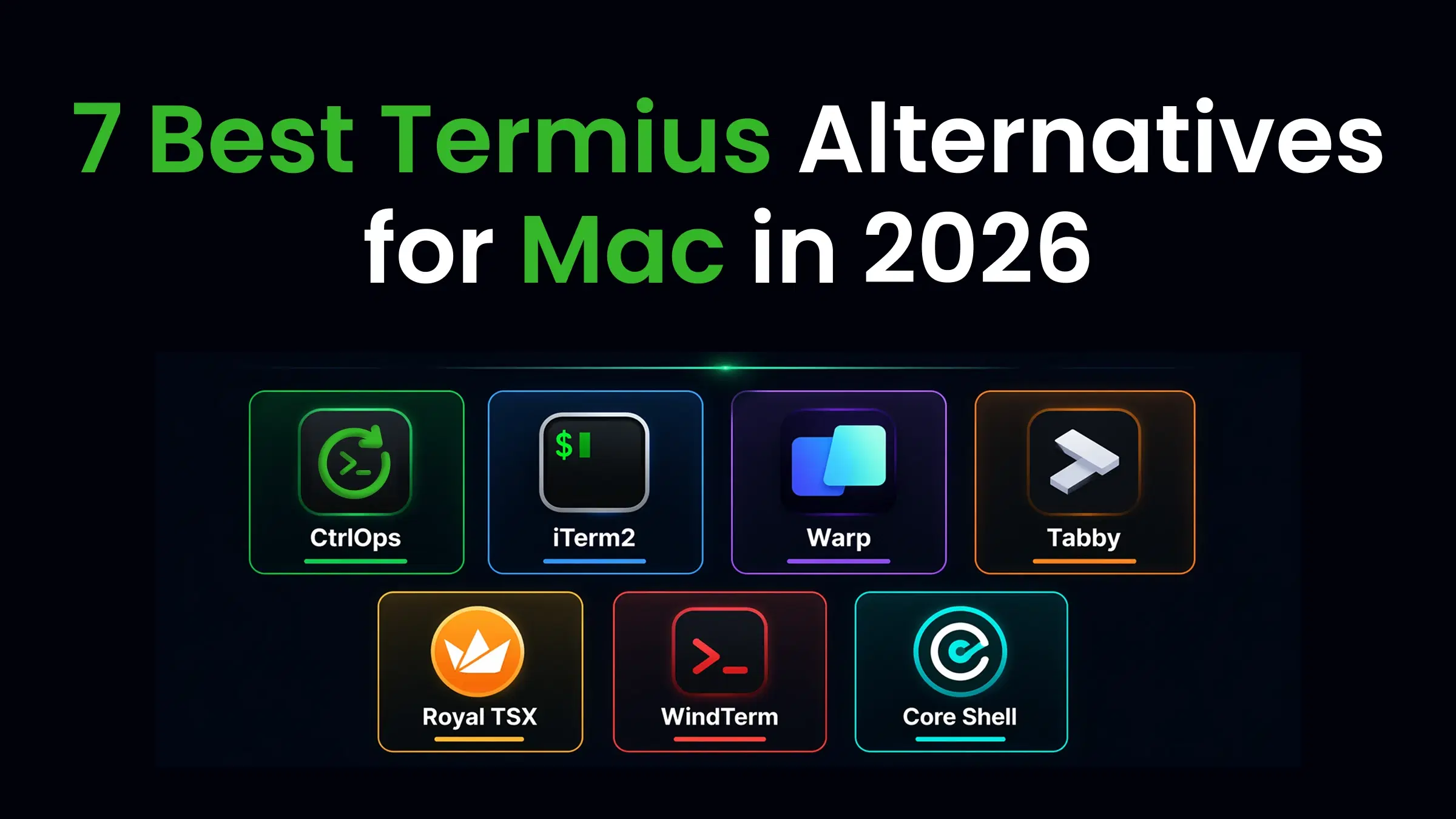
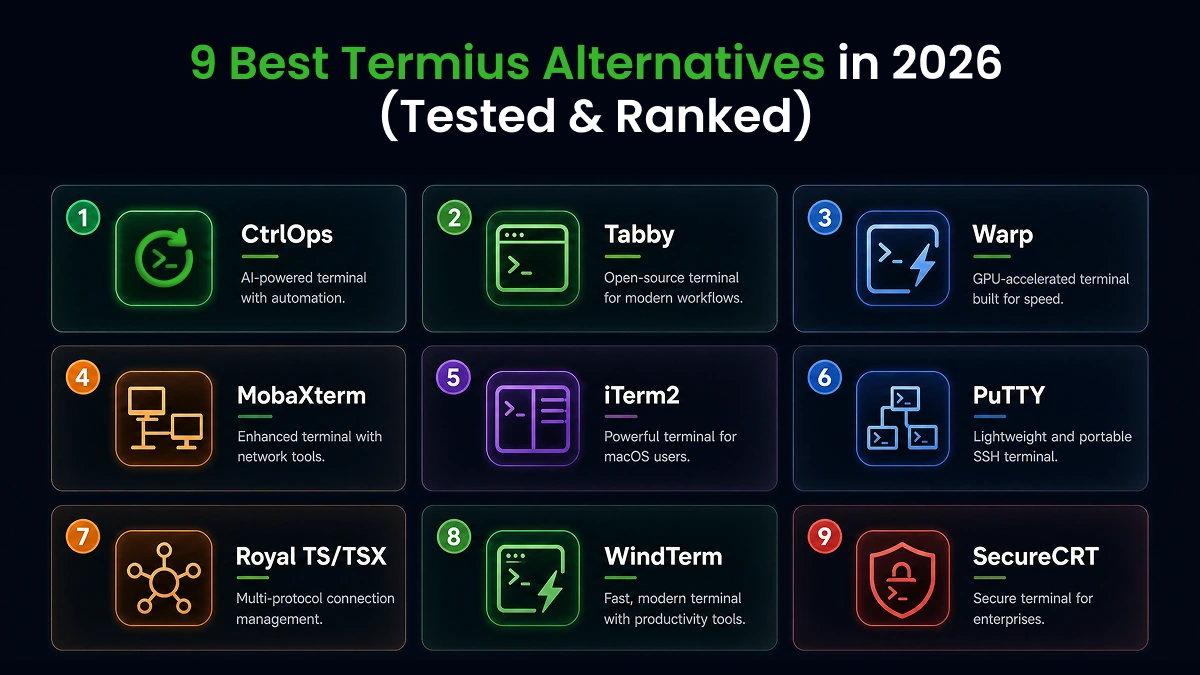
The 9 best Termius alternatives in 2026 are CtrlOps, Tabby, Warp, MobaXterm, iTerm2, PuTTY, Royal TS/TSX, WindTerm, and SecureCRT, each solving a specific gap that Termius leaves open, from deployment automation and AI diagnostics to free open-source SSH and enterprise compliance.
1. CtrlOps: Best Overall Termius Alternative
CtrlOps is the best overall Termius alternative because it combines SSH, a GUI file manager, live infrastructure monitoring, automated backups, one-click deployment, and an approval-gated AI terminal in a single local-first desktop app at $7/user/month after a 1 month free trial - no credit card required, with all credentials stored on your local machine.
CtrlOps is not a terminal replacement. It replaces your entire server management stack. While Termius stops at the SSH connection, CtrlOps handles what happens after you connect: deploying code, monitoring health, transferring files, scheduling backups, and diagnosing issues with AI.
What CtrlOps does well:
- Named server cards with one-click connect (no raw IPs, no host group hunting)
- Approval-gated AI terminal: generates commands, shows each one before execution, waits for your approval.
- Modern terminal UX: several terminals per server with auto-named tabs, block-based output you can copy, filter, and re-run, and configurable command suggestions.
- MCP server integration: AI reads your project files and docs (Context7, GitHub, Filesystem) before suggesting commands
- One-click deployment for Node.js, React, Next.js: Git clone, npm install, PM2, Nginx, SSL in 4-5 minutes instead of 30-45
- Live infrastructure monitoring: CPU, RAM, disk, processes across all connected servers
- GUI file manager with drag-and-drop (no separate SFTP client)
- Port forwarding: save local, remote, or SOCKS tunnels as named forwards, test one before saving, and start it in a click
- Automated backups to S3, R2, B2, Wasabi, DO Spaces, MinIO
- Cron Jobs: schedule jobs without cron syntax, with alerts to Slack or Telegram when one fails
- Local-only credential storage (AES-256, never leaves your machine)
- Security Audit: 25 audits over SSH with a hardening score, a PDF report, and AI-written fixes you approve
Beyond these core capabilities, CtrlOps is packed with features like a visual file manager, custom scripts, SSH key management, and more. To explore all features, visit the CtrlOps Features page.
Where CtrlOps falls short:
- No mobile app (desktop only: macOS, Windows, Linux)
- No serverless support (Lambda, Cloud Functions)
- No Kubernetes or container orchestration
Best for:
- Managing 5-15 client servers under named cards without mixing up environments.
- Developers who want approval-gated AI command generation that doesn't run without permission.
- Speeding up deployment of Node.js, React, and Next.js applications to 4-5 minutes instead of 30-45.
- Teams and individuals looking to replace separate SFTP, monitoring, and backup tools.
Pricing: $7/user/month (unlimited servers). $70/user/year. 1 month free trial, no credit card required. A 5-person team pays $350/year vs. $1,200/year on Termius Team.
Platforms: macOS (Apple Silicon + Intel), Windows, Linux.
"I recently bought the Lifetime Subscription of CtrlOps because it genuinely helps in daily workflows."
- Prince Sherasiya, Technical Lead at Spirex Infoways (original post on X)
Want a head-to-head comparison? Read our CtrlOps vs. Termius Comparison.
2. Tabby: Best Free Open-Source Alternative
Tabby is the best free Termius alternative because it provides cross-platform SSH with a built-in connection manager, SFTP transfers, split panes, and a plugin ecosystem, all under an MIT license with no account required.
Tabby (formerly Terminus) is a cross-platform terminal emulator built with Electron. It combines local shell, SSH, Telnet, and serial connections in a single tabbed interface with a modern, customizable UI.
What Tabby does well:
- Cross-platform support (macOS, Windows, Linux) with identical features
- Built-in SSH client with connection profiles, SFTP, and Zmodem file transfers
- Encrypted local password manager with master passphrase
- Plugin ecosystem for Docker, clickable URLs, enhanced autocomplete
- Split panes and saved workspace layouts
- X11 and port forwarding, jump hosts, agent forwarding
- No account, no subscription, no usage limits
Where Tabby falls short:
- Electron-based, so heavier on RAM than native terminals
- No AI command generation or diagnostics
- No infrastructure monitoring or deployment automation
- Some plugin combinations cause performance issues
Best for:
- Developers looking for a completely free, MIT-licensed open-source SSH manager.
- Customizing their terminal environment via active community-built plugins.
- Storing keys securely in an encrypted local password manager.
Pricing: Free, open-source (MIT license). Optional Tabby Web service has a paid tier.
Platforms: macOS, Windows, Linux.
Tabby gives you more out of the box than Termius's free Starter plan: SFTP, port forwarding, session management, and a plugin system, all without paying anything. The trade-off is no AI, no monitoring, and higher memory usage.
3. Warp: Best AI Terminal (Desktop Only)
Warp is the best AI-first terminal for developers who live in the command line and want natural language command generation, but it's built for local development, not remote server management.
Warp is a GPU-rendered terminal built in Rust. It structures output into selectable blocks, includes an AI Agent Mode that translates plain English into shell commands, and supports BYOK for OpenAI, Anthropic, and Google models.
What Warp does well:
- AI Agent Mode converts natural language to shell commands
- Block-based output for selecting, filtering, and sharing command results
- GPU-accelerated rendering, significantly faster than Electron terminals
- Warp Drive for team command sharing and workflow standardization
- BYOK support on all plans, including Free
- Cross-platform (macOS, Windows, Linux)
Where Warp falls short:
- AI auto-runs commands by default. On a production server, one misinterpreted prompt can restart the wrong process or drop a table. No approval gate
- Requires a cloud account to use the terminal
- No server directory, file manager, monitoring, or deployment features
- Free tier drops to 75 AI credits/month after 2 months
Best for:
- Local command-line workflows with GPU-accelerated rendering in Rust.
- Writing normal English prompts to generate commands via AI Agent Mode.
- Standardizing command logs and shared scripts for developers within teams.
Pricing: Free (75-150 AI credits/month). Build: $20/user/month (1,500 credits). Business: $50/user/month.
Platforms: macOS, Windows, Linux.
Reality check: Any AI terminal that auto-runs commands without a review step is a development-machine feature, not a server-management feature. On a production server with real traffic, one misinterpreted prompt can drop a database or restart the wrong service. CtrlOps shows every command before execution. That approval gate is the difference between a convenient tool and a safe one.
4. MobaXterm: Best for Windows Power Users
MobaXterm is the best Termius alternative for Windows users who need multi-protocol support, a built-in X11 server, and a tabbed SSH workspace without a subscription.
MobaXterm packs SSH, RDP, VNC, FTP, X11, and a Unix shell into a single Windows application. The free Home edition supports 12 sessions. The Professional license is a one-time $69 purchase with unlimited sessions.
What MobaXterm does well:
- Built-in X11 server for running graphical Linux apps on Windows
- Multi-protocol: SSH, RDP, VNC, FTP, SFTP, Telnet, serial in one app
- Graphical SFTP browser opens automatically with SSH connections
- Portable version runs from a USB drive with no install
- One-time purchase, no subscription
Where MobaXterm falls short:
- Windows only. No macOS, Linux, or mobile support
- No AI features of any kind
- No infrastructure monitoring or deployment automation
- Limited to 12 sessions and 2 SSH tunnels on the free edition
- No cloud sync or team collaboration
Best for:
- Windows developers who need SSH, RDP, VNC, and FTP in one interface.
- Running graphical Linux desktop applications on Windows with a built-in X11 server.
- Portability: using the client directly from a USB stick without local installation.
Pricing: Free Home edition (limited). Professional: $69/user one-time.
Platforms: Windows only.
If you're on Windows and want everything in one tool, MobaXterm is hard to beat for $69. The X11 server alone saves you from installing a separate X server.
For cross-platform needs, look at CtrlOps or Tabby. For a deeper look, see our MobaXterm alternatives for Mac comparison.
5. iTerm2: Best Free Mac Terminal
iTerm2 is the best free Termius alternative for macOS power users who configure everything through .ssh/config and prefer keyboard-driven workflows over GUI connection managers.
iTerm2 is open-source, built natively for macOS, and deeply integrated with the Apple ecosystem. It provides split panes, a hotkey window overlay, tmux integration, and triggers for automated responses to specific terminal output.
What iTerm2 does well:
- Mac-native with Retina support, Finder integration, and Spotlight search
- Hotkey window overlay for quick terminal access over any app
- Split panes and saved window arrangements
- Deep tmux integration
- Command history search and autocomplete
- Completely free (GPL v2)
Where iTerm2 falls short:
- No visual file manager, connection directory, AI, monitoring, or deployment
- macOS only
- Everything runs through
.ssh/config, which requires manual setup
Best for:
- macOS power users who want deep integration with the Apple ecosystem.
- Developers who prefer running workflows from a custom-configured
.ssh/configfile. - Keyboard-only execution using shortcuts, split panes, and tmux profiles.
Pricing: Free, open-source (GPL v2).
Platforms: macOS only.
iTerm2 is the right pick if you're comfortable managing servers from the command line and don't want any GUI wrapper. When you outgrow manual file transfers and need monitoring, pair it with CtrlOps.
For a full comparison, see our guide to the best SSH clients for Mac 2026.
6. PuTTY: Best Lightweight Windows SSH
PuTTY is the best Termius alternative for developers who need a zero-cost, zero-install SSH client that connects reliably and stays out of the way. It does one thing and does it well.
PuTTY has been the default Windows SSH client since 1999. It supports SSH, Telnet, Serial, and raw TCP connections in a 3 MB executable that requires no installation.
What PuTTY does well:
- Extremely lightweight (under 3 MB)
- Zero install, runs as a portable executable
- Reliable SSH, Telnet, Serial, and raw TCP connections
- PuTTYgen for SSH key generation
- Stable: 25+ years of production use
Where PuTTY falls short:
- No tabs, no split panes, no modern UI
- No server directory, you re-enter credentials each session or manage saved sessions manually
- No file manager, AI, monitoring, or deployment
- No built-in SFTP (requires separate WinSCP or PSFTP)
- Windows-centric (Linux version exists but adds nothing over native OpenSSH)
Best for:
- Minimalists looking for a zero-install, lightweight (under 3 MB) client.
- Connecting to router consoles, hardware boards, or legacy serial setups.
- Teams seeking maximum stability from a utility with 25+ years of active history.
Pricing: Free, open-source (MIT license).
Platforms: Windows, Linux.
PuTTY still works for quick SSH connections. But every production incident adds extra minutes in tool switching between PuTTY, WinSCP, a monitoring tab, and ChatGPT.
If you're ready to upgrade, check our roundup of PuTTY alternatives for Windows.
7. Royal TS/TSX: Best Multi-Protocol Manager
Royal TS (Windows) and Royal TSX (macOS) are the best Termius alternative for IT professionals who manage mixed Linux and Windows environments and need SSH, RDP, VNC, and web-based connections in a single tabbed workspace.
Royal TS/TSX by Royal Apps supports over a dozen connection types, password management integrations (1Password, KeePass, LastPass), and team document sharing through Royal Server.
What Royal TS/TSX does well:
- Multi-protocol: SSH, RDP, VNC, Telnet, SFTP, web, VMware, Apple Remote Desktop
- Cross-platform: Windows, macOS, iOS, Android
- Password manager integrations
- One-time perpetual license (no subscription)
- Royal Server for centralized team gateway access
Where Royal TS/TSX falls short:
- No AI features, no monitoring, no deployment automation
- Complex UI with a steep learning curve
- Major version upgrades require a new license purchase
- Limited SFTP through plugins, not a full file manager
Best for:
- IT professionals managing mixed Linux and Windows infrastructure simultaneously.
- Integrating credentials from managers like 1Password, KeePass, and LastPass.
- Purchasing a one-time perpetual license with no recurring subscription fees.
Pricing: Free (up to 10 connections). Individual: ~€49 one-time. Includes 1 year of updates.
Platforms: macOS, Windows, iOS, Android.
Royal TS/TSX wins when you need one tool for SSH to Linux servers and RDP to Windows machines. Termius only handles SSH and SFTP. For pure SSH-to-Linux server management with AI and monitoring, CtrlOps is more focused.
8. WindTerm: Best Cross-Platform Free Client
WindTerm is the best free cross-platform Termius alternative for developers who prioritize raw terminal performance and built-in SFTP without paying for any subscription.
WindTerm is built in C with dynamic memory compression. In published benchmarks, it uses 107 MB to process 97.6 MB of random text data. xterm consumes over 3,300 MB and PuTTY uses 733 MB for the same test.
What WindTerm does well:
- Extremely fast: C-based with dynamic memory compression
- Built-in SFTP and SCP for file transfers
- Deep tmux integration with native UI
- Session management with auto-login, SSH ProxyJump
- Local, remote, and dynamic port forwarding
- Cross-platform with identical features on all OSes
- Free for commercial and non-commercial use
Where WindTerm falls short:
- No AI features, monitoring, or deployment automation
- Some settings require manual config file editing
- Smaller community with fewer tutorials
- Partially open source (not all source code released)
Best for:
- Users looking for the fastest possible terminal client written in pure C.
- Running split terminal sessions and managing directories on multiple servers smoothly.
- Speeding up remote file access with built-in, lightweight SFTP and SCP tools.
Pricing: Free (Apache-2.0 license on released source code).
Platforms: macOS, Windows, Linux.
WindTerm delivers more features than Termius's free Starter plan: SFTP, port forwarding, tmux integration, and session management. Zero cost. The trade-off is no AI and no server management features beyond the terminal.
9. SecureCRT: Best Enterprise SSH Client
SecureCRT is the best Termius alternative for regulated enterprises that require FIPS 140-2 compliance, advanced scripting, and a 31-year track record of stability.
SecureCRT by VanDyke Software has been shipping since 1995. It supports SSH, Telnet, Serial, and RDP connections with Python, VBScript, JScript, and Perl scripting for automation.
What SecureCRT does well:
- FIPS 140-2 compliance for government and regulated industries
- Advanced scripting in Python, VBScript, JScript, Perl
- Multi-protocol: SSH, Telnet, Serial, RDP
- 31 years of stability and enterprise trust
- Cross-platform: Windows, macOS, Linux
- Perpetual license with no recurring fees
Where SecureCRT falls short:
- Legacy UI that hasn't modernized
- No AI features of any kind
- No infrastructure monitoring or deployment
- $119 per license plus $48/year for renewal after the first year
- No free tier, only a 30-day evaluation
Best for:
- Regulated enterprise teams requiring certified FIPS 140-2 compliance.
- Automating repetitive terminal sequences with Python, VBScript, or Perl scripts.
- Operations managers wanting reliable security support from a 31-year legacy vendor.
Pricing: $119 one-time (1 license, includes 1 year of updates). SecureCRT + SecureFX bundle: $129. Renewal after year 1: $48/year.
Platforms: macOS, Windows, Linux.
SecureCRT wins on compliance and scripting depth. If your organization requires FIPS certification or government-approved SSH, it's the safest pick at $119 with 31 years of production history behind it. For teams that need modern features alongside SSH, see our SecureCRT alternatives comparison.
How Much Does Each Termius Alternative Cost?
CtrlOps is the most cost-effective all-in-one option at $7/user/month with unlimited servers after a 1 month free trial, while free tools like Tabby, iTerm2, PuTTY, and WindTerm cover SSH basics at zero cost. Paid tools range from $69 one-time (MobaXterm) to $50/user/month (Warp Business).
| Tool | Free Tier | Paid Price | Pricing Model | Includes |
|---|---|---|---|---|
| CtrlOps | 1 month free trial | $7/user/month ($70/year) | Subscription | SSH, AI terminal, monitoring, deployment, backups, file manager |
| Tabby | Full features | Optional Tabby Web tier | Open-source (MIT) | SSH, SFTP, connection manager, plugins |
| Warp | 75-150 AI credits/month | $20/user/month (Build) | Subscription | AI terminal, block output, Warp Drive |
| MobaXterm | 12 sessions max | $69/user one-time | Perpetual license | SSH, RDP, VNC, X11, SFTP |
| iTerm2 | Full features | Free | Open-source (GPL v2) | Mac terminal, split panes, tmux |
| PuTTY | Full features | Free | Open-source (MIT) | SSH, Telnet, serial connections |
| Royal TS/TSX | 10 connections | ~€49 one-time | Perpetual license | SSH, RDP, VNC, multi-protocol |
| WindTerm | Full features | Free | Apache-2.0 (partial) | SSH, SFTP, SCP, tmux integration |
| SecureCRT | 30-day eval only | $119/license one-time | Perpetual license | SSH, Telnet, serial, scripting, FIPS |
| Termius | SSH + SFTP + local vault | $10-30/user/month | Subscription | SSH, SFTP, cloud sync, mobile apps |
What Is the Best Free Termius Alternative?
The best free Termius alternative depends on your OS and workflow. Tabby is the strongest all-around pick: MIT-licensed, cross-platform, with SSH, SFTP, and a plugin ecosystem at zero cost. WindTerm is faster if raw terminal performance matters more than plugins. PuTTY and iTerm2 cover Windows and Mac basics, respectively.
Here is how the free options compare on the tasks Termius charges for:
| Tool | SSH | SFTP | Split Panes | Plugins | AI | Platforms |
|---|---|---|---|---|---|---|
| Tabby | ✓ | ✓ | ✓ | ✓ | ✗ | macOS, Windows, Linux |
| WindTerm | ✓ | ✓ | ✓ | ✗ | ✗ | macOS, Windows, Linux |
| PuTTY | ✓ | ✗ (needs WinSCP) | ✗ | ✗ | ✗ | Windows, Linux |
| iTerm2 | ✓ | ✗ | ✓ | ✗ | ✗ | macOS only |
| Termius Starter | ✓ | ✓ | ✗ | ✗ | Basic autocomplete | All + mobile |
Termius Starter gives you SSH, SFTP, port forwarding, and local credential storage for free. But it caps you there. There is no sync across devices, and the AI autocomplete suggests one command at a time rather than generating or explaining a fix. Once you need team vaults or cloud sync, you are looking at $10-30/user/month.
Every tool in this table gets you connected over SSH without asking for a credit card. The gap is in what happens after you connect. If you need deployment automation, server monitoring, or AI diagnostics alongside your free SSH, CtrlOps offers a 1 month free trial with no credit card required, then $7/user/month with unlimited servers.
Termius Alternatives for Windows
The best free Termius alternative for Windows is MobaXterm Home Edition if you need multi-protocol support, or PuTTY if you want the lightest possible SSH client.
MobaXterm Home gives you SSH, RDP, VNC, an X11 server, and a graphical SFTP browser, all in one portable app. The free edition caps you at 12 sessions and 2 SSH tunnels. That is enough for most freelancers managing a handful of servers. The Professional license is a one-time $69 purchase with no subscription.
PuTTY runs as a 3 MB standalone executable. No install, no account, no UI chrome. It connects, you work, you close it. More than 25 years of production reliability sit behind a tool that does exactly one thing. The downside: no tabs, no split panes, no built-in SFTP. You will need WinSCP or PSFTP alongside it for file transfers.
WindTerm is the middle ground. Cross-platform, free, built in C with dynamic memory compression, and it includes SFTP, SCP, and session management out of the box. If you want a modern free terminal on Windows without paying for MobaXterm Professional, WindTerm is the pick.
For a deeper comparison of Windows-specific SSH tools, see our guide to the best SSH clients for Windows.
Bottom line: PuTTY for quick connections. MobaXterm Home for multi-protocol work. WindTerm for a modern free terminal with built-in SFTP. All three store credentials locally: no cloud sync, no subscription.
Open-Source Termius Alternatives
The best open-source Termius alternatives are Tabby (MIT license, full-featured SSH with plugins), WindTerm (Apache-2.0 on released code, fastest raw performance), and PuTTY (MIT license, minimal and battle-tested). All three keep your credentials on your machine, and Tabby and PuTTY publish their full source so you can audit exactly what the client does.
Open-source matters for SSH clients because you are handing the tool your private keys and server credentials. With Termius Pro and Team plans, those credentials sync to cloud servers. With an open-source client, you can audit exactly where your keys go. For teams in regulated industries or developers who store client credentials, that transparency is not optional.
| Tool | License | Full Source Available | Self-Hostable | Active Development |
|---|---|---|---|---|
| Tabby | MIT | Yes | Yes (Tabby Web) | Yes - regular releases |
| WindTerm | Apache-2.0 (partial) | Partial | No | Slower cadence |
| PuTTY | MIT | Yes | N/A (desktop only) | Yes - maintained since 1999 |
Tabby is the most complete open-source option. SSH, SFTP, serial, Telnet, split panes, connection profiles, an encrypted local vault, and a plugin ecosystem. It runs on Electron, so it uses more RAM than native alternatives. But you get a modern UI with community plugins for Docker integration, clickable URLs, and enhanced autocomplete. The MIT license means you can fork it, modify it, and run it internally without restrictions.
WindTerm trades plugins for speed. Built in C with dynamic memory compression, it processes 97.6 MB of random text data using 107 MB of memory, compared to PuTTY's 733 MB and xterm's 3,300+ MB for the same test. The trade-off: only part of the source code is released, so you cannot audit everything. If raw performance and built-in SFTP matter more than full source transparency, WindTerm delivers.
PuTTY is the oldest and most audited open-source SSH client on this list. Full MIT-licensed source code, reviewed by security researchers for over two decades. It lacks every modern convenience (no tabs, no SFTP browser, no plugins), but no other open-source client here has a longer track record of security patches and CVE responses.
Termius Alternatives for Linux
Linux developers rarely need a GUI SSH client, since OpenSSH ships with every distribution. But when you manage 10+ servers, a visual connection manager saves the mental overhead of remembering hostnames, ports, and key paths across .ssh/config entries.
The best Termius alternatives for Linux are Tabby and WindTerm. Both run natively on Linux with full feature parity, with nothing missing compared to their macOS or Windows builds.
Tabby on Linux gives you tabbed SSH sessions, a connection manager with saved profiles, SFTP transfers, and the same plugin ecosystem available on other platforms. Install it via .deb, .rpm, or AppImage.
WindTerm on Linux matches its Windows performance: C-based rendering, dynamic memory compression, built-in SFTP and SCP, and session management. Download the portable archive, no install required.
For a server management workflow that goes beyond SSH, CtrlOps runs natively on Linux with the same features as macOS and Windows: one-click deployment, live monitoring, AI terminal, and GUI file management. Check our full roundup of the best SSH clients for Linux for the complete comparison.
Bottom line: Tabby if you want plugins and a modern UI. WindTerm if you want speed and a lighter footprint. Both are free, both run natively on Linux, and both store credentials locally.
When You Should Stay on Termius
Termius is still the right tool if you need SSH access from your phone or tablet. It is the only SSH-first client on this list with native iOS and Android apps that sync your servers and keys, and it works well. Royal TS/TSX also has mobile apps, but it is a multi-protocol connection manager built as much around RDP and VNC as SSH. CtrlOps, Tabby, Warp, MobaXterm, and the rest are desktop-only.
If you are an on-call engineer who gets paged at 2 AM and needs to SSH into a production server from your phone before you can reach your laptop, Termius solves that problem. The mobile app syncs your server list, credentials, and SSH keys across devices. You tap a server name and you are connected. Apart from Royal TS/TSX, the alternatives on this list require you to be at a desktop or laptop.
The second case for staying on Termius is shared team vaults. Termius Team and Business plans let multiple team members access shared vaults and synchronized server lists across devices. If your workflow depends on a shared credential vault that syncs across 10+ team members' phones and laptops, Termius has built that infrastructure. CtrlOps stores credentials locally by design, which is better for security, but means each team member manages their own credential set.
Bottom line: Mobile SSH access and cross-device credential sync are Termius's genuine strengths. If either is a daily requirement, not a nice-to-have, keep Termius for that use case. For everything else on a desktop (deployment, monitoring, AI diagnostics, file management), the alternatives on this list do more for less.
Final Verdict: Which Termius Alternative Should You Pick?
We listed 9 Termius alternatives, each one built to solve a specific gap that Termius leaves open, whether that's AI-assisted debugging, deployment automation, infrastructure monitoring, local credential storage, or cross-platform open-source access.
But if you're looking for one tool that covers everything, SSH connections, file management, live monitoring, automated backups, and AI diagnostics, CtrlOps is the most complete Termius alternative on this list.
Everything you need for server management lives in one local-first desktop app.
- Named server cards with one-click connect across all your servers
- Approval-gated AI terminal with BYOK (OpenAI, Claude, Gemini)
- MCP integration so AI reads your actual project files and docs before suggesting commands
- One-click deployment for Node.js, React, Next.js (4-5 minutes instead of 30-45)
- Live CPU, RAM, disk, and process monitoring across all connected servers
- GUI file manager with drag-and-drop (no separate SFTP client needed)
- Automated backups to S3, R2, B2, Wasabi, DO Spaces, MinIO
- $7/user/month, unlimited servers, 1 month free trial (no credit card required)
Frequently Asked Questions
Tabby is the best completely free Termius alternative. It's open-source under the MIT license, runs on macOS, Windows, and Linux, and includes SSH with a connection manager, SFTP transfers, split panes, and a plugin ecosystem. WindTerm is another strong free option with better raw performance. On Windows specifically, MobaXterm Home Edition gives you SSH, RDP, VNC, and an X11 server for free (capped at 12 sessions). For a free trial of a full server management workspace with AI and deployment automation, CtrlOps offers a 1 month free trial with no credit card required at $7/user/month after the trial. See the full free Termius alternatives comparison above.
Tabby (formerly Terminus) is the most popular open-source Termius alternative. It runs on macOS, Windows, and Linux with SSH, serial, and Telnet support under an MIT license. WindTerm is another strong option with superior performance benchmarks, though only partially open-source (Apache-2.0 on released code). PuTTY is also open-source under the MIT license but lacks tabs, split panes, and modern UI features. For a detailed breakdown of source availability, self-hosting options, and license types, see our open-source Termius alternatives section.
Termius is frequently misspelled as Terminus, and this guide covers the same tools either way. Terminus is also the former name of Tabby, the open-source terminal ranked second here, so either spelling lands you in the right place.
For all-in-one server management on Mac, CtrlOps is the most complete option: SSH, AI terminal, file manager, monitoring, and deployment in one app at $7/user/month after a 1 month free trial - no credit card required. For a free Mac-native terminal, iTerm2. For AI-first local coding, Warp ($20/month). For multi-protocol work (RDP + SSH + VNC), Royal TSX (~€49 one-time). For zero-cost open-source, Tabby. For the full Mac-specific breakdown, see our Termius alternatives for Mac guide.
Yes. CtrlOps covers SSH connections and adds one-click deployment, live monitoring, a GUI file manager, automated backups, and a BYOK AI terminal with MCP integration. The main trade-off: CtrlOps is desktop-only while Termius has mobile apps for iOS and Android.
Yes. Termius offers a free Starter plan that includes SSH, SFTP, local vault storage, AI autocomplete, and port forwarding. The Starter plan stores credentials locally. Upgrading to Pro ($10/month), Team ($20/user/month), or Business ($30/user/month) adds cross-device sync, team vaults, and enterprise features, but also moves credentials to cloud servers.
Three SSH-capable tools offer AI features in 2026. CtrlOps has an approval-gated AI terminal that shows commands before execution and supports BYOK with OpenAI, Claude, or Gemini, plus MCP integration for project context. Warp has AI Agent Mode that auto-runs commands with BYOK support. Termius has an AI Agent with confirmation prompts and autocomplete. CtrlOps is the only one that combines AI with infrastructure monitoring and deployment automation.
Yes. Termius has no deployment automation at any tier. Deploying a Node.js app through Termius requires 13 manual steps. CtrlOps reduces this to a 3-step form (select framework, paste GitHub URL, set variables) that completes in minutes.
Tabby is the best self-hosted alternative. It's open-source (MIT license) and offers Tabby Web for browser-based terminal access that you can host on your own infrastructure, though a browser terminal adds a proxy hop that a desktop client does not have (see web-based vs. local SSH clients). WindTerm is another option: free, portable, and stores all data locally without any cloud dependency. CtrlOps is local-first by design, storing all credentials and configurations on your machine, though it's not self-hosted in the traditional sense.
CtrlOps has a built-in Termius importer, so there is no export file to generate and nothing to re-type. On the All Servers screen, click the three-dot menu and choose Import from Termius under MIGRATE. Your operating system asks once for permission to read the credentials Termius saved, then CtrlOps lists every host it found and imports the ones you select. Hosts, ports, usernames, and SSH keys come across in about 30 seconds, read locally on your machine with nothing uploaded. Termius snippets, port-forwarding rules, and sync groups do not transfer. Full walkthrough: migrate from Termius to CtrlOps.
Keep Termius if you primarily access servers from your phone or tablet. Termius is the only SSH-first client on this list with genuine iOS and Android apps (Royal TS/TSX has mobile apps too, but as a multi-protocol connection manager). Also keep Termius if your team relies on real-time collaboration features like shared vaults and session sharing across devices. CtrlOps, Warp, iTerm2, and most alternatives are desktop-only. If mobile access is a daily requirement, not just a nice-to-have, Termius remains the best option.
Royal TS/TSX is the only other tool on this list with iOS and Android apps, and it is a multi-protocol connection manager (SSH, RDP, VNC) rather than an SSH-first client. Termius is the only SSH-first client here with genuine mobile apps that sync your server list, credentials, and SSH keys across devices. If mobile SSH is a daily requirement, Termius remains the best option. For desktop-only workflows, CtrlOps, Tabby, Warp, and the other alternatives here offer more features at lower cost. Some developers use Termius on mobile and a different tool on desktop, and the two workflows do not conflict.
Termius Starter is free. Pro costs $10/month per user. Team costs $20/user/month. Business costs $30/user/month. CtrlOps costs $7/user/month ($70/year) after a 1 month free trial - no credit card required, and includes monitoring, deployment, backups, file management, and AI diagnostics at every tier.
Yes. CtrlOps runs on macOS (Apple Silicon and Intel), Windows, and Linux. The interface and features are identical across all platforms. Download the installer for your OS from ctrlops.io. The 1 month free trial works on all platforms.
Termius is worth it if you need cross-device SSH access with mobile apps. The free Starter plan covers basic SSH, SFTP, and local credential storage. The Pro plan ($10/month) and Team plan ($20/user/month) add cloud sync and shared vaults, but also move credentials to cloud servers. If your daily work goes beyond SSH, deploying code, monitoring servers, debugging with AI, tools like CtrlOps ($7/user/month, 1 month free) cover those tasks without needing 3-4 separate apps alongside Termius.